Send packets outside EU
If you want to create packet to be shipped outside the EU in the client section, follow the instructions below:
- In the client section, go to Post parcel
- Fill in all standard details about the sender, recipient, etc.
- Select the target country and carrier
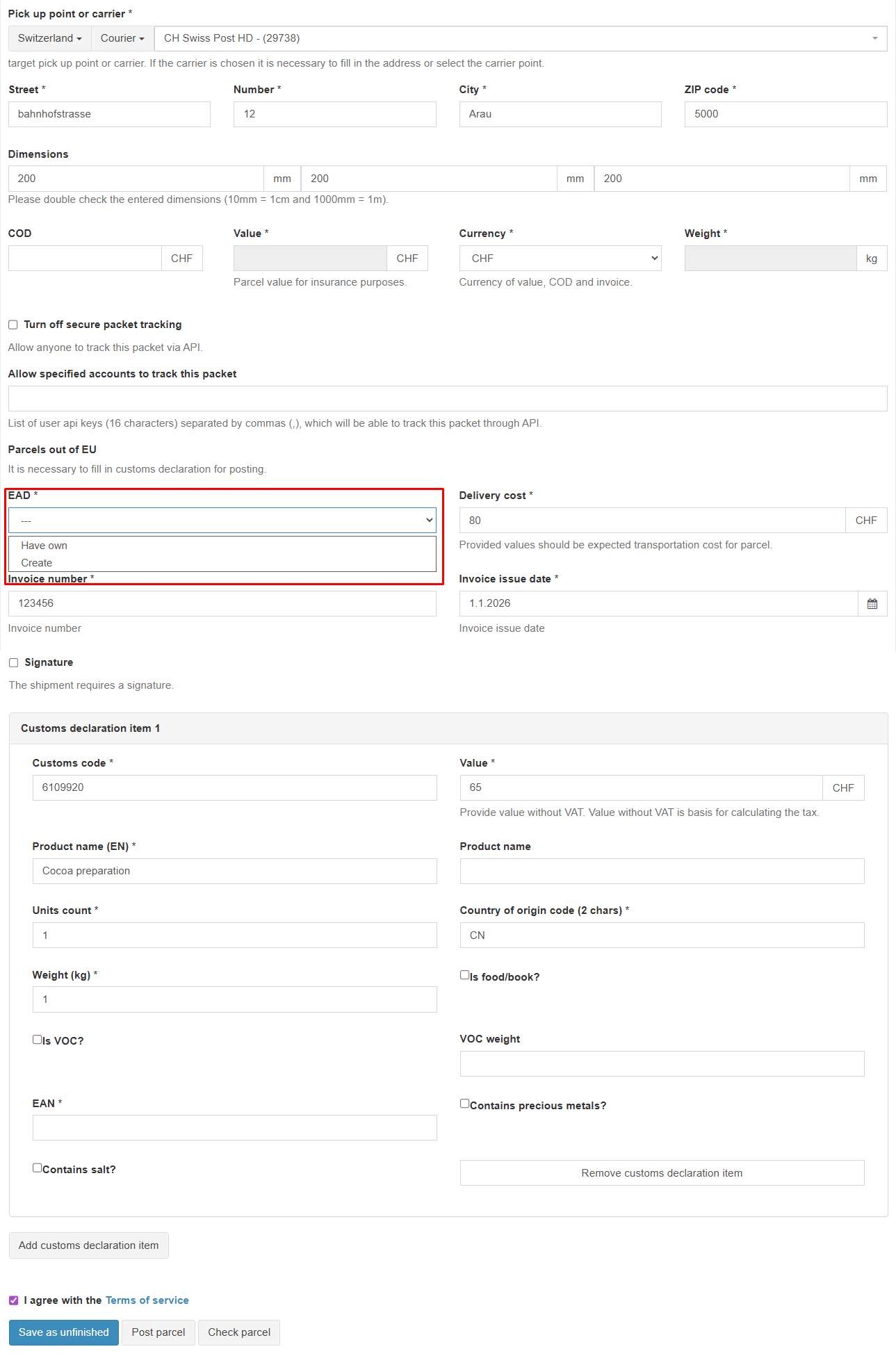
- The customs declaration form and the customs clearance methods supported by the selected carrier will appear
- Fill in all necessary information regarding the customs declaration method.
- If you use your own EAD, insert it into the corresponding field in .pdf format.
- If Packeta creates the EAD, insert the invoice in .pdf format and fill in the invoice issue date into the corresponding fields.
- Enter the required information for individual items. Using the Add another customs declaration item button, you can add additional items.
CONTACT US
With questions about declaration please reach out to our customs team at customs@packeta.com. Didn't find what you're looking for? Reach out to our integration support team at integrations@packeta.com.