Getting started
Module Installation
The installation and registration of the module are performed using the CLI utility that is part of Magento 2. You can find this utility in the Magento installation directory at /bin/magento.
Installation steps
- Download the latest version of the plugin from Github.
- Copy the Packetery directory into the
/app/codedirectory. - Enable the plugin using the CLI utility:
$bin/magento module:enable Packetery_Checkout --clear-static-content - Then register the plugin:
$bin/magento setup:upgrade - Redeploy static content (not required in dev mode):
$bin/magento setup:static-content:deploy - Recompile the project:
$bin/magento setup:di:compile - Clear the cache:
$bin/magento cache:clean - In the administration, set the Zásilkovna carrier for the default context (scope), even if the carrier is inactive.
- Upload Packeta carriers:
$bin/magento packetery:import-feed-carriers - Set up a cron job calling
bin/magento cron:runso that carriers are updated regularly.
Carrier Setup
Go to Packeta → Pricing rules. You will see an overview of all countries Packeta delivers to. Open the individual country you want to setup by clicking the detail button on the right. No country is enabled by default.
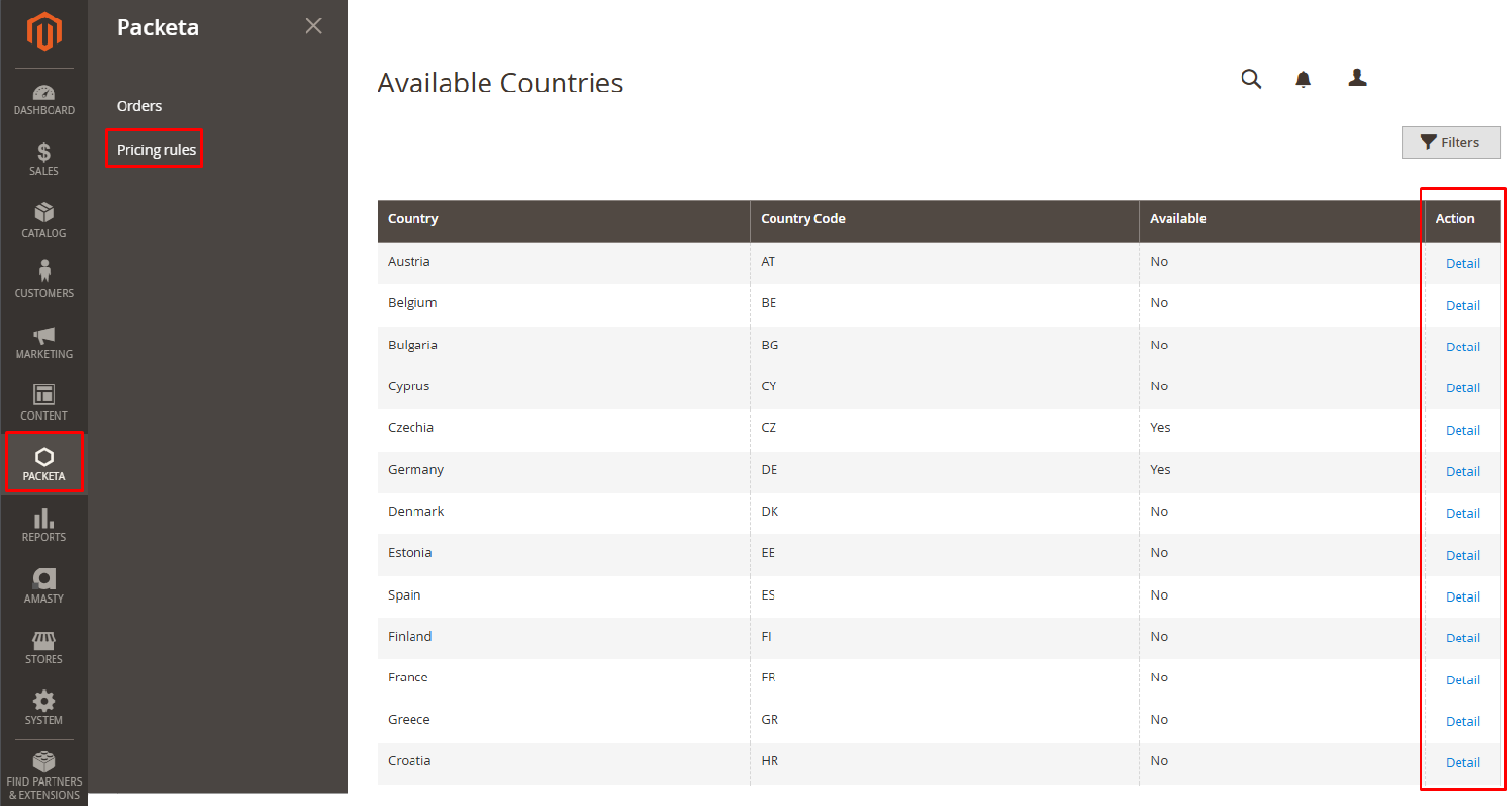
The list contains carriers that require customs declaration. You need to fill in the form upon importing your order to the client section.
Not all carriers support COD. It is not possible to limit payment options per carrier by default. If neccessary, third party modules are available for Magento.
Once you open the country you will see the list of available local delivery options.
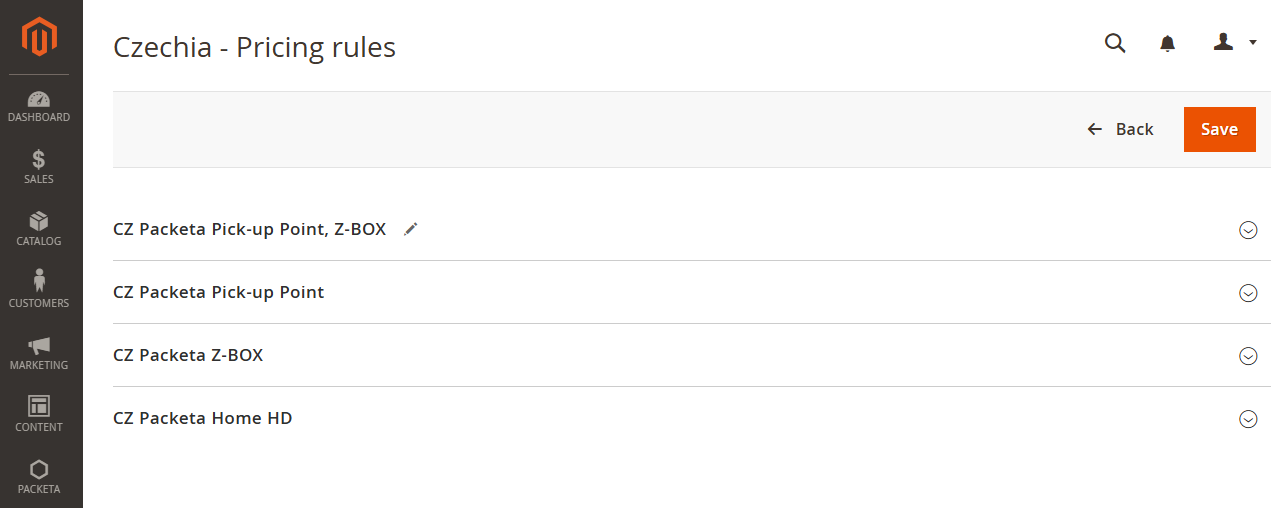
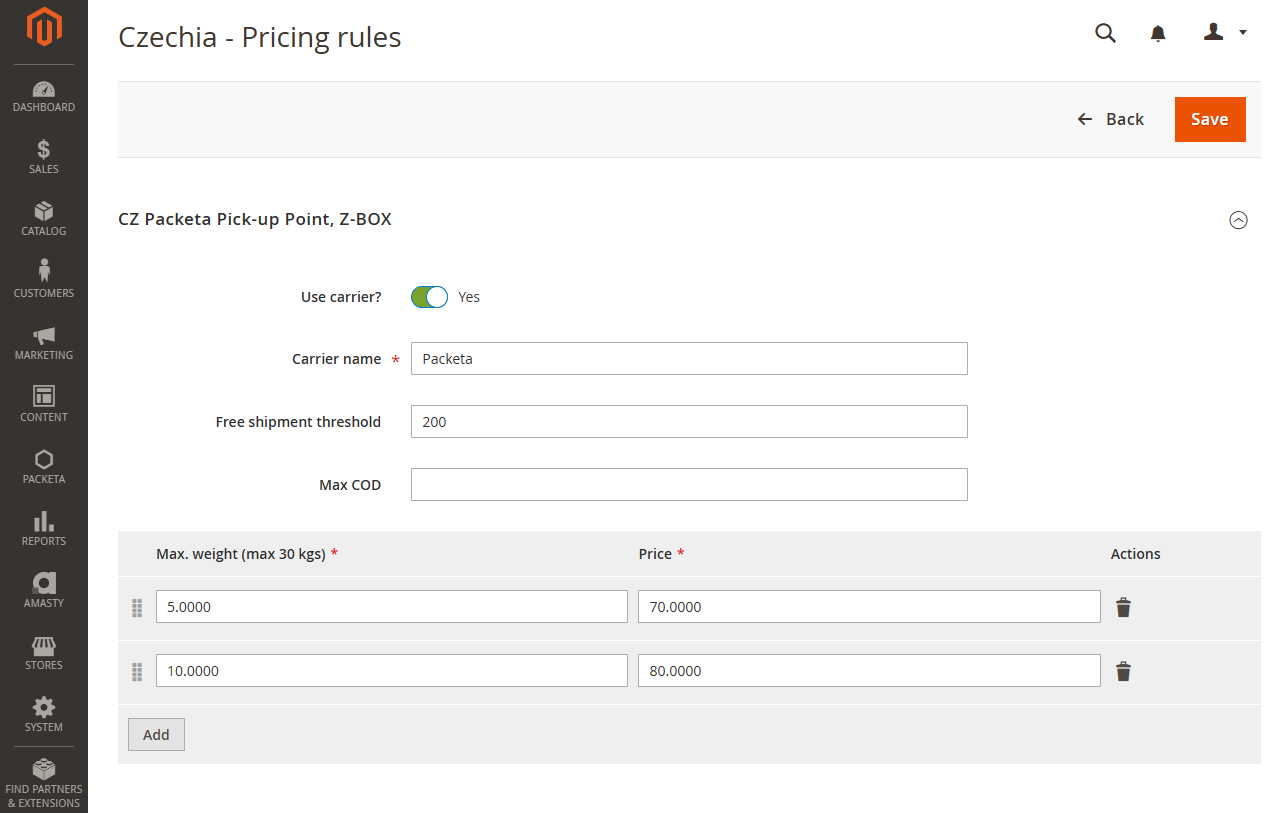
Enable the carrier by clickint the Use carrier button. Additional carrier options will appear after activation:
- Carrier name – name of the delivery method
- Free packet threshold – minimum order amount for free shipping
- Address validation – address validation settings for home delivery
- Max CoD – maximum cash-on-delivery amount
- Weight based pricing - delivery price based on weight of the packet
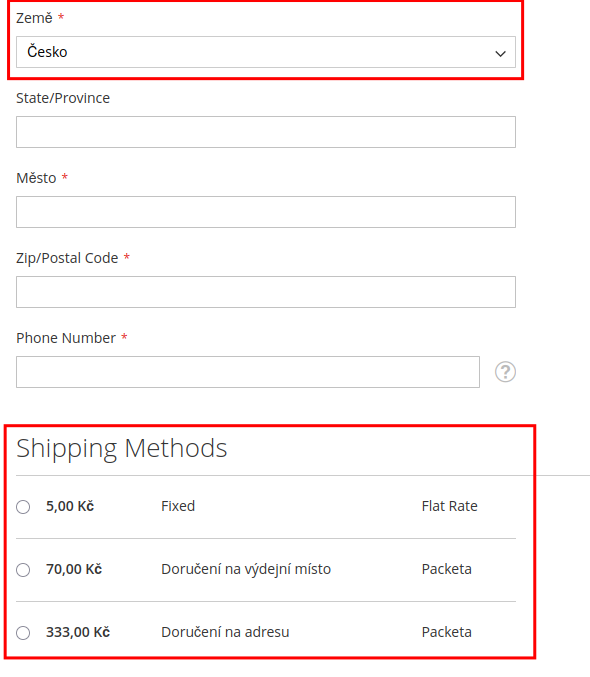
After saving, the carrier will appear in the checkout.
For delivery to external network (Foxpost, Paczkomaty, etc.) allow external pick-up points in your client section.
Working with the Plugin
You can view the created orders in the order list (Packeta → Orders). Open order details by clicking the Select text button and choosing Select detail. To edit an order, choose Edit. In the order detail, you can change the pickup point or the delivery address.
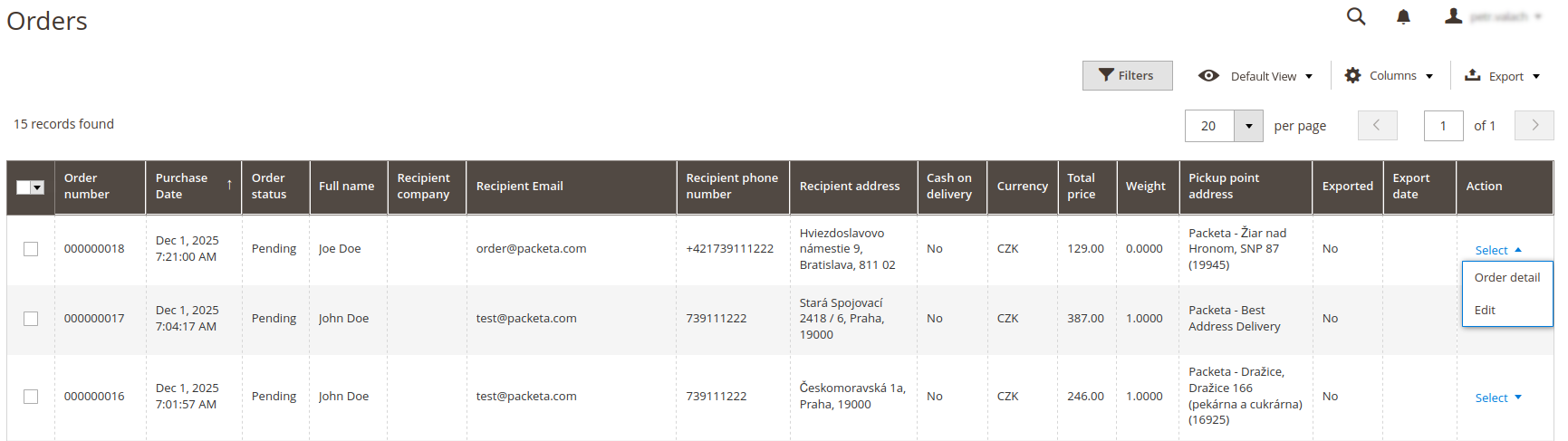
Create packet
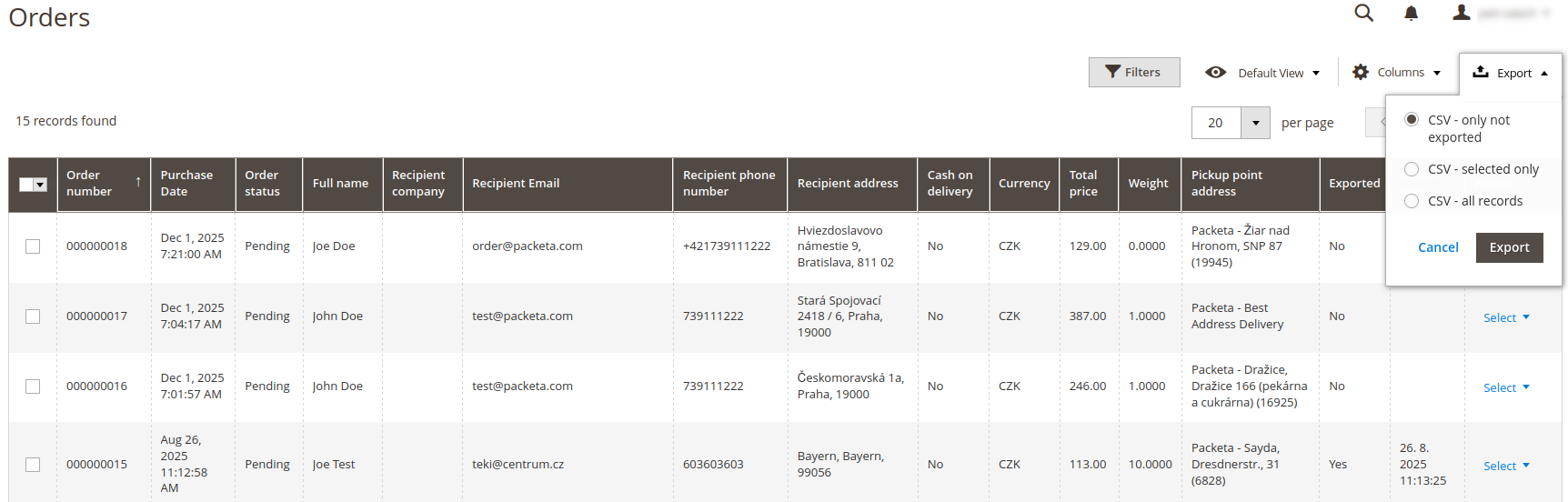
Magento does not support direct packet submission. You must generate an export and upload it to the client section.
You can generate the export at the top of the window. Select whether you want to export all orders, only those not yet exported, or create your own selection.
Client section
Sender indication
Create a sender with the field indication matching the URL of your e-shop (without the https:// prefix). Find guide on creating sender here.
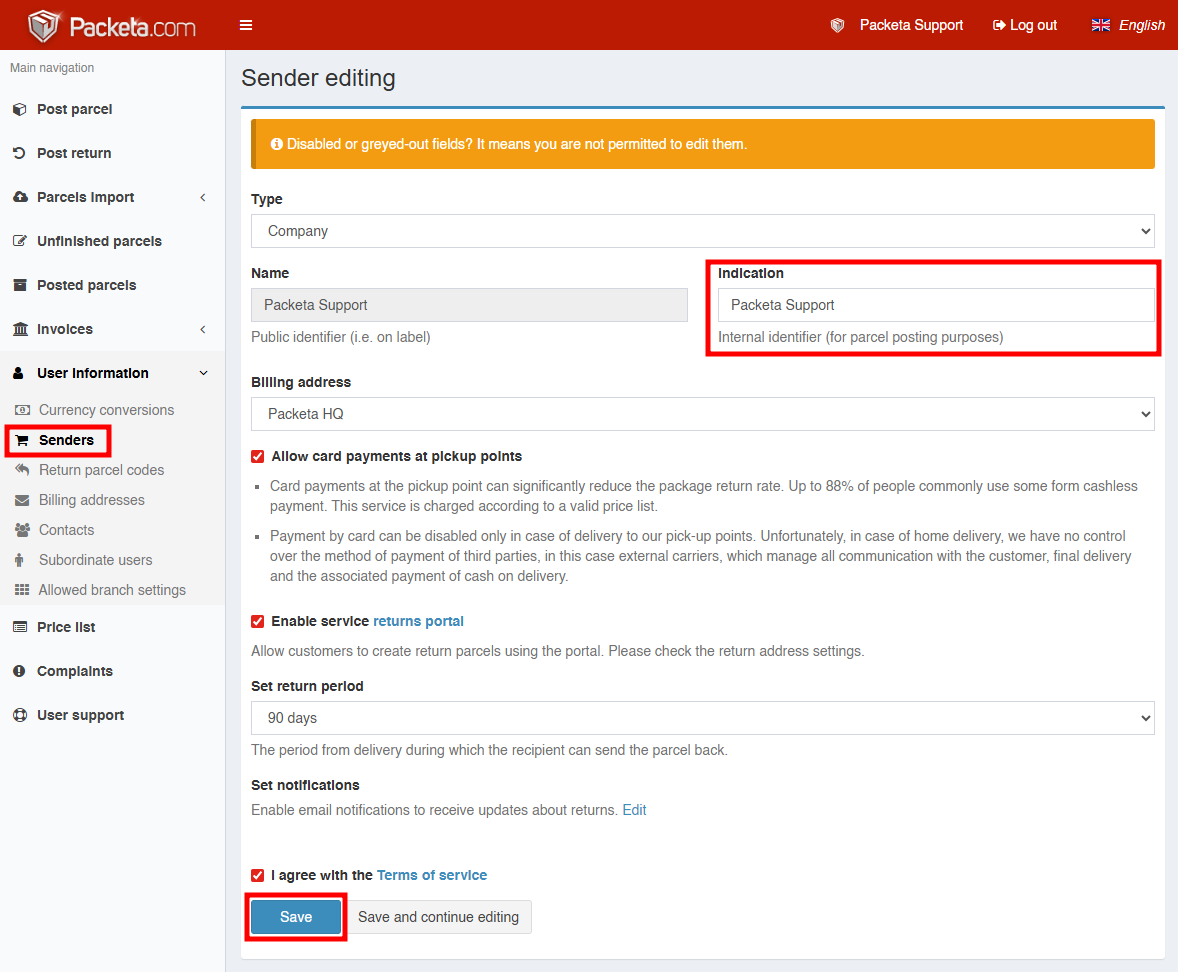
Magento copies the URL of your e-shop (for example myeshop.com) into the sender field in the export. Create a sender with the same label in the client section, otherwise you will have to manually correct the field for each order from the import.
Import to client section
The created file is in a ready to import to client section format. Import the file in Client section → Parcels import. After the import, the orders will appear in the Unfinished parcels overview. Select the orders you want to submit and choose Submit Selected from the Bulk Actions menu.
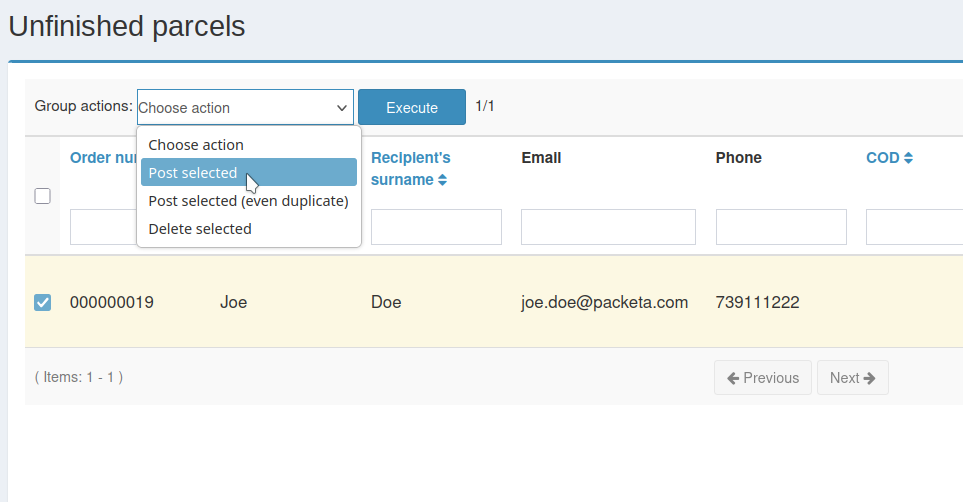
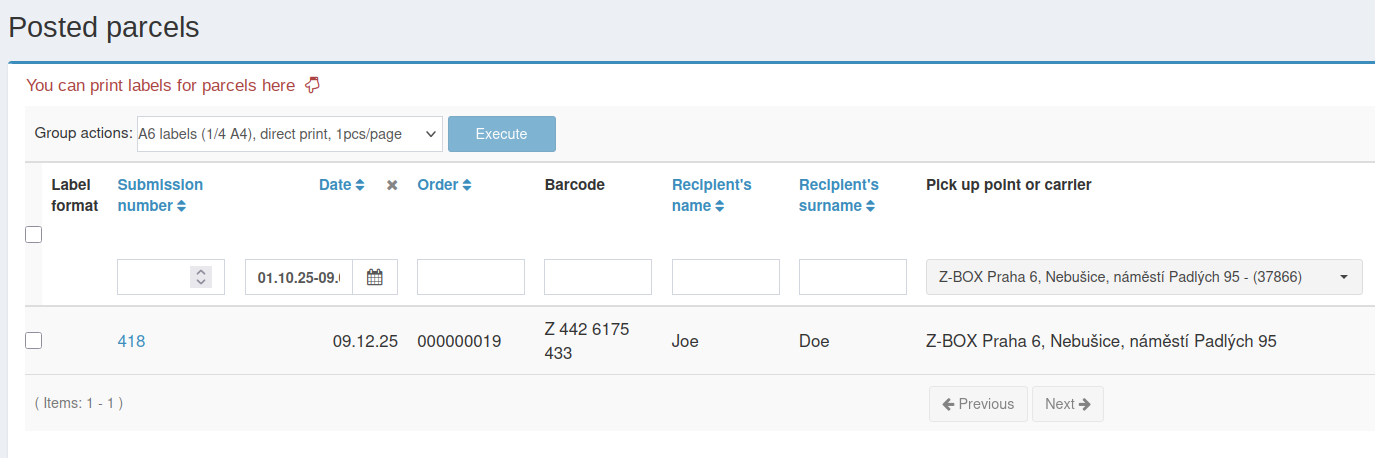
Once submitted, the packets will appear in the Posted parcels overview. You can now print the label and drop off the packet at a collection point.
Plugin update
You can find the latest version of the plugin on Github. For updating, use the Magento CLI utility similarly to installation.
The update procedure for our plugin is as follows:
- In the administration, set the Zásilkovna carrier for the default context (scope), even if the carrier is inactive.
- Enable maintenance mode:
$bin/magento maintenance:enable - Remove the source files by deleting the
app/code/Packeterydirectory. - Continue as if installing the plugin.
- Disable maintenance mode:
$bin/magento maintenance:disable - Check the configuration
Didn’t find the answer to your question? Our team is available at integrations@packeta.com.