Getting started
Module Installation
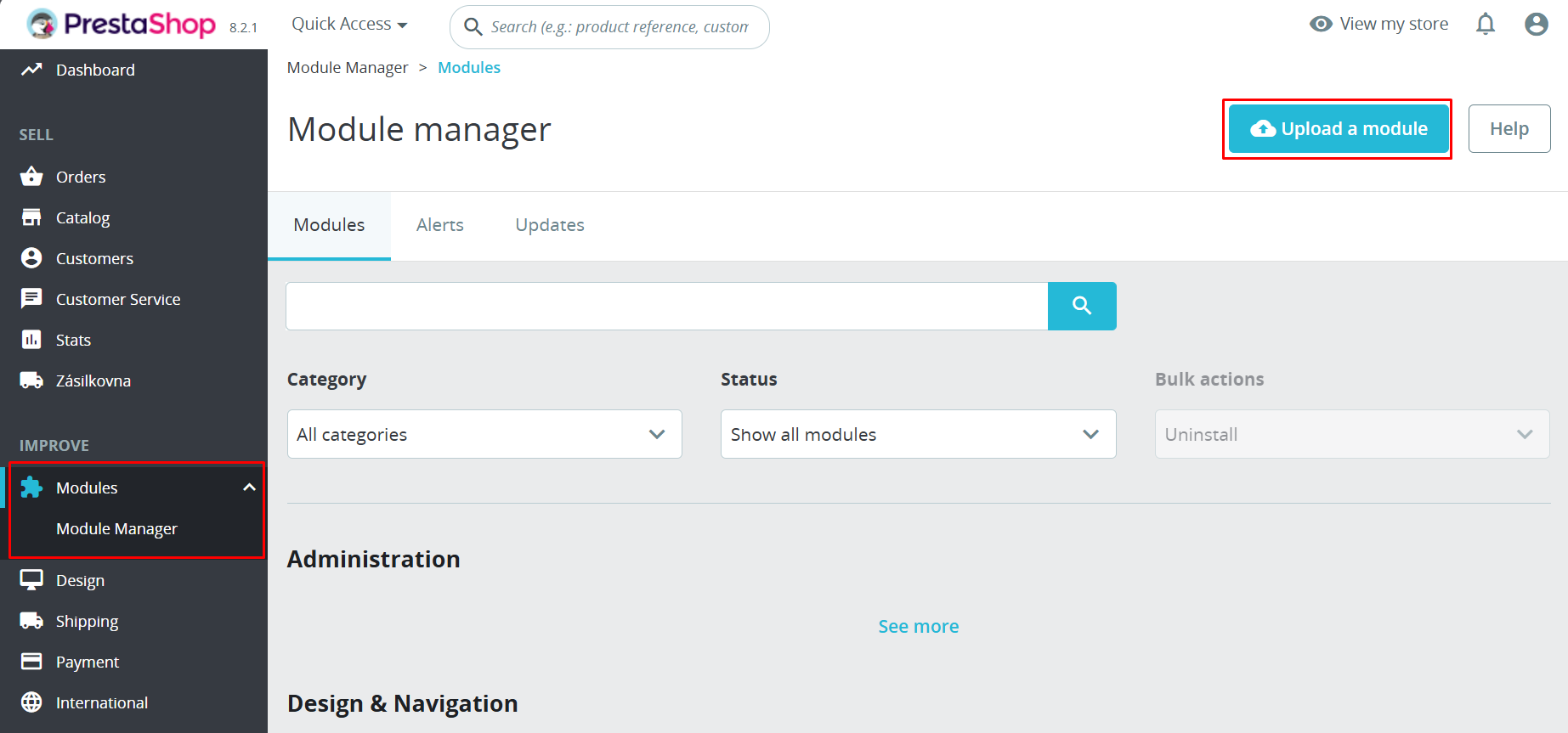
After downloading the module from Github, go to Extensions → Modules → Module Manager and click Upload a module. Select the file path and upload the module.
Module Configuration
In Packeta → Configuration, fill in your API password and the sender label from the client section.
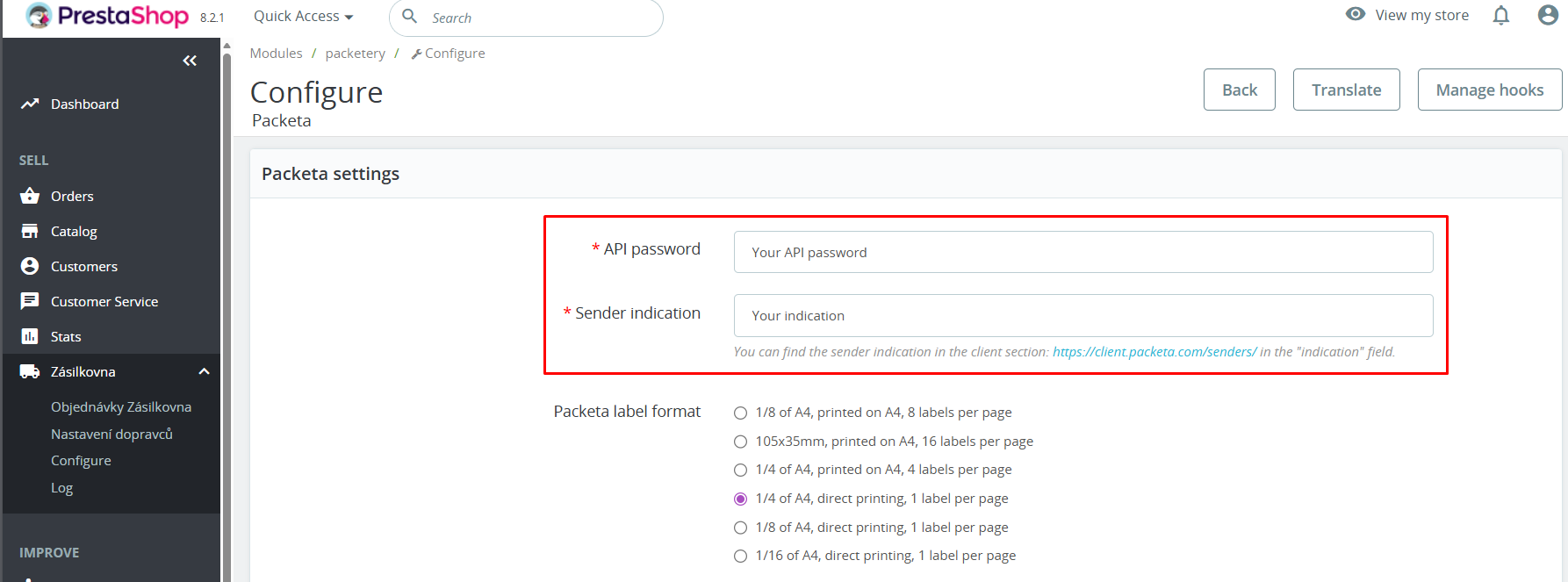
- API password – you can find your API password in the Packeta client section
- Sender Indication – the indication you have configured in the senders list
- Select the label format. We recommend A6 (1/4 A4, printed on A4, 4 labels per page) for standard printers, or 1 label per page for label printers.
Carrier Configuration
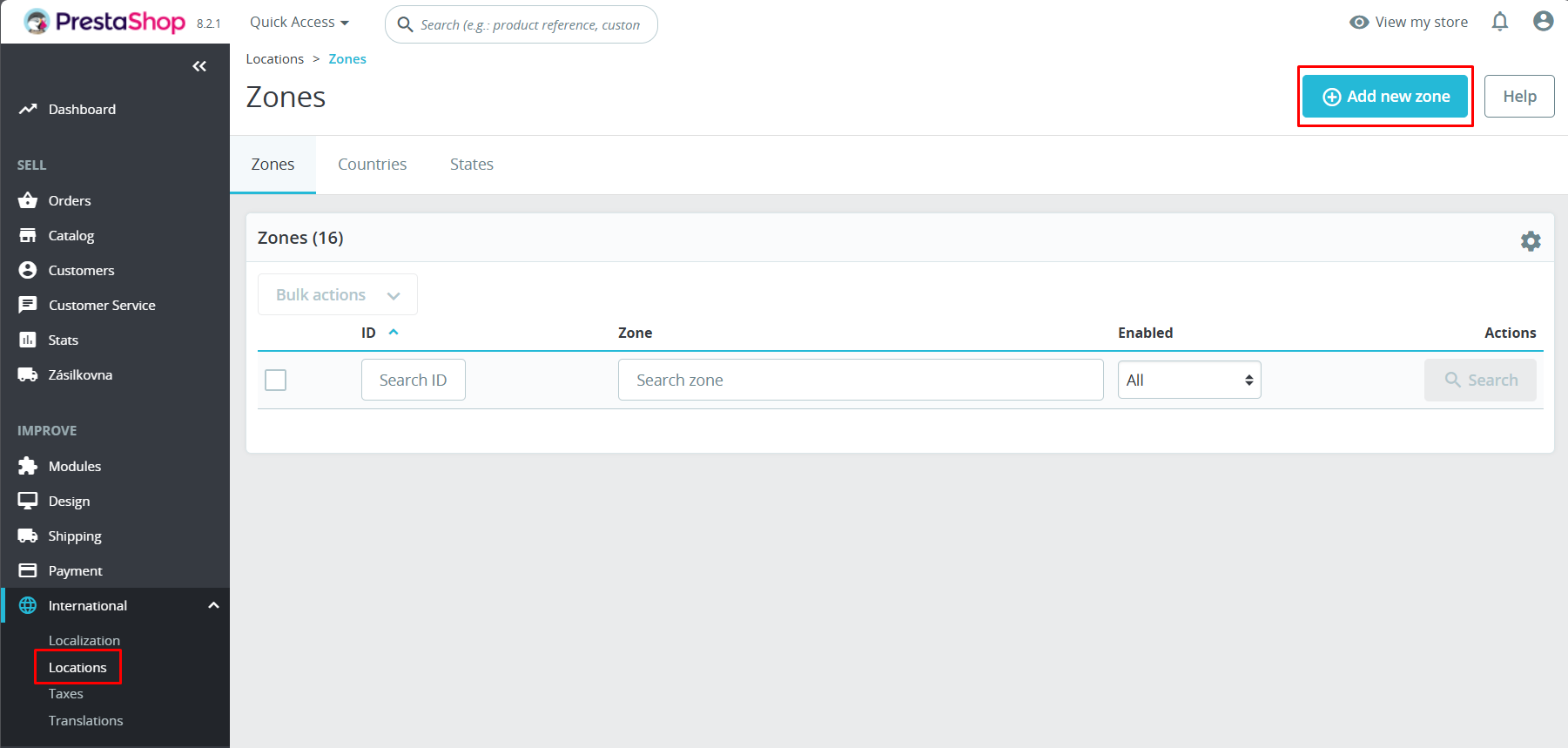
In International → Locations, add a new delivery zone (Czech Republic).
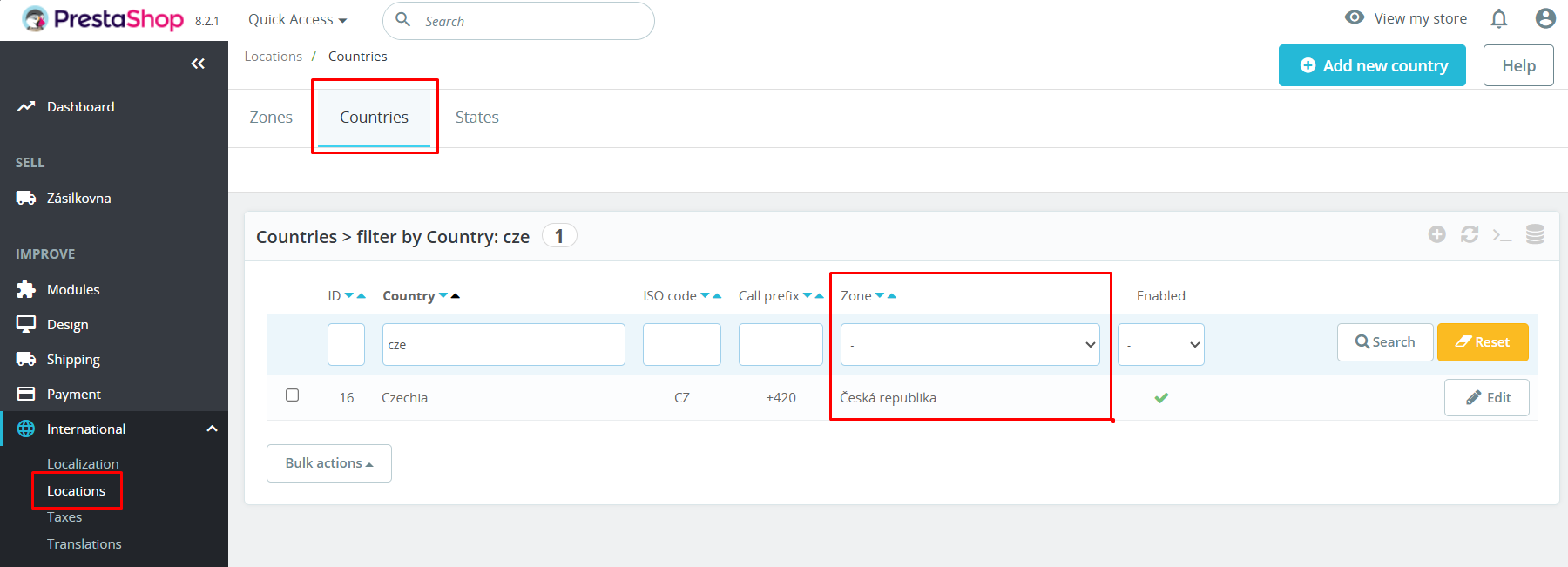
In the Countries tab, check the countries that belong to this zone (Czech Republic). States are used for individual US states.
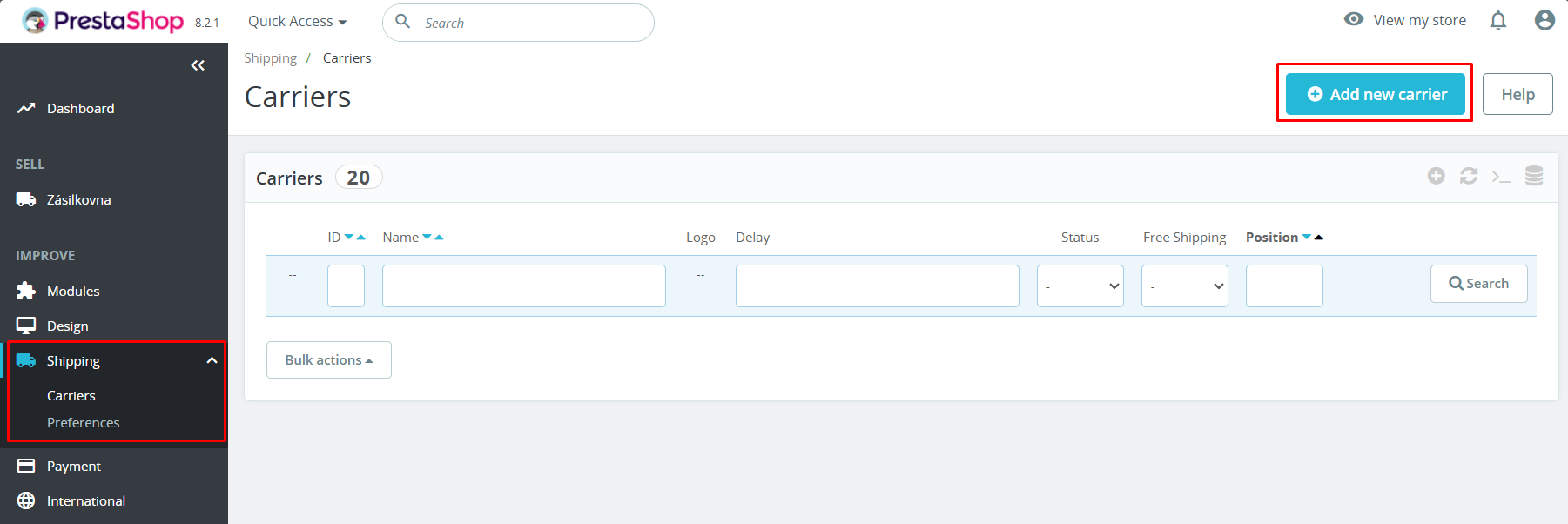
Add a new carrier by clicking Add new carrier in Shipping → Carriers.
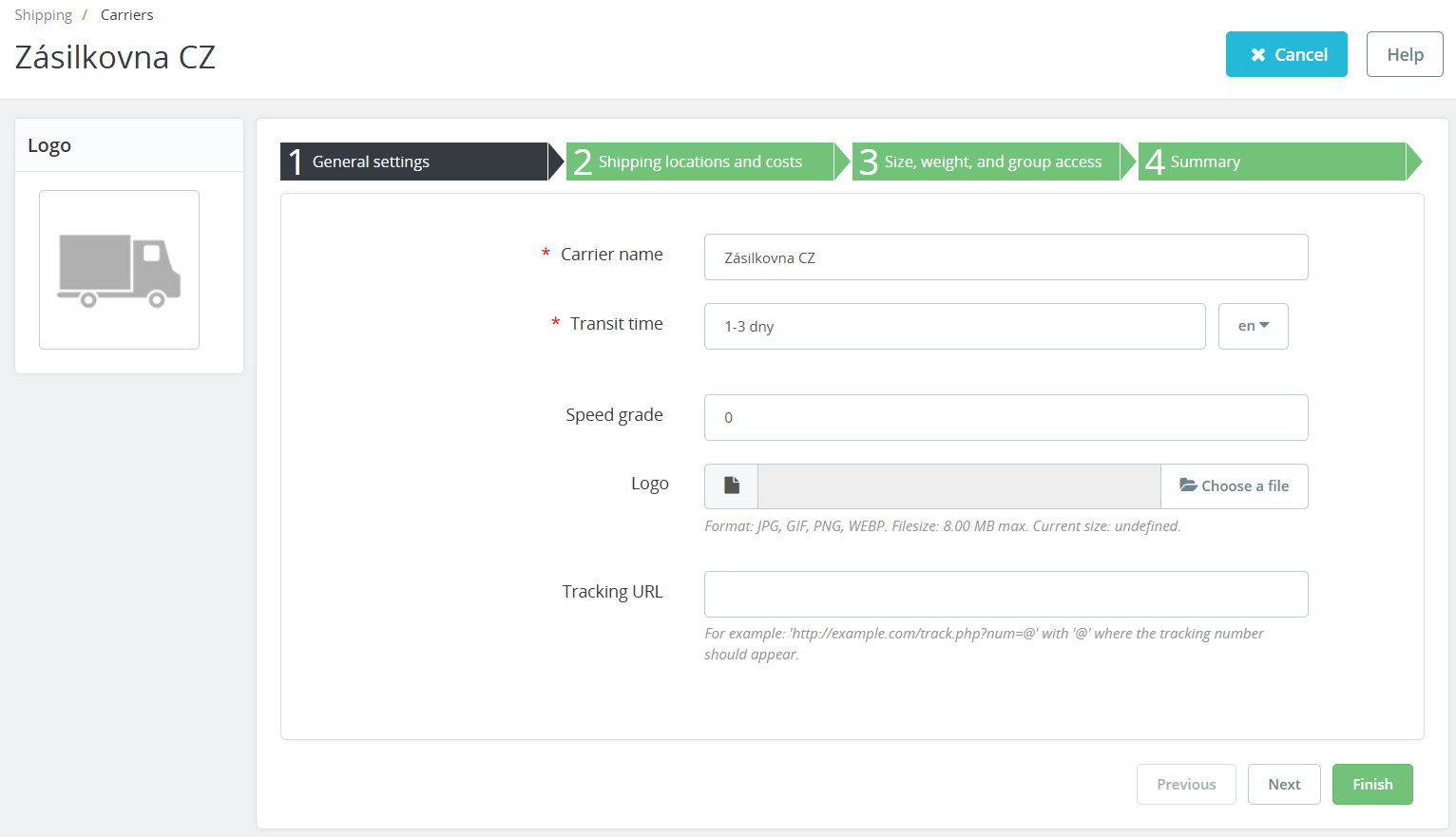
Name the carrier, enter the delivery time (displayed to the customer in the cart), and continue to the next page.
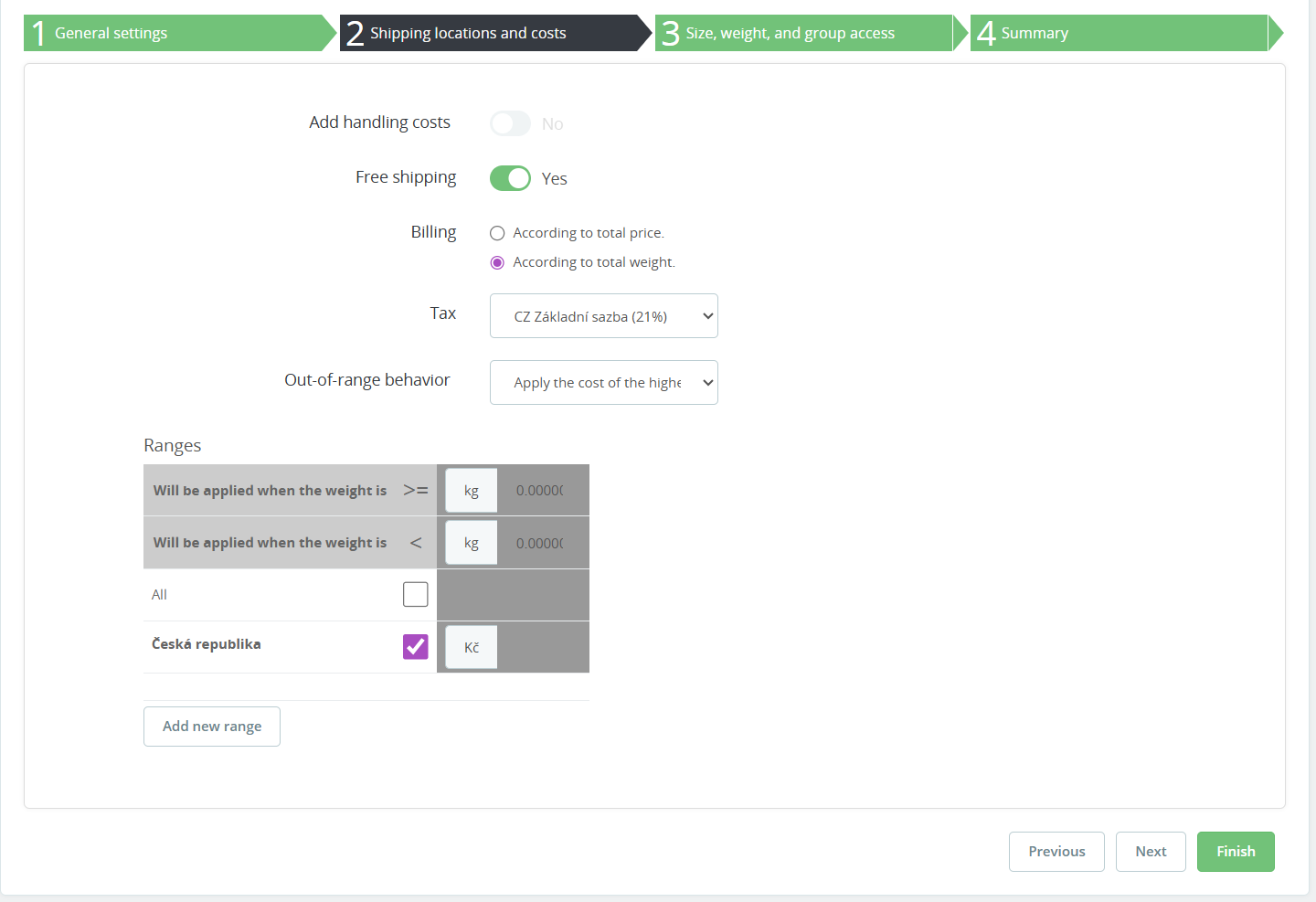
In this step, choose which zone should the carrier deliver to.
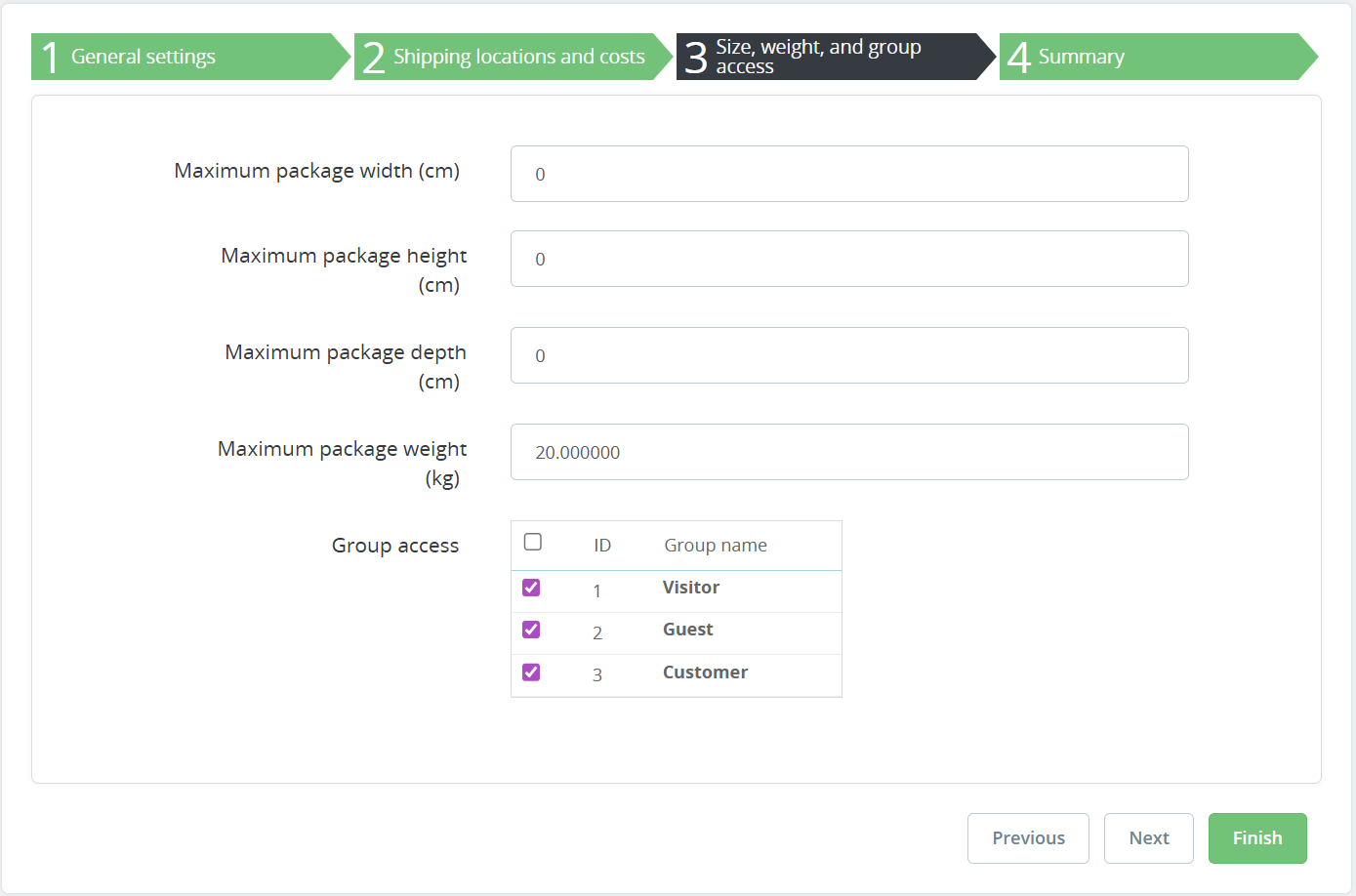
In the next step, set the maximum size and weight of the packet.
In the final step, check that everything is set as needed. Then click Finish.
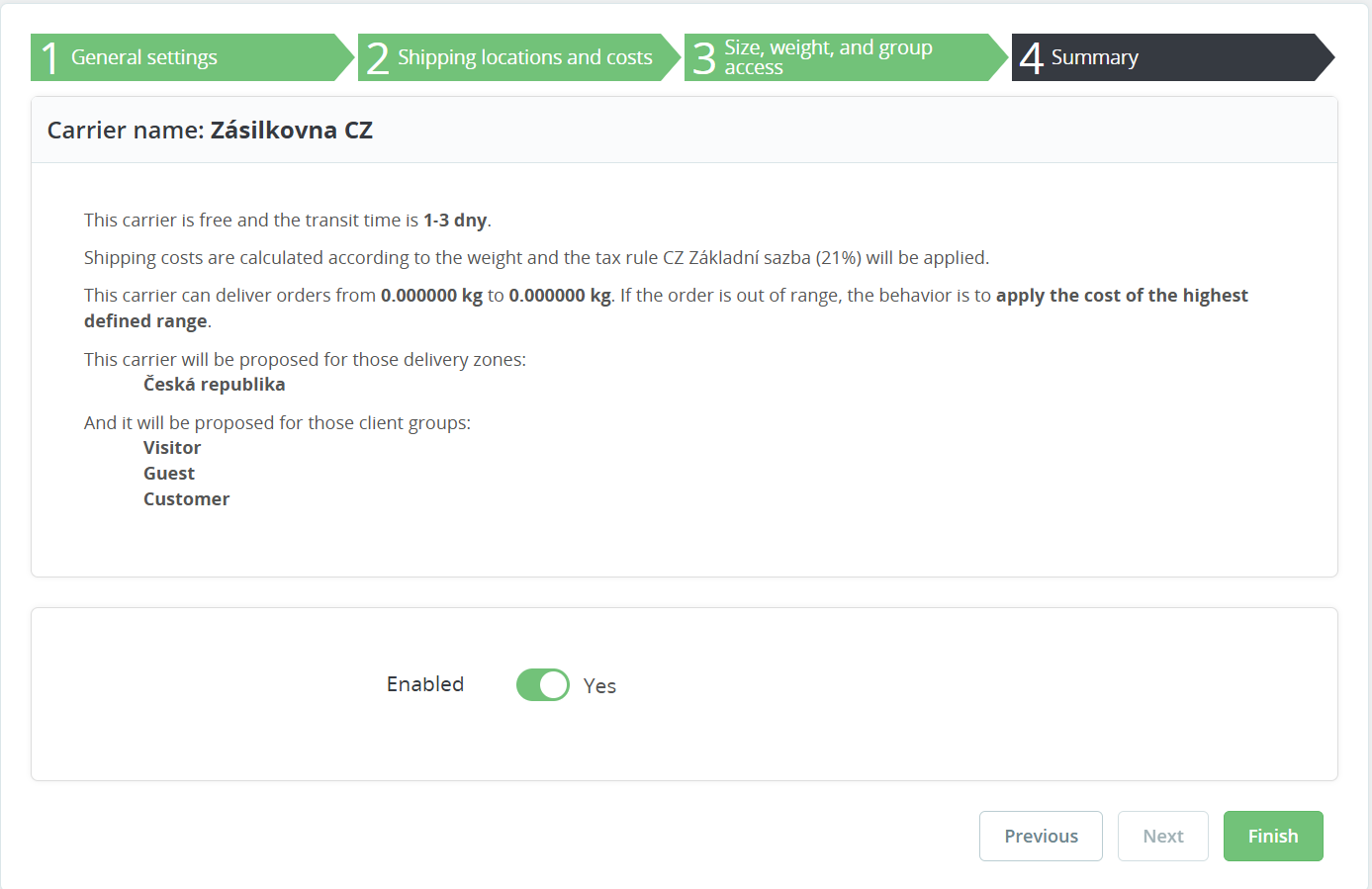
For delivery to external network (Foxpost, Paczkomaty, etc.) allow external pick-up points in your client section.
How to submit a packet
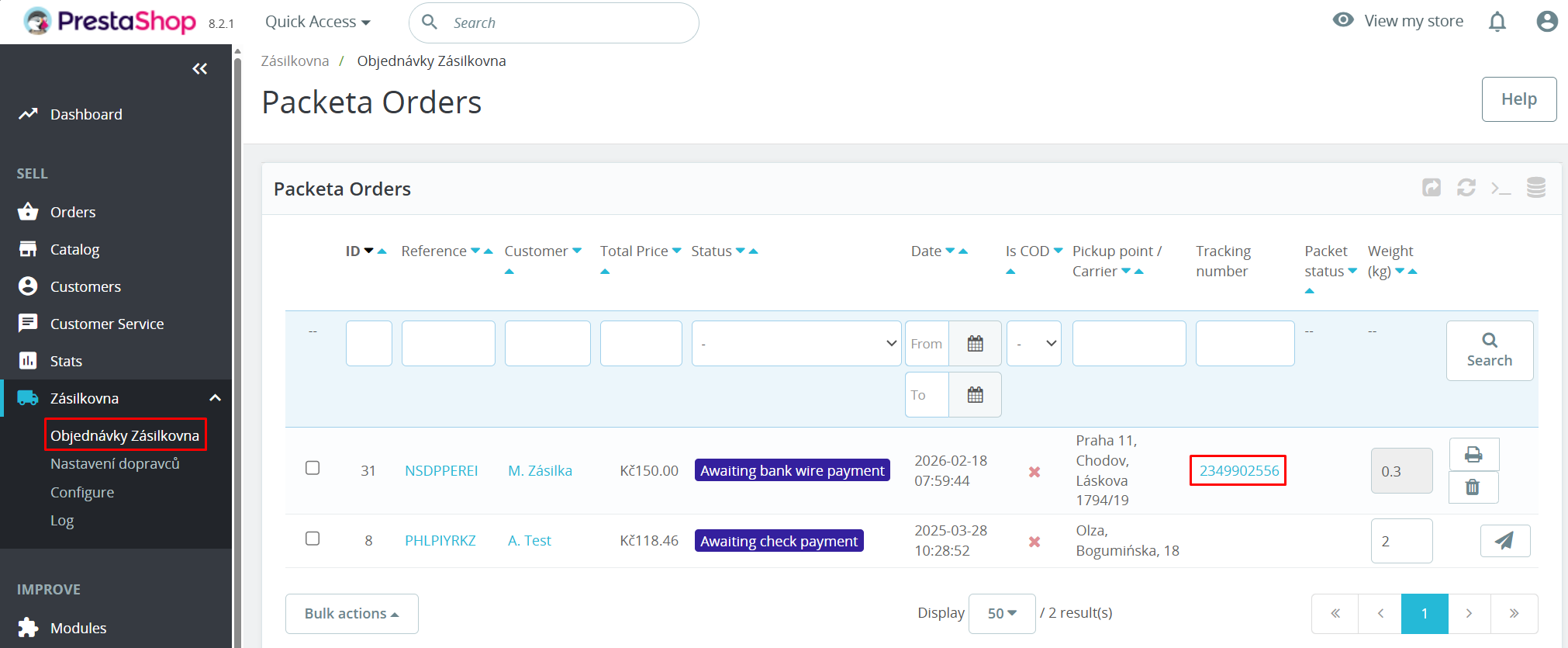
In Packeta → Packeta Orders, you will find an overview of orders. Submit a packet using the paper-plane icon.  .
After a successful submission, a print icon will appear.
 .
The overview also shows the delivery method and the order code, which you can click to access its details.
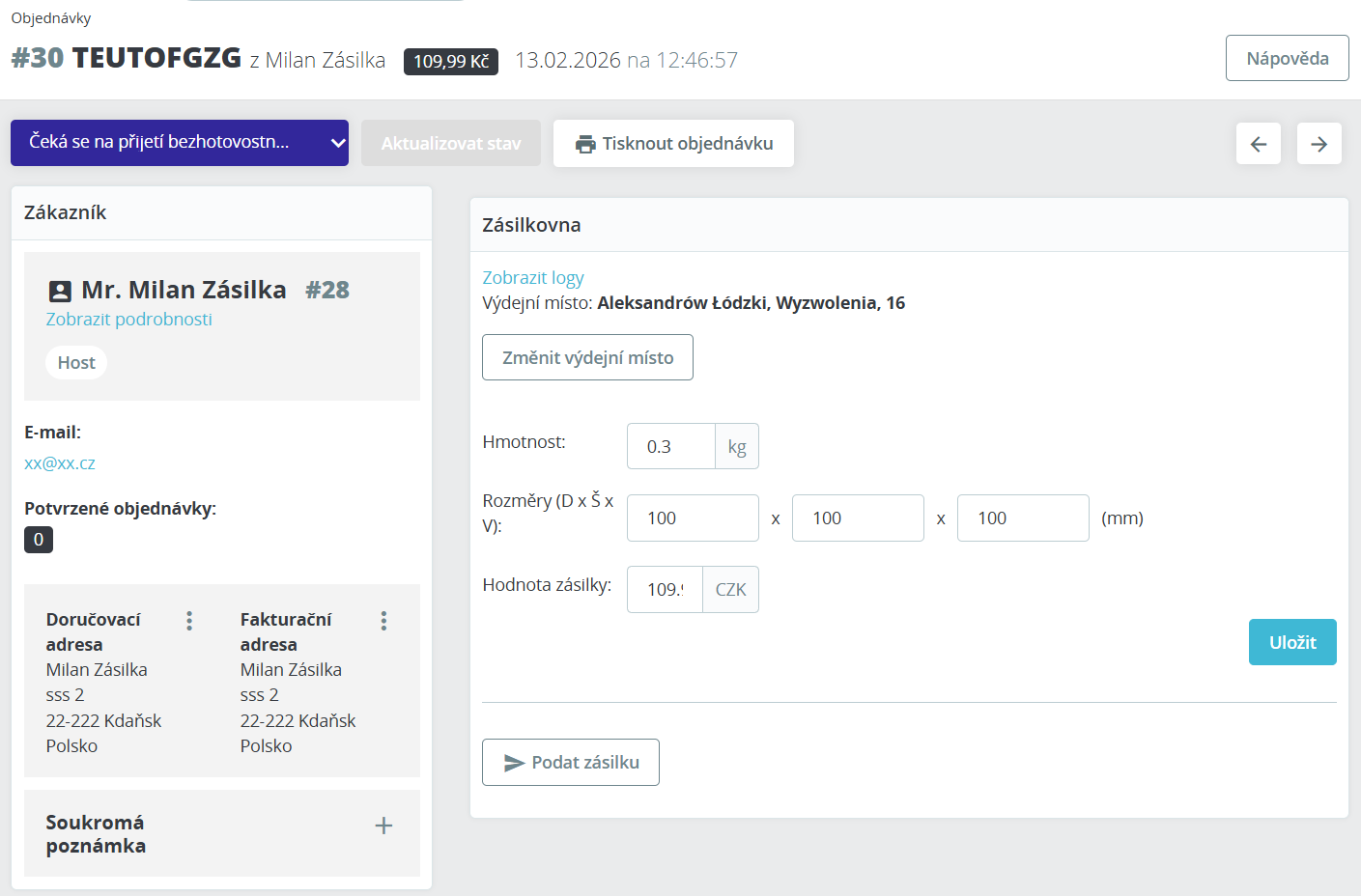
In the order detail, you can change the delivery address (for HD) in the Packeta tab. You can only change the address before submitting the packet into our network.
Module Update
Updating the module works the same way as installation. Download the latest version of the module from Github and follow the steps described in the Module Installation.
Didn't find what you're looking for? Reach out to our integration support team at integrations@packeta.com.