Set up free shipping
In PrestaShop, free shipping is not configured based on a specific condition (such as cart value), it's an option for a specific delivery zone. In this example, we will set up free shipping for Zásilkovna CZ.
Setup
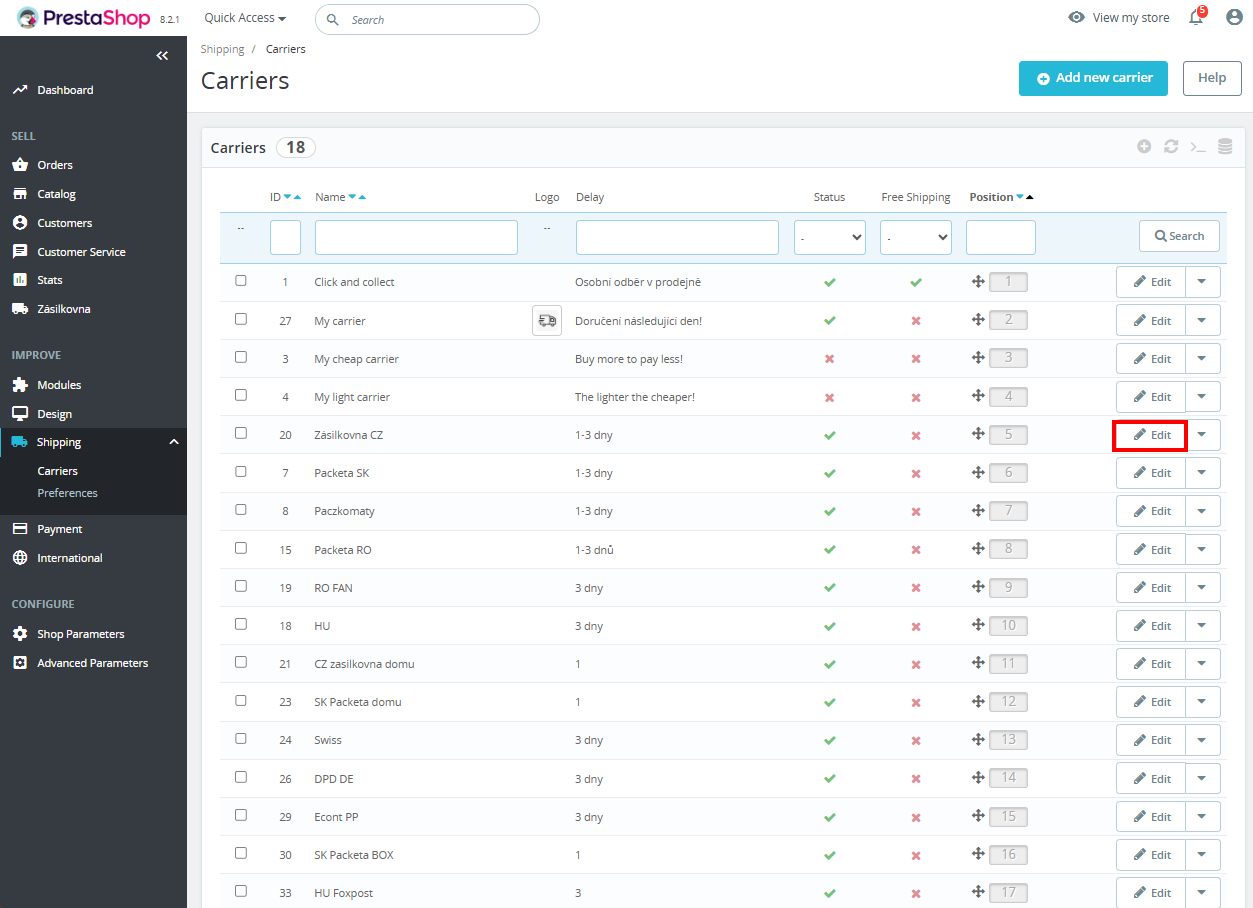
Go to Shipping → Carriers and click the Edit button for the carrier you want to enable free shipping for.
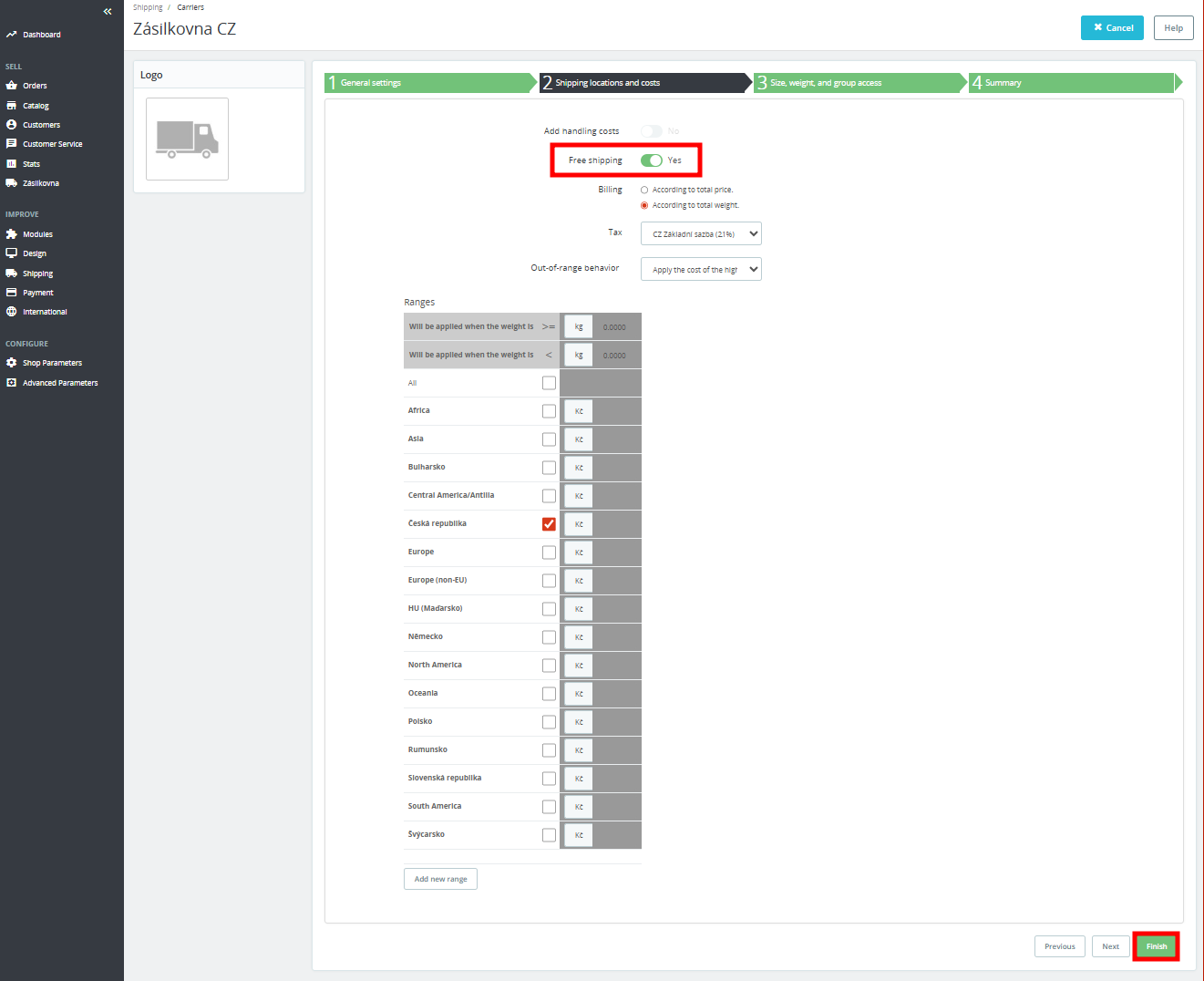
Open Shipping locations and costs and click the Free shipping! button so that it turns green. Make sure the correct delivery zone is selected and verify the rest of the carrier settings. At the bottom of the page, click the green Finish button.
Test
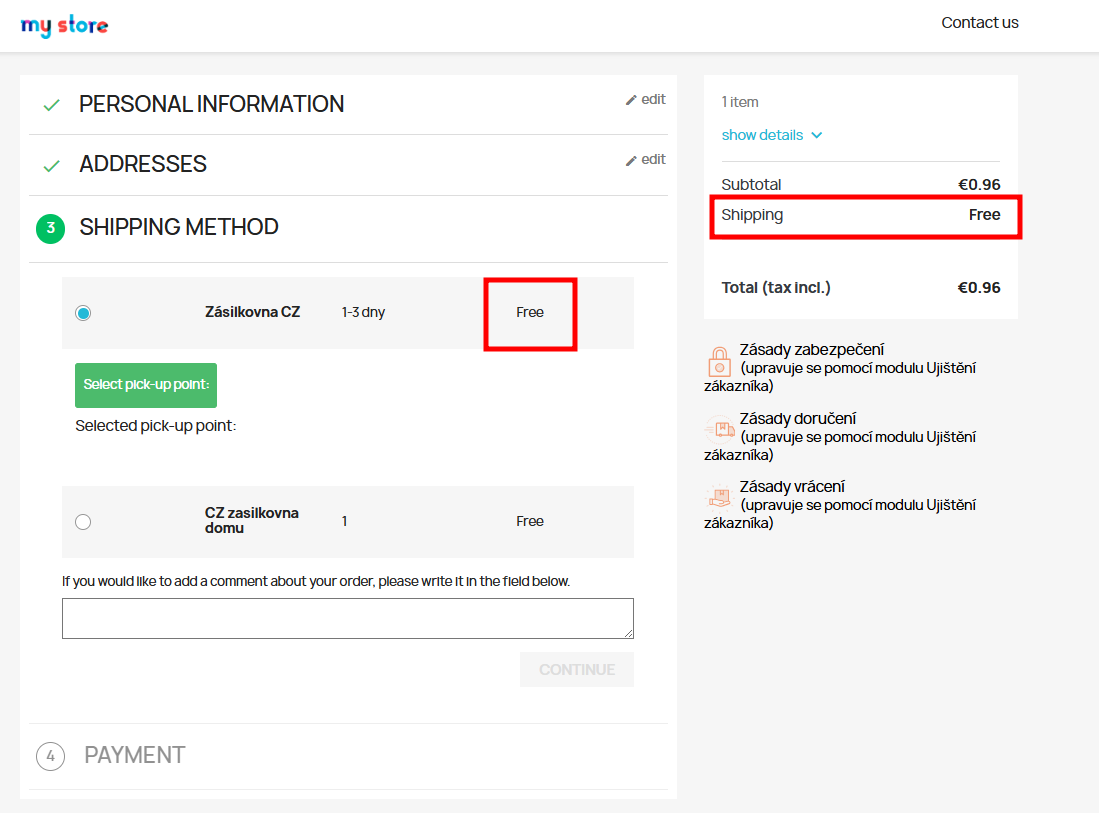
Select the configured shipping method (Zásilkovna CZ) at checkout and verify that free shipping is applied for this method.
And that’s it! You can enable free shipping for any of your carriers in the same way.
Didn't find what you're looking for? Our team is here to help at integrations@packeta.com.