How to update carriers
Information about available services and carriers changes over time. Therefore, it is necessary to update this information regularly.
Manual update
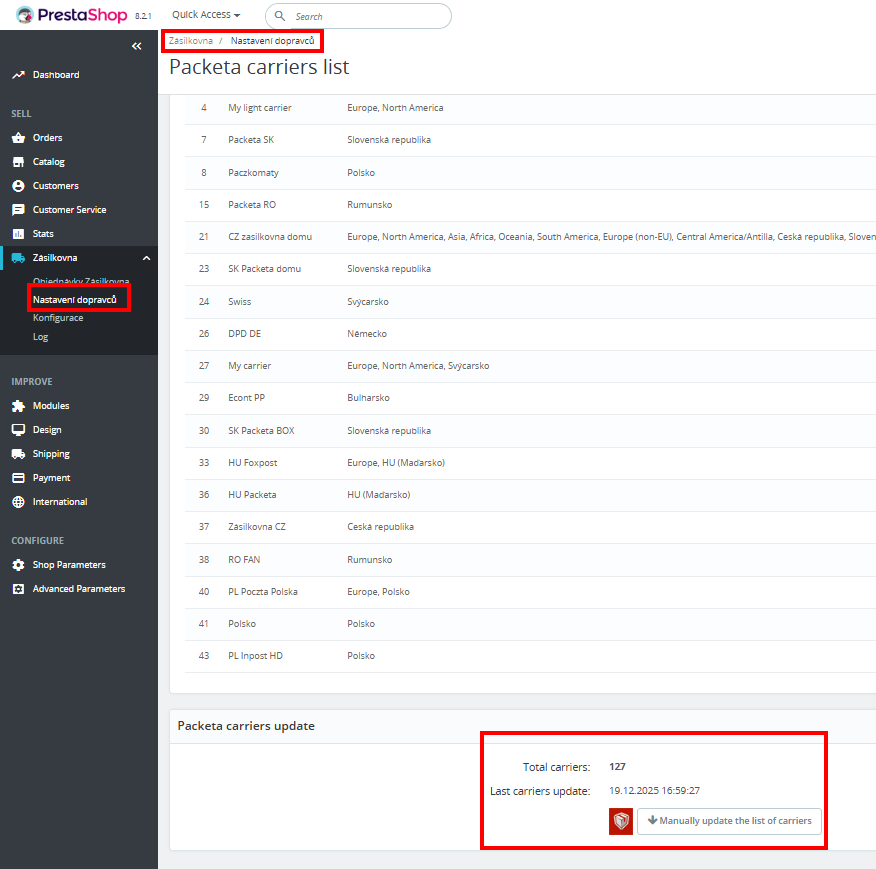
Our carriers in the PrestaShop administration are not updated automatically; you can update them manually in Packeta → Carrier settings.
Automation
Automatic carrier updates can be set up using CRON. CRON is a lightweight task scheduler that automatically runs predefined commands or scripts at a specified time.
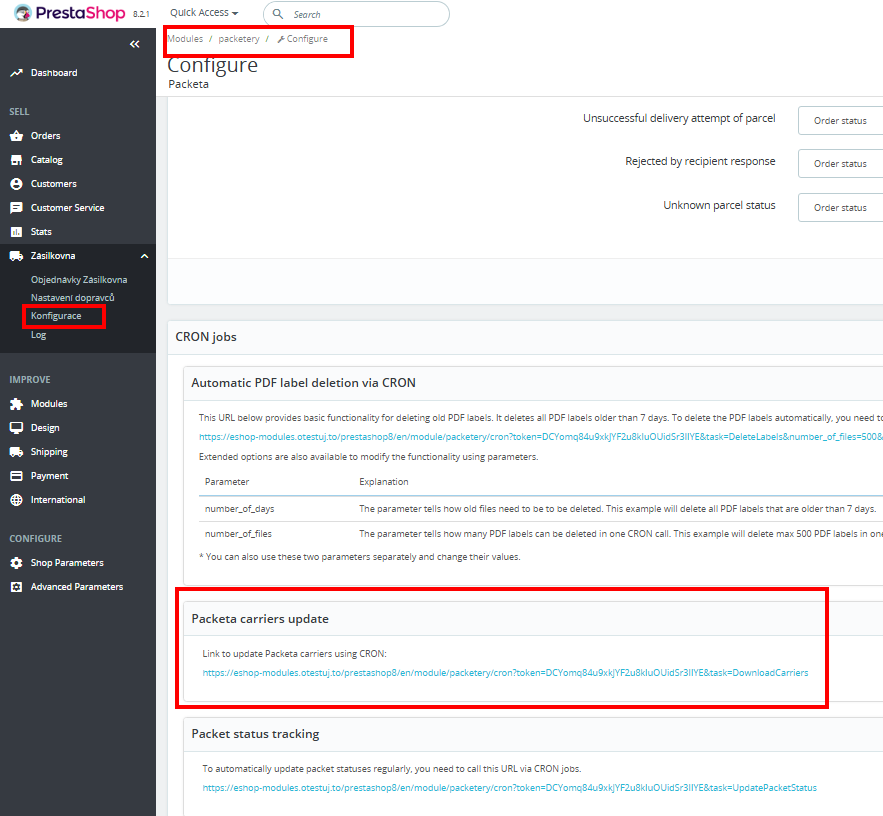
Below is the CRON URL that ensures automatic carrier updates (for PrestaShop versions 8 and 9).
https://eshop-modules.otestuj.to/prestashop8/cs/module/packetery/cron?token=DCYomq84u9xkJYF2u8kIuOUidSr3IIYE&task=DownloadCarriers
CRON must be configured in the administration at the server/web hosting level.
You can also find this URL in the configuration of our plugin under Packeta → Configuration, see the screenshot below.
Didn’t find an answer to your question? Our team is available at integrations@packeta.com.