Automated packet status sync
The module for Prestashop 8 and 9 allows you to track packet statuses and automatically update order statuses your the e-shop administration. This guide shows how to automatically change the order status step by step until its' final status, i.e., delivery (or cancellation) of the packet.
Settings
Packet status synchronization settings can be found under Packeta → Configuration:
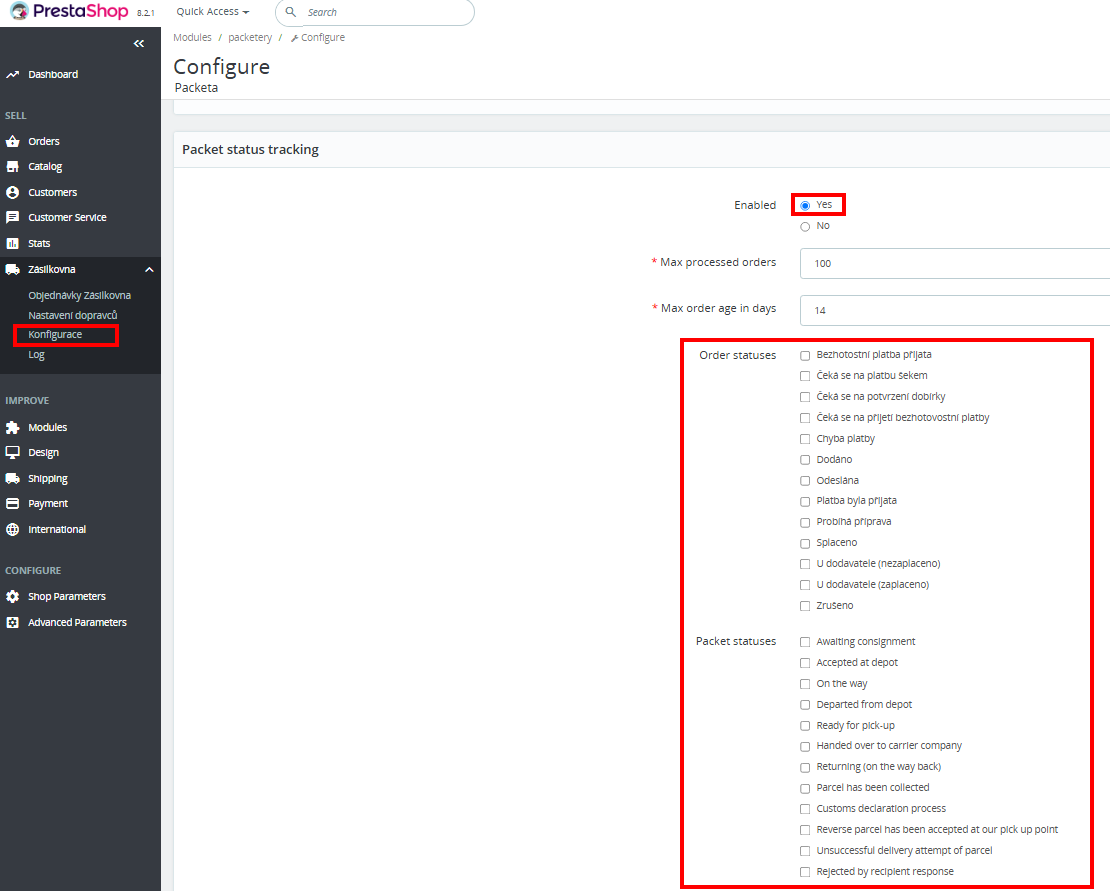
Below the packet selection, you will find the settings for changing order statuses:
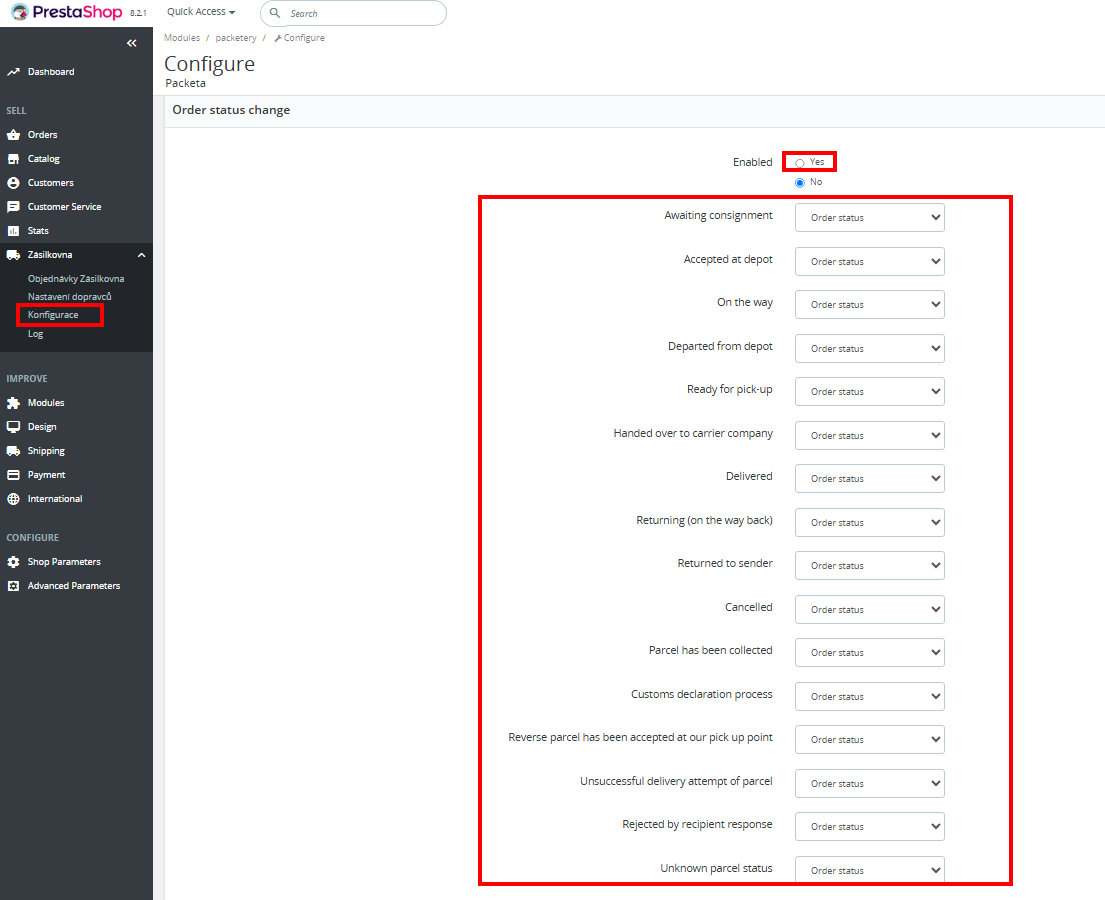
Packet Status Tracking
Open Packet status tracking and select order and packet statuses as shown in the image below:
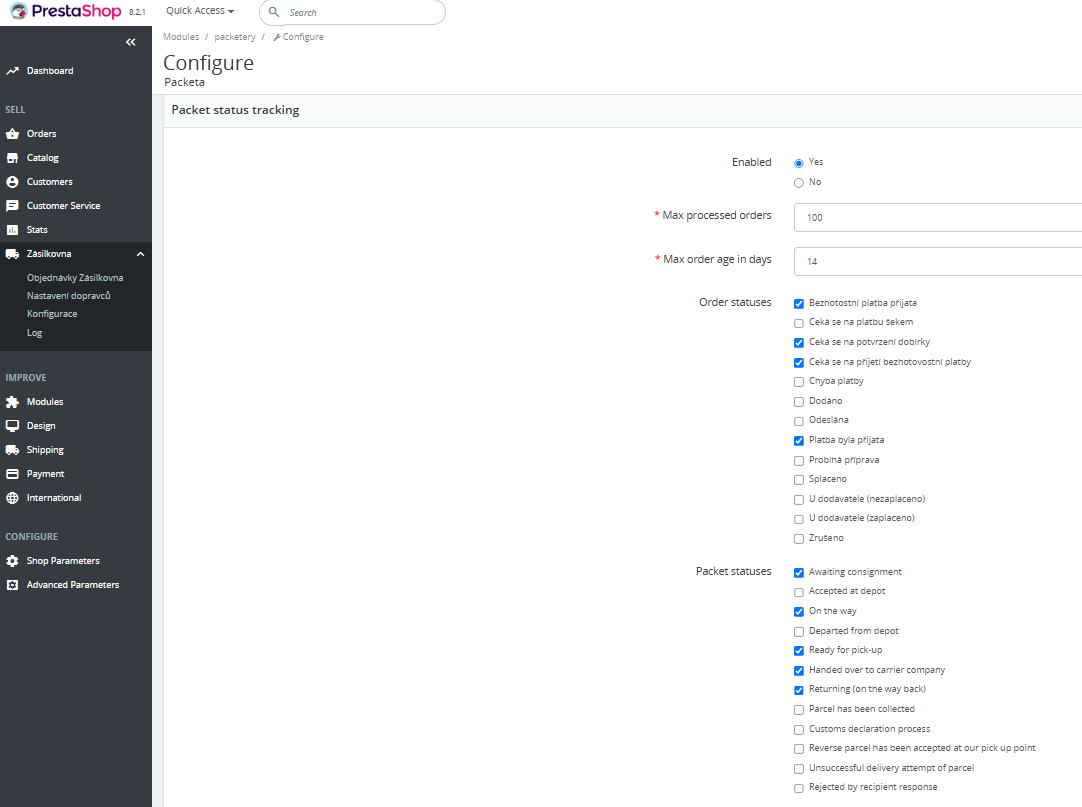
For optimal performance and efficiency of automatic operations, select only the most important statuses.
The number of packets and their maximum age determines that the system tracks the 100 most recent packets that are no older than 14 days. Switch Enabled to Yes and save.
Tracking too many packets or packets that are too old can overload the system, cause update loops, and prevent completion. We recommend sticking to default (or close to default) values.
Packet statuses will be automatically synchronized and displayed under Packeta → Orders:
- When a packet is submitted, the order status changes to Awaiting store delivery.
- When the packet enters our logistics network, its status changes to In transit.
- If you are sending the packet via one of our external carriers, you can also enable the Shipped by carrier status.
- Once the packet arrives at the pickup point, its status changes to Ready for pickup.
- If the packet cannot be delivered or the order is returned, the status changes to Return.
Final packet statuses (packet delivered and received by the customer) and canceled packets are synchronized automatically and are therefore not included in the tracked statuses.
You can also track order payment statuses, which will be synchronized in a separate Orders tab.
Changing Order Status
For each order status, you can set a link to packet statuses. Whenever the packet status changes, the order status can be updated according to the linked mapping. You can configure packet status tracking as shown below:
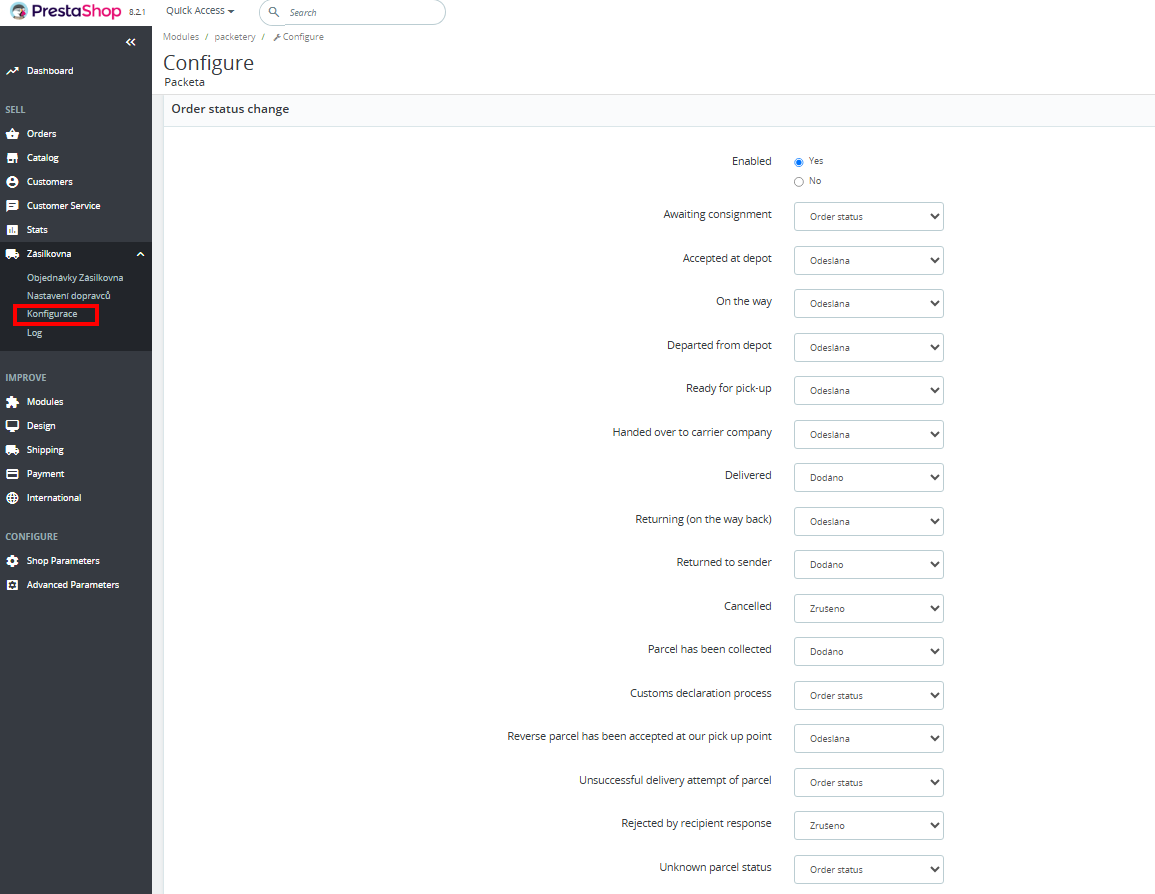
Order statuses will then change as follows:
- The packet is in the Awaiting store delivery status, so the order status will follow the tracked order status.
- When the packet physically enters logistics, it triggers an automatic change of the order status to Shipped.
- The order remains Shipped until the packet is delivered.
- When the customer picks up the packet, the packet status changes to Delivered, triggering the order status change to Completed.
- If the packet cannot be delivered or is returned, the packet status changes to Return and the order status to Canceled.
Automatic Packet Status Updates via CRON
The entire synchronization process for tracking order and packet statuses is triggered by a CRON job. This is a low-resource scheduler that automatically runs programmed commands or scripts at a specified time. Below is the link to the CRON that ensures automatic carrier updates (for Prestashop versions 8 and 9): https://eshop-modules.otestuj.to/prestashop8/cs/module/packetery/cron?token=DCYomq84u9xkJYF2u8kIuOUidSr3IIYE&task=DownloadCarriers
The CRON must be set up in the server/web hosting administration. Contact your hosting support if needed.
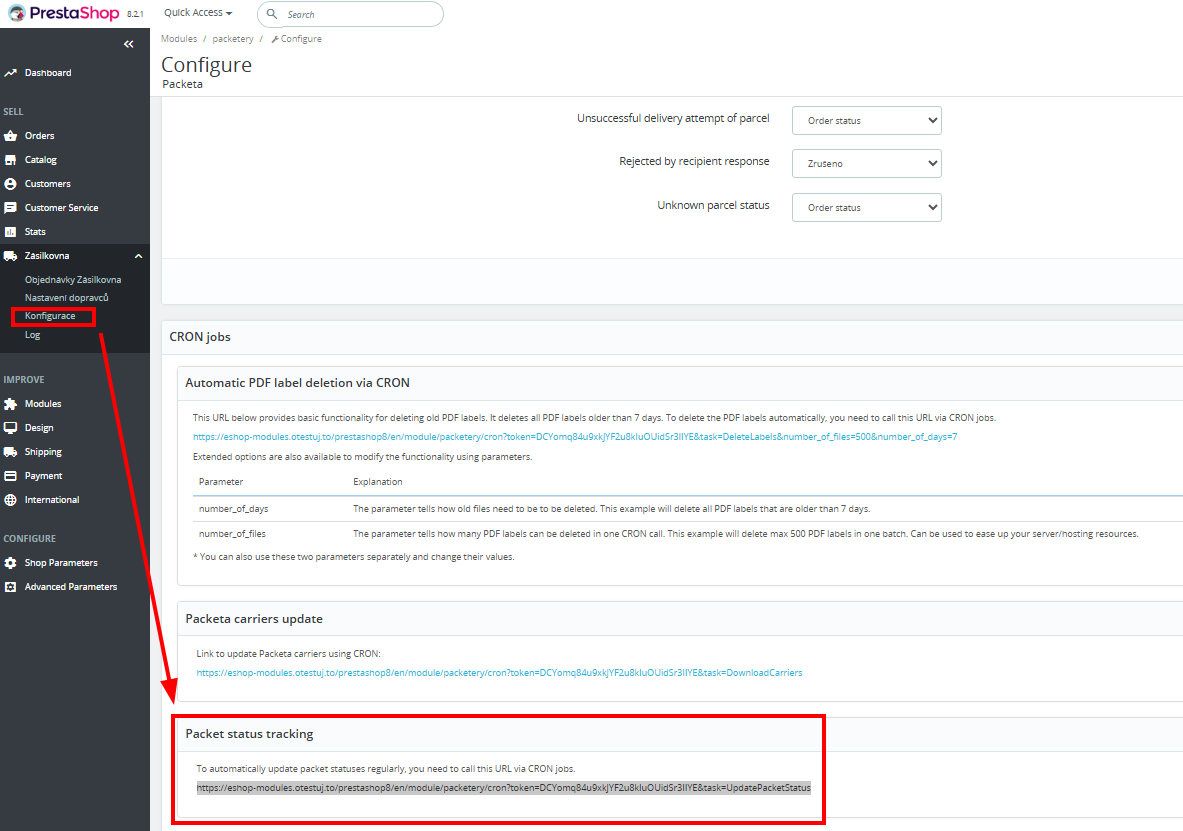
You can also find this link in our plugin configuration under Packeta → Configuration, see the screenshot below:
Didn't find the answer to your question? Our team is available at integrations@packeta.com.