Automatic packet submission
In this guide, you will learn how to automatically create packets based on an order in your e-shop. In three simple steps, we will show you how to set up automatic submission for cash on delivery orders.
Settings
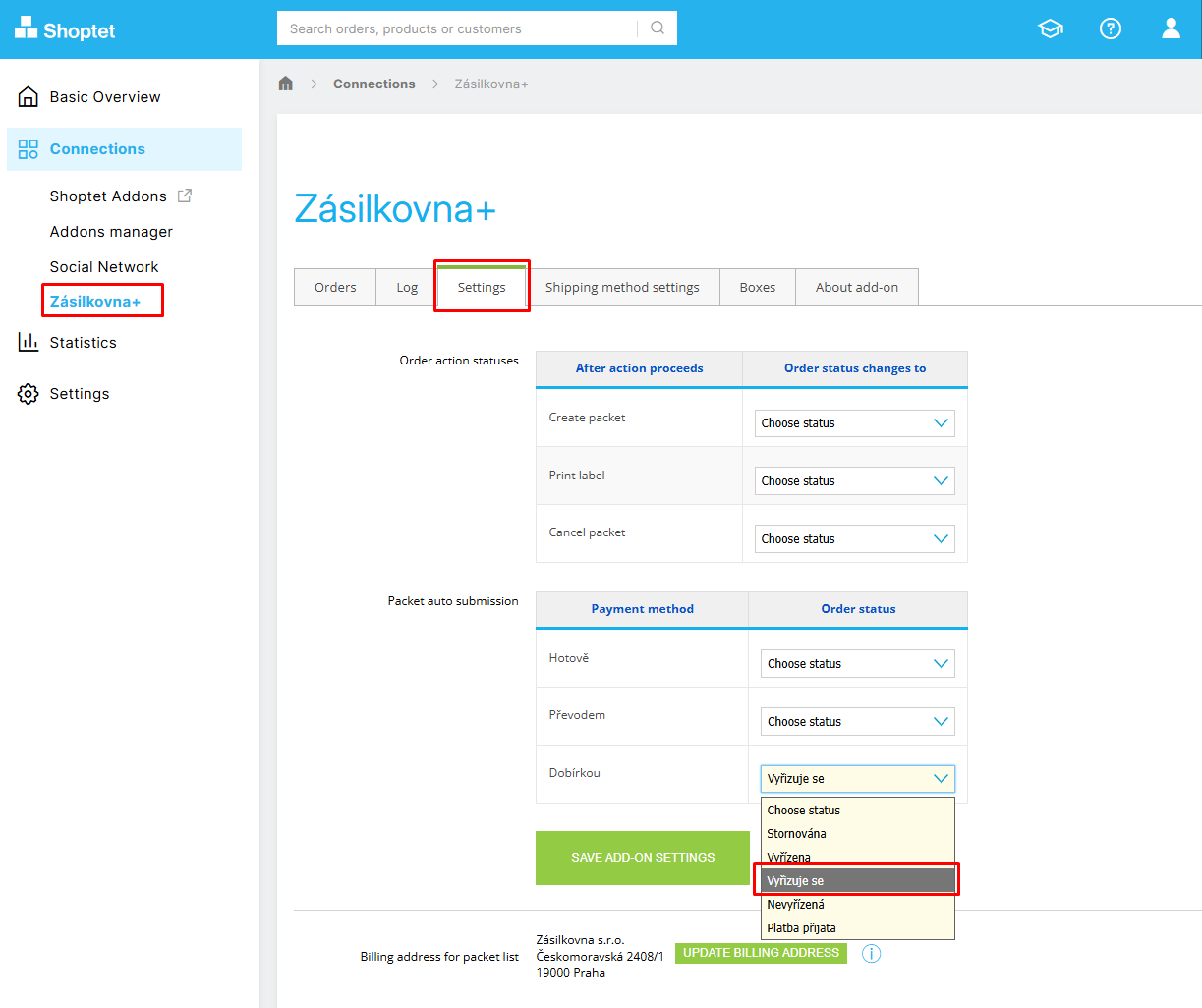
In Connections → Zásilkovna+ → Settings → Packet auto submission, set the cash on delivery payment (Dobírkou) to Processing (Vyřizuje se) status. Don't forget to save the settings.
Test Packet
Create a test cash on delivery order in your e-shop. Go to Orders section and find it.
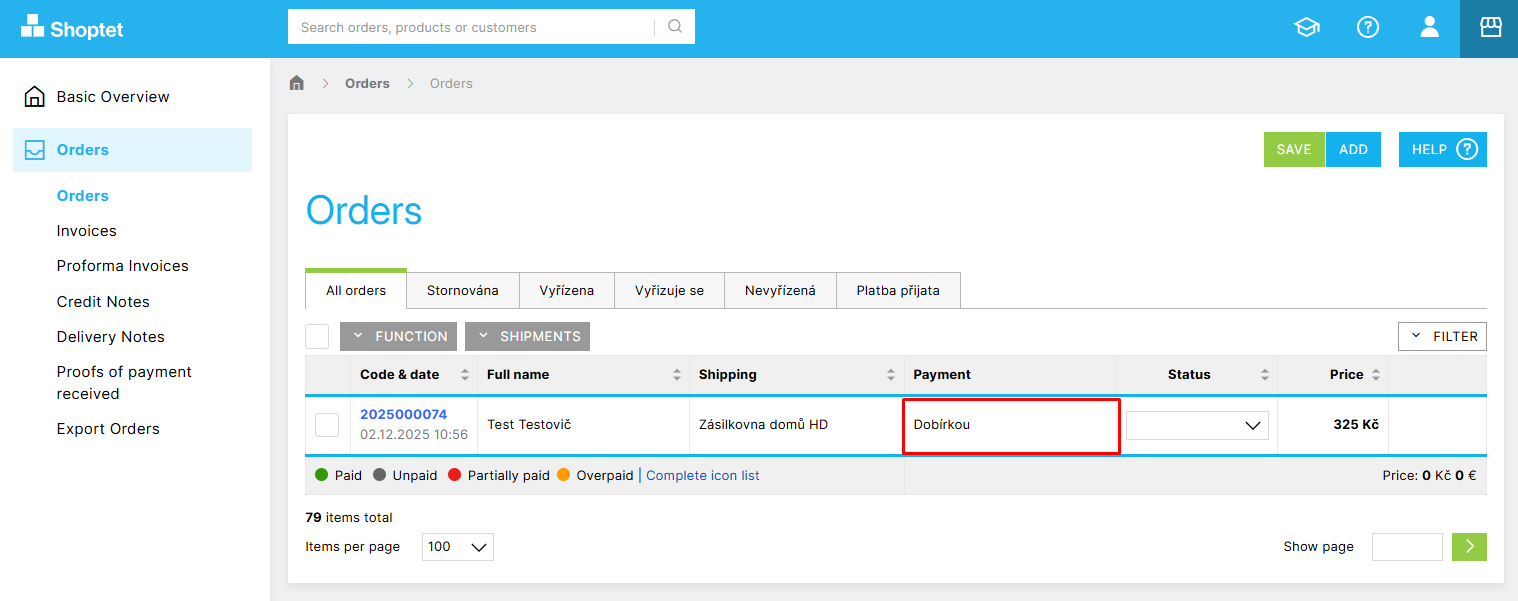
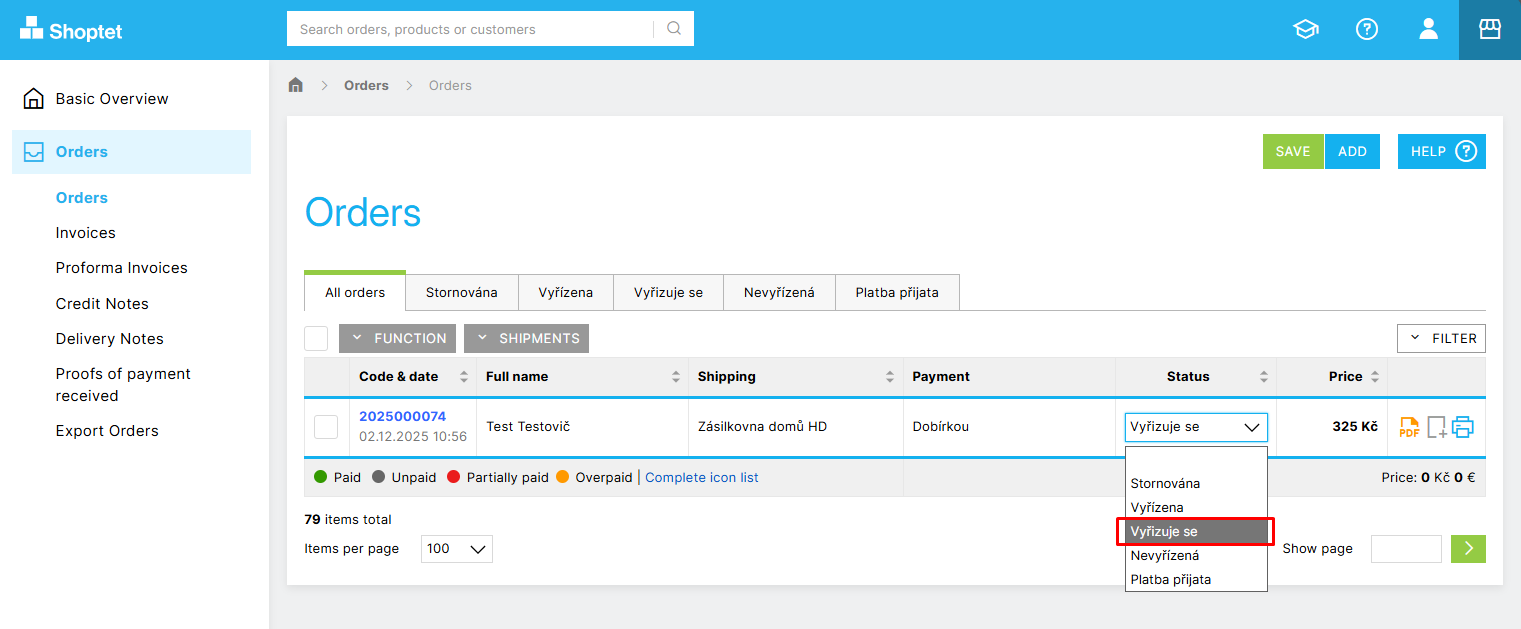
Change the order status to Processing ( Vyřizuje se - according to your settings from the previous step). Save the order update using the green Save button in the top right corner.
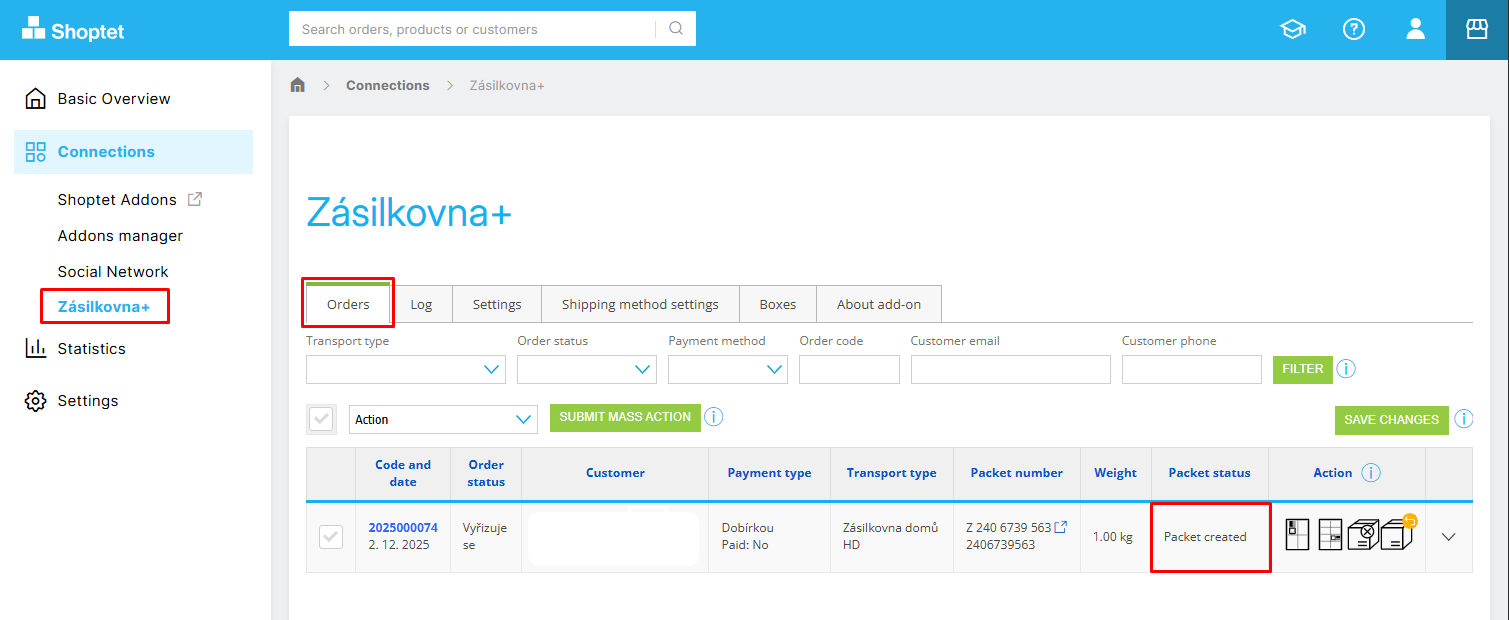
Go to Connections → Zásilkovna+ → Orders and check that a packet has been created for this order. It has a tracking number, option to print the label, and other information.
Automatic packet submission does not work in real time. It will not take effect immediately.
Didn't find the answer to your question? Our team is available at integrations@packeta.com.