We didn’t receive COD payment
In Shoptet, a situation where a packet is marked as "without COD" can occure even if you've entered it into the system as with COD.
Cause
When you create a packet in Shoptet, it appears in the order overview (regardless of the plugin you use).
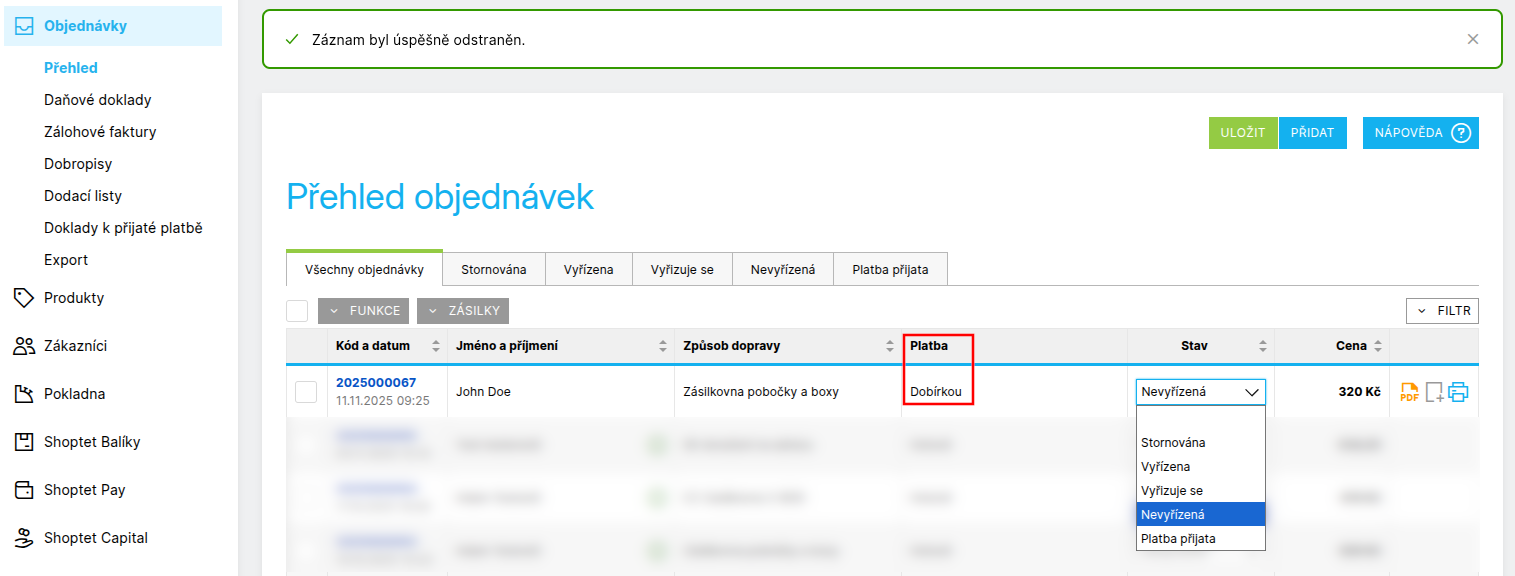
You can assign any status to such an order. In Settings → Orders → Statuses you will find an overview of your statuses; you can also edit them or add new ones.
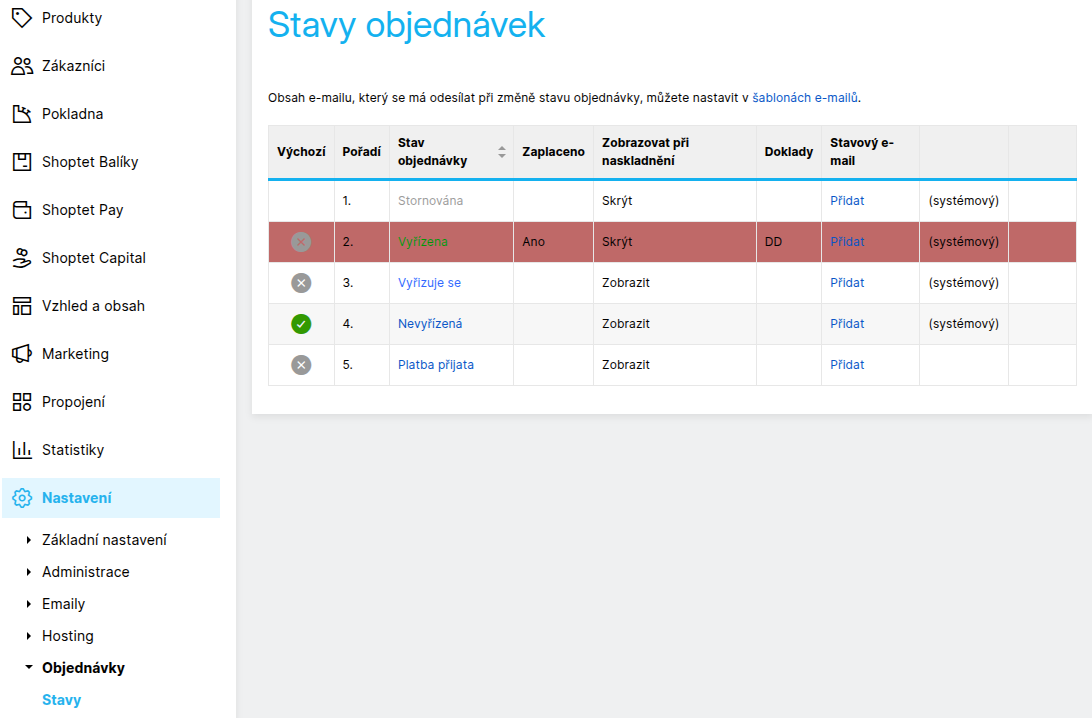
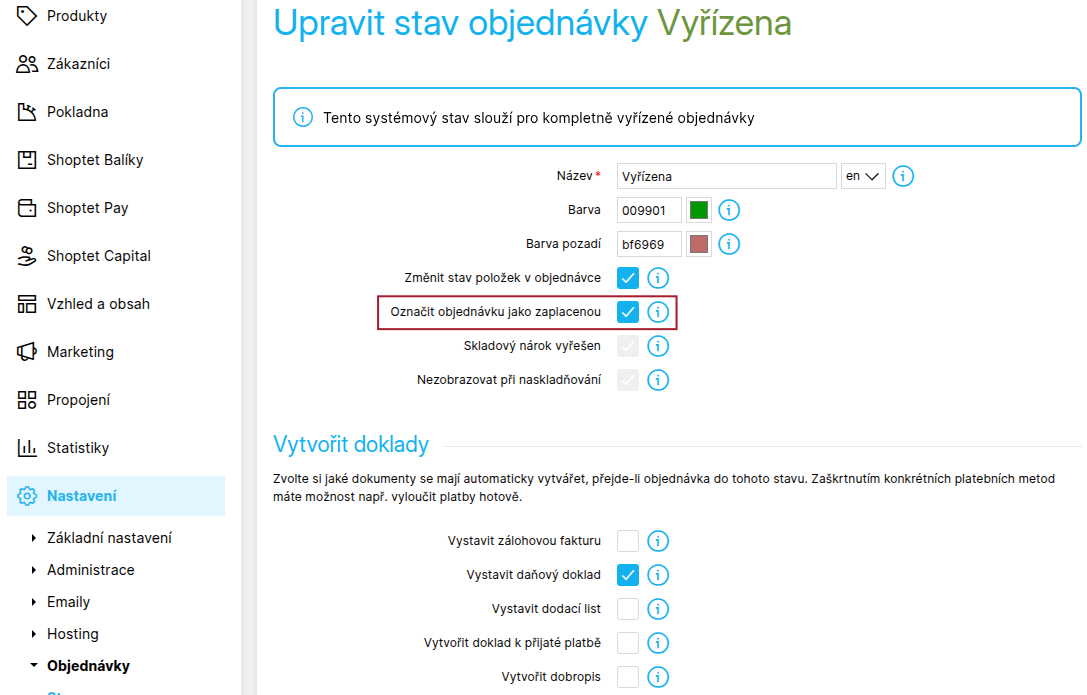
In the status detail (open it by clicking the status name), you define its properties. The completed status has the option Mark order as paid. This means that when you change the order status to completed, it is marked as paid, which resets the COD amount to zero.
Solution
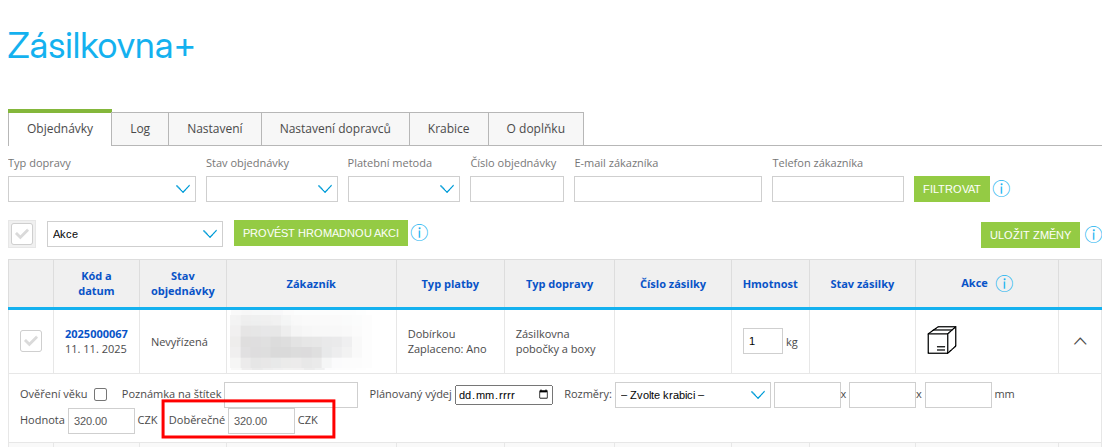
In the completed status settings, simply uncheck the Mark order as paid option. Don’t forget to save the form. By comparing the order in Orders → Overview with Integrations → Packeta+ → Orders, check whether the COD amounts are filled in correctly.
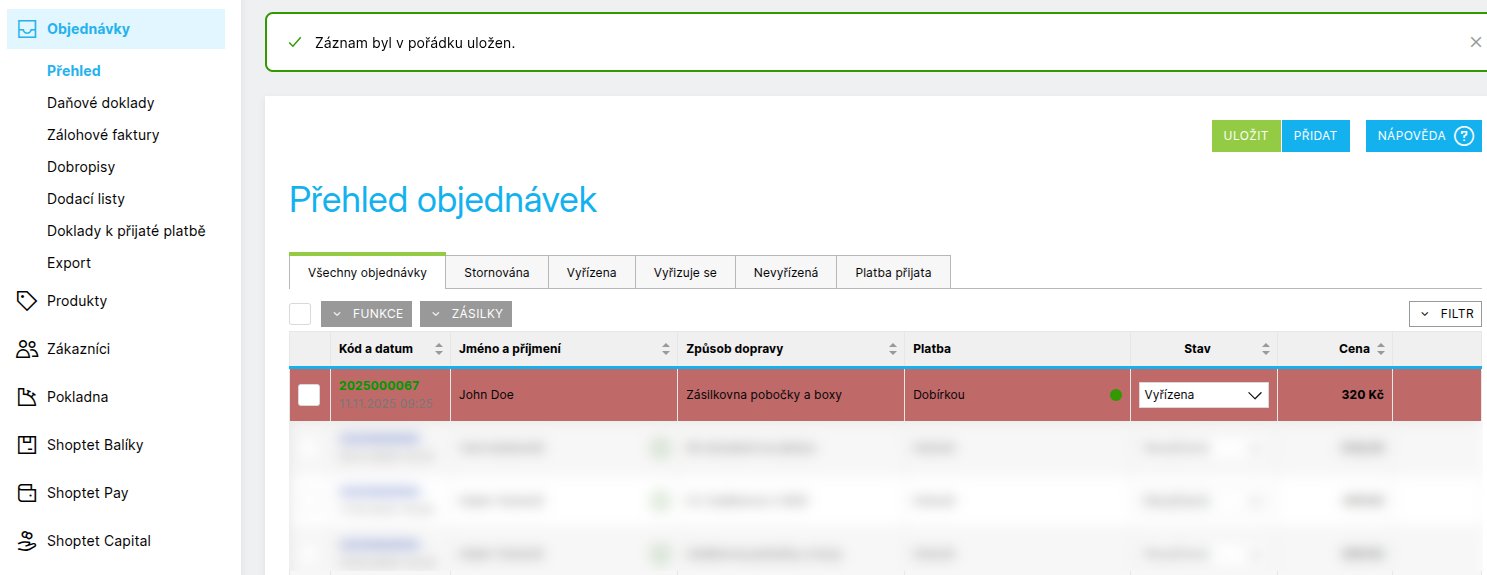
In the Zásilkovna+ plugin, you can adjust the COD if needed. Click the arrow on the right to display order details including COD. Fill it in and press Enter.
Didn’t find the answer to your question? Our team is available at integrations@packeta.com.