How to set up free shipping
In this guide, we will show you how to set up free shipping to Packeta pickup points for orders over 1000 CZK.
Set-up
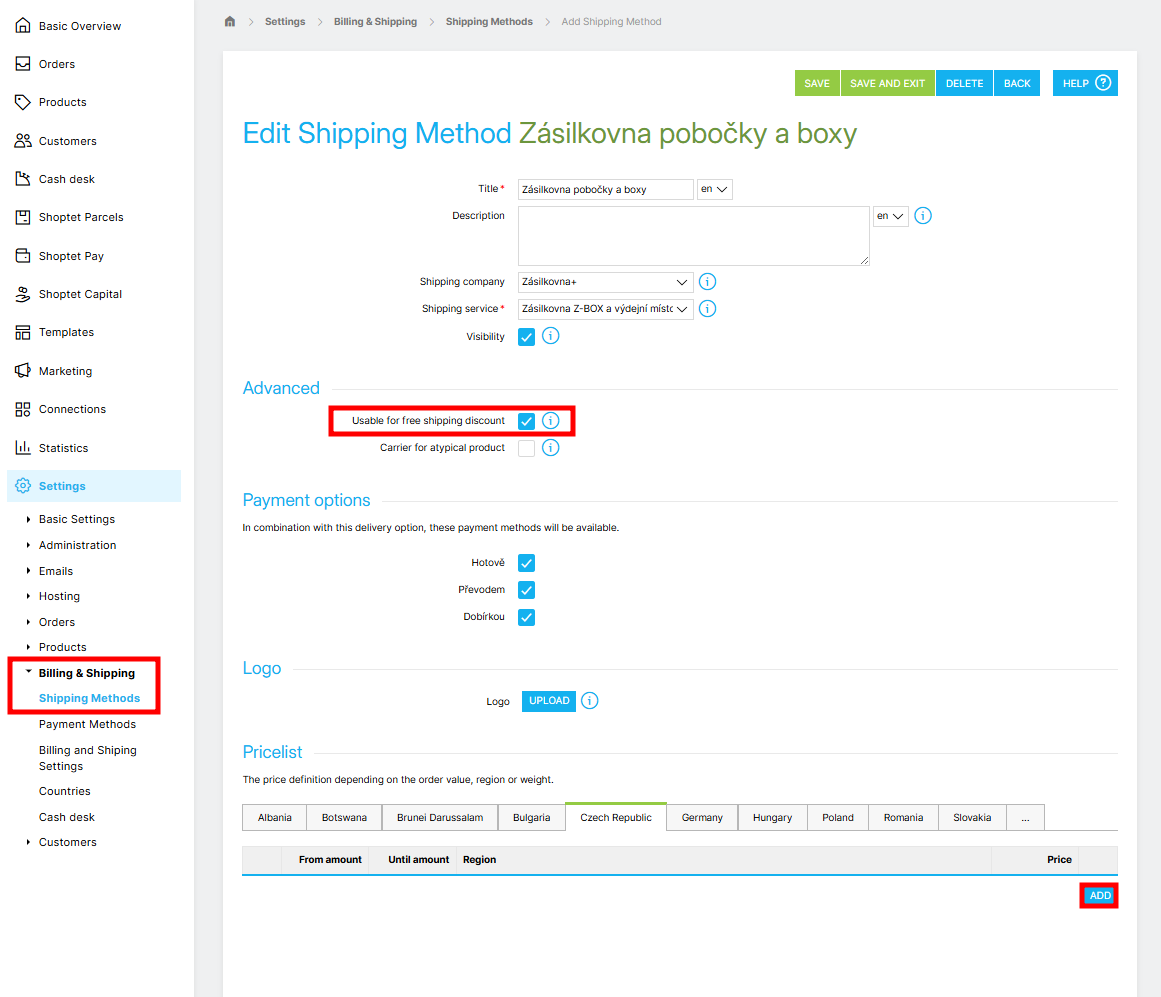
In Settings → Shipping & Payments → Shipping Methods, select the shipping method for which you want to enable free shipping and open the detail by clicking its name (Packeta pickup points and boxes). In the Advanced section, check the option Usable for shipping discount.
Pricelist
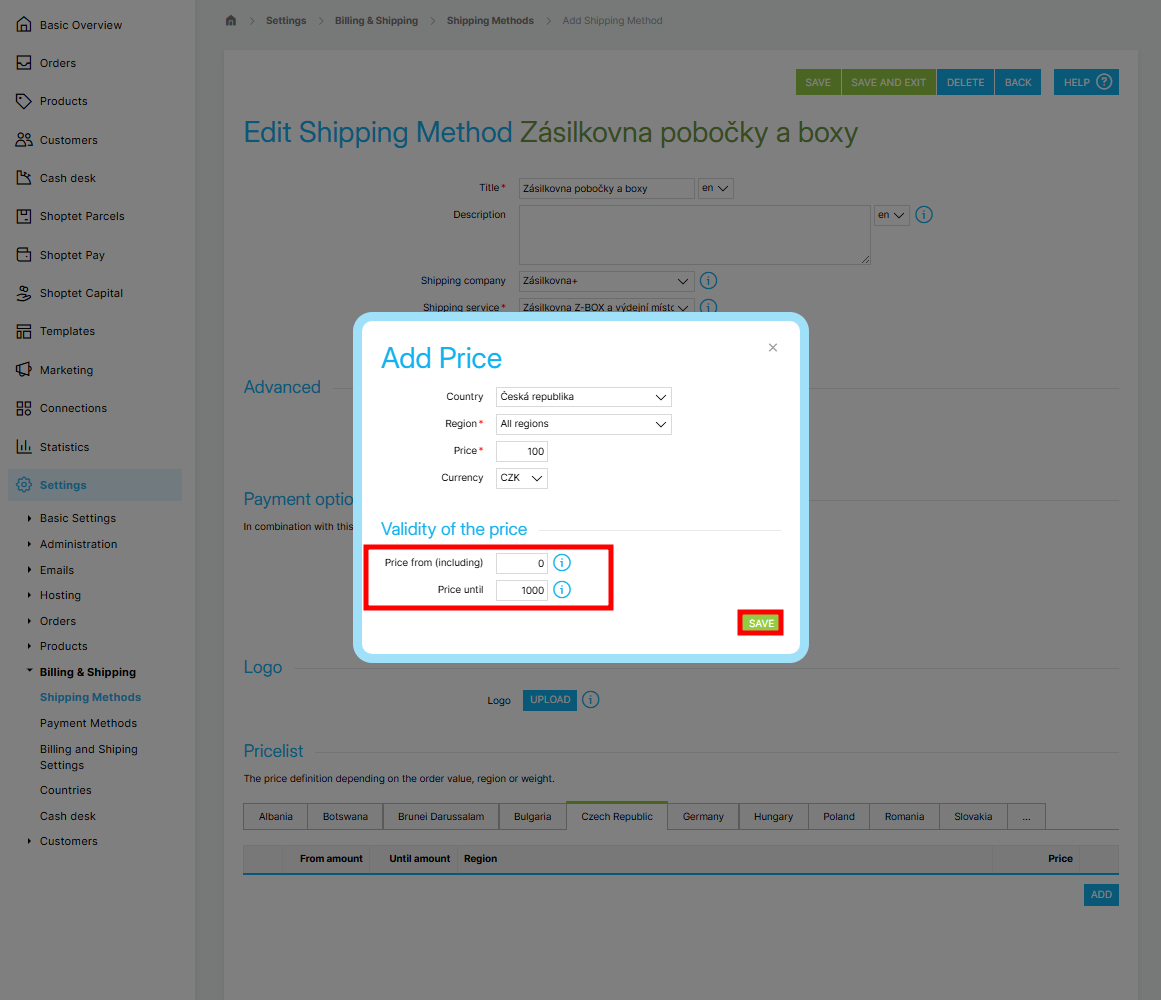
In the Pricelist, you need to create two levels — paid and free delivery. First, add the shipping price for orders up to 1000 CZK. Click Add, fill in the shipping price (100 CZK), and set the validity from 0 CZK to 1000 CZK. Save the setting using the green Save button.
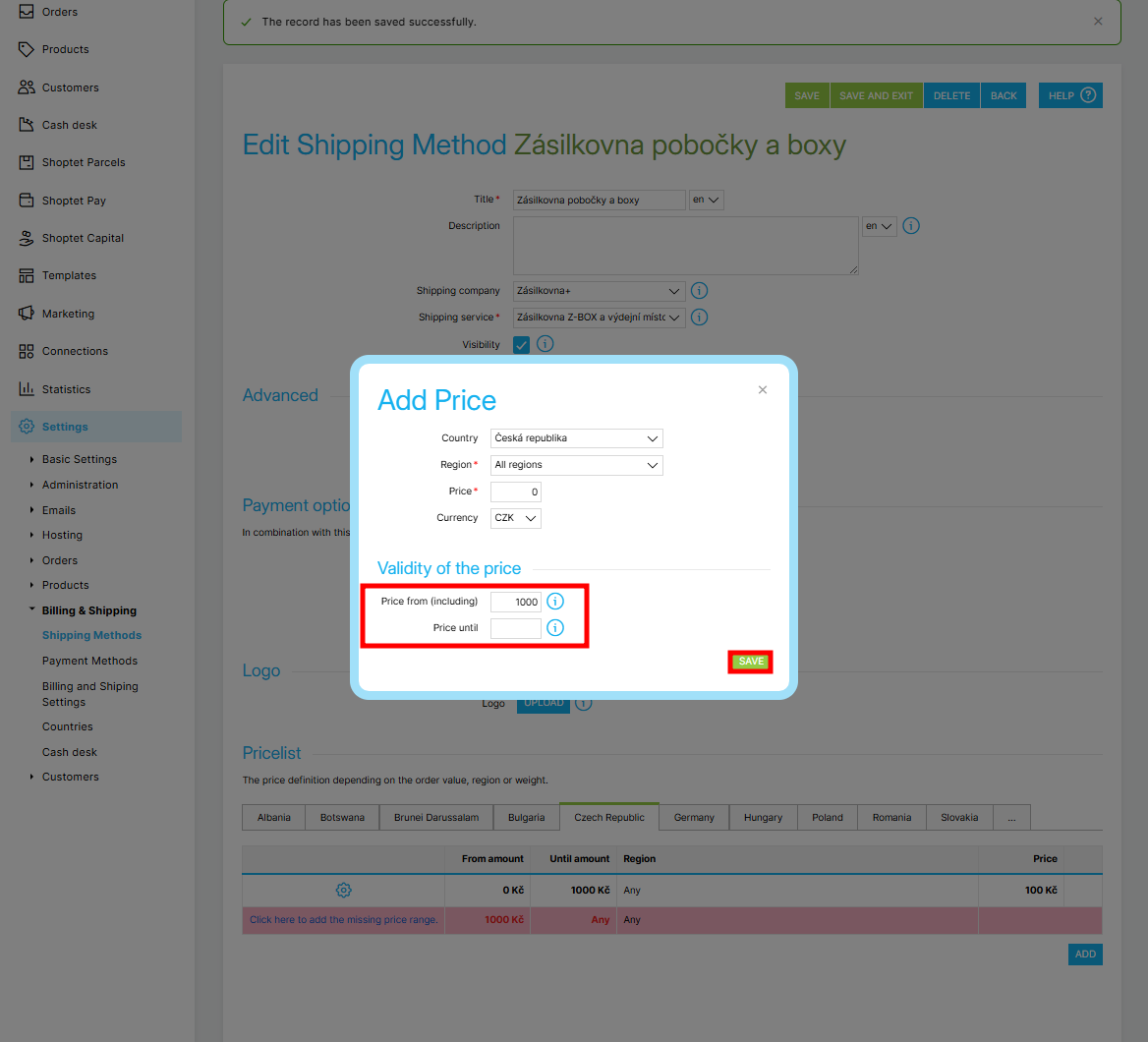
Add the second price level the same way — this one will represent free shipping. Fill in 0 as the delivery price and leave the upper price limit box empty. Don’t forget to save the price list.
In the shipping method detail, you can now see both new price levels. Save the changes using the green button at the top.
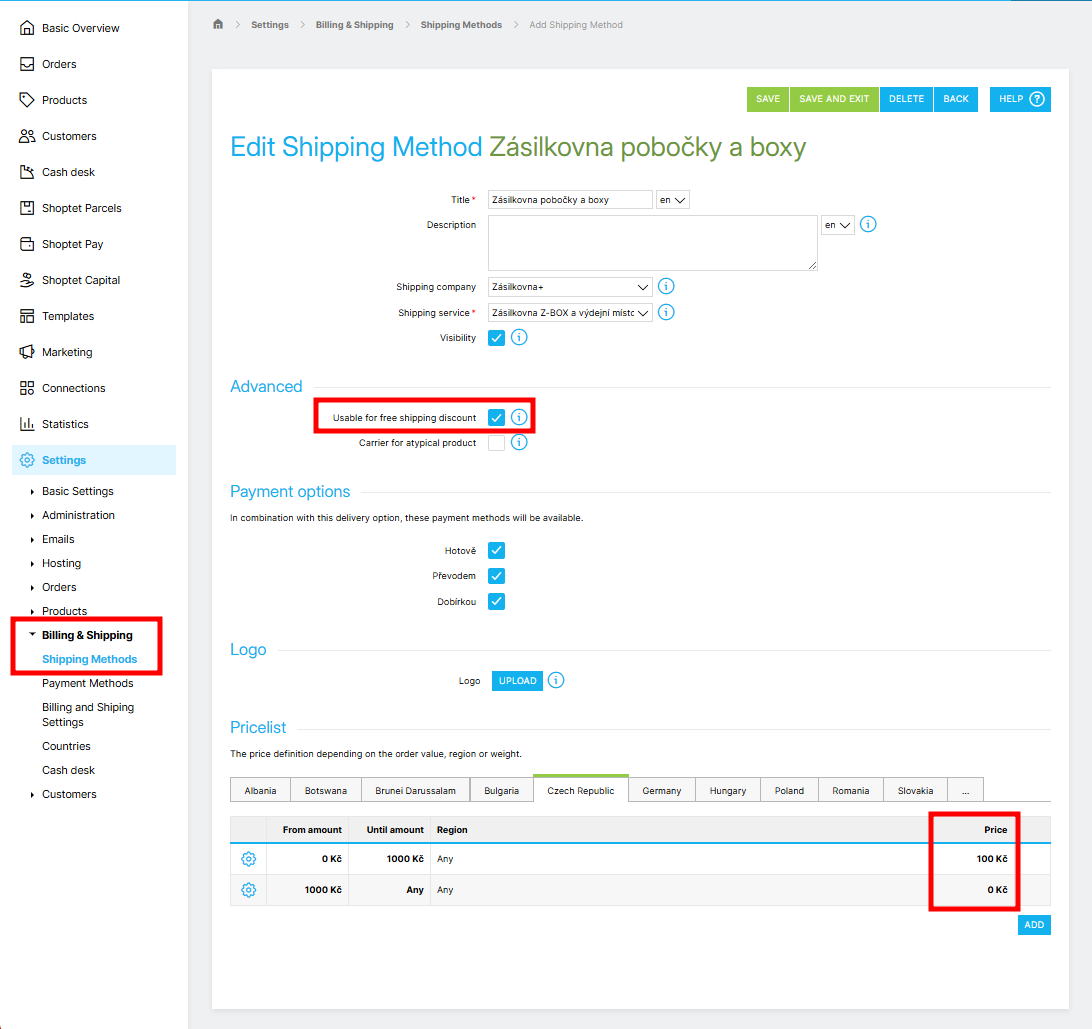
Free shipping applies from 1000 CZK included.
That’s why we configure the price levels as “up to thousand” and "over thousand”.
Testing
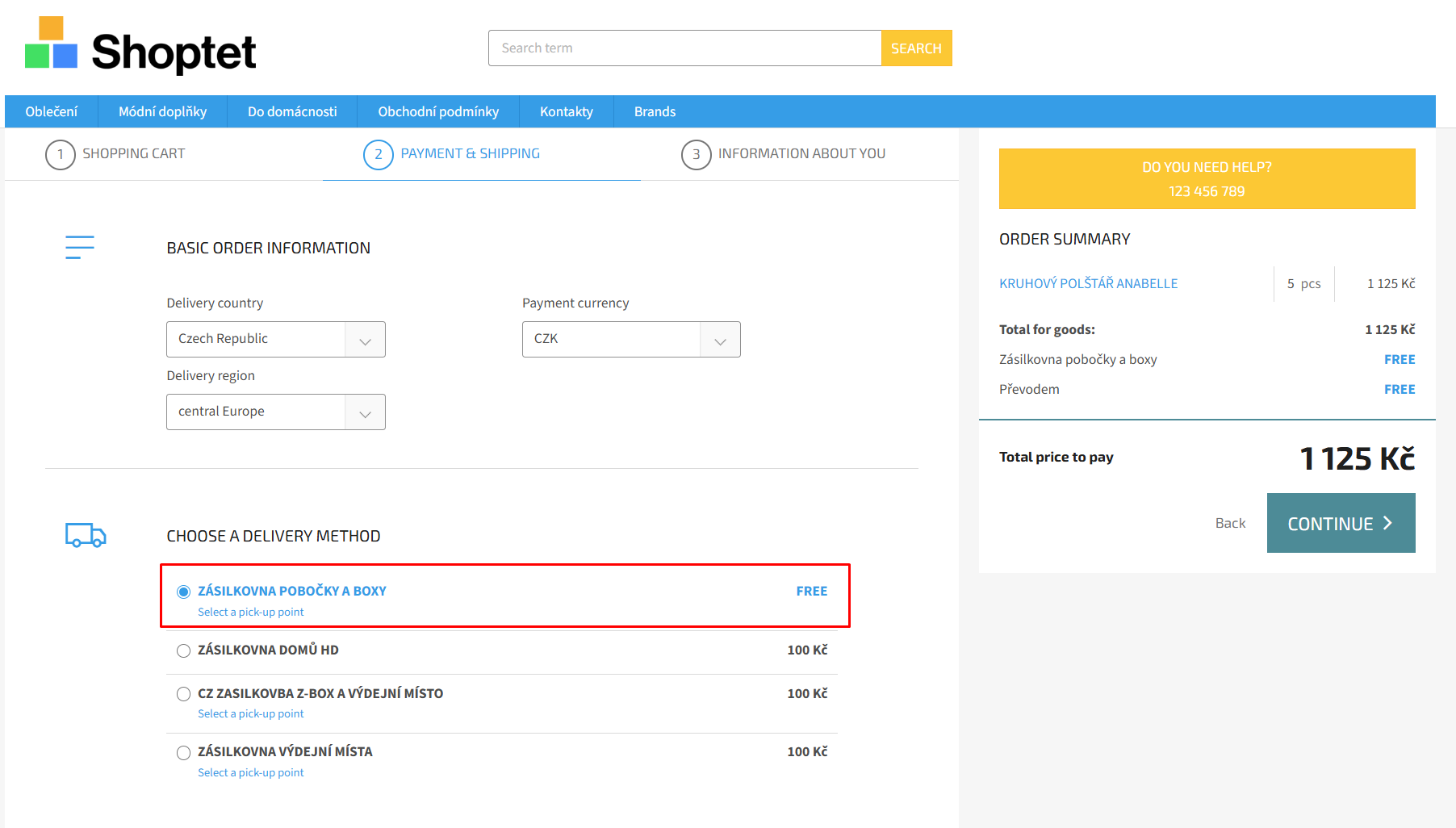
Finally, test your new setup. In your e-shop, select products exceeding 1000 CZK. At checkout, the shipping should appear as free.
Didn't find what you're looking for? Our team is here to help at integrations@packeta.com.