Automatic packet submission
In this guide, you will learn how to automatically create packets based on orders in your e-shop. In three simple steps, we will show you how to set up automatic submission for Cash on Delivery orders.
Settings
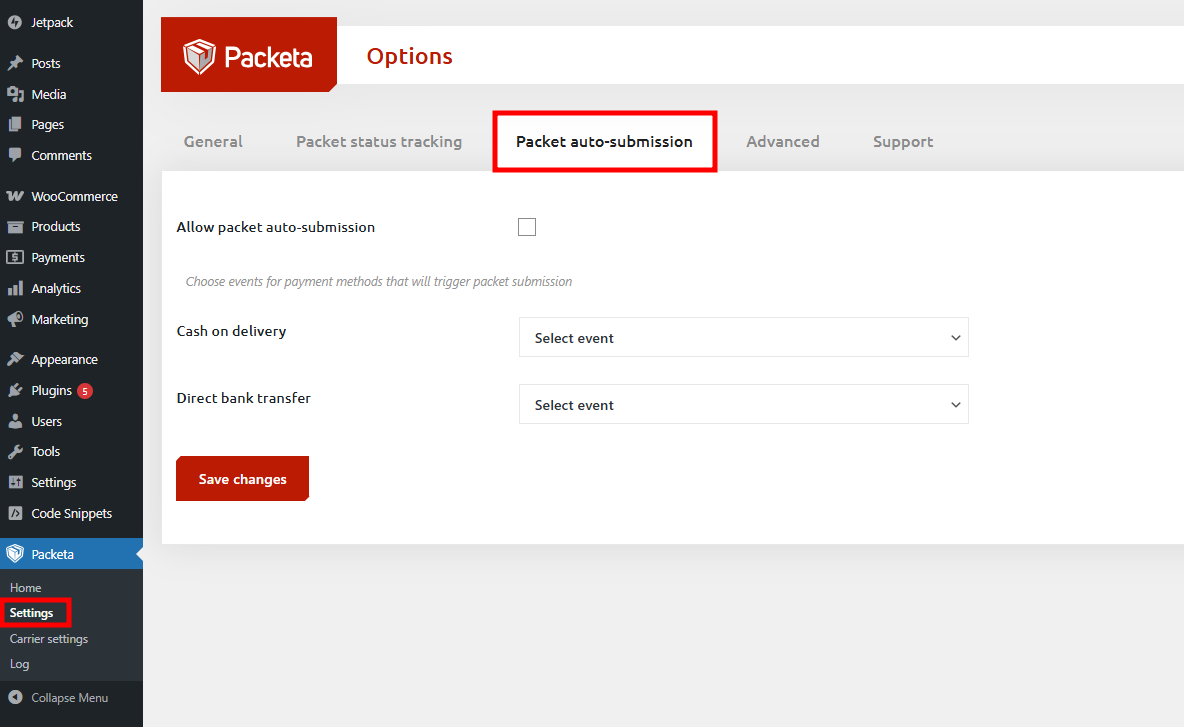
Go to the plugin section Packeta → Settings → Packet auto-submission.
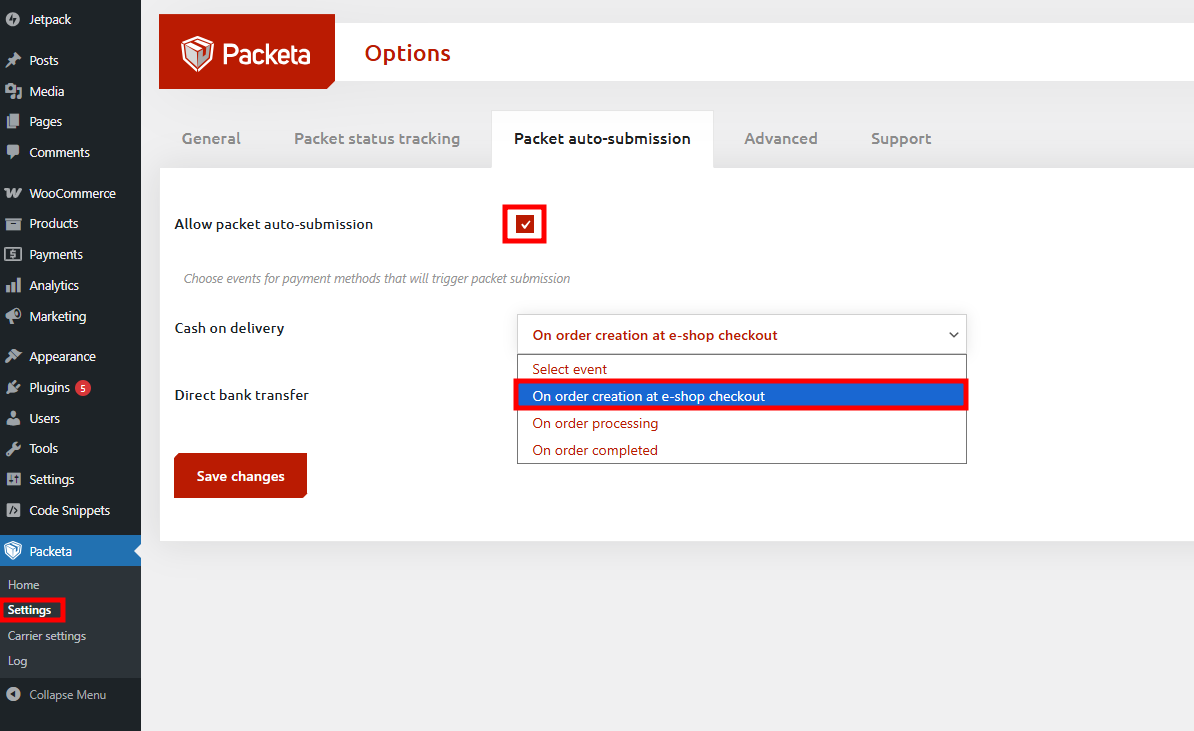
Check the option Allow packet auto-submission and set Cash on delivery to On order creation at e-shop checkout, then save changes. You can configure automatic packet submission for the other payment methods in the same way.
Order overview
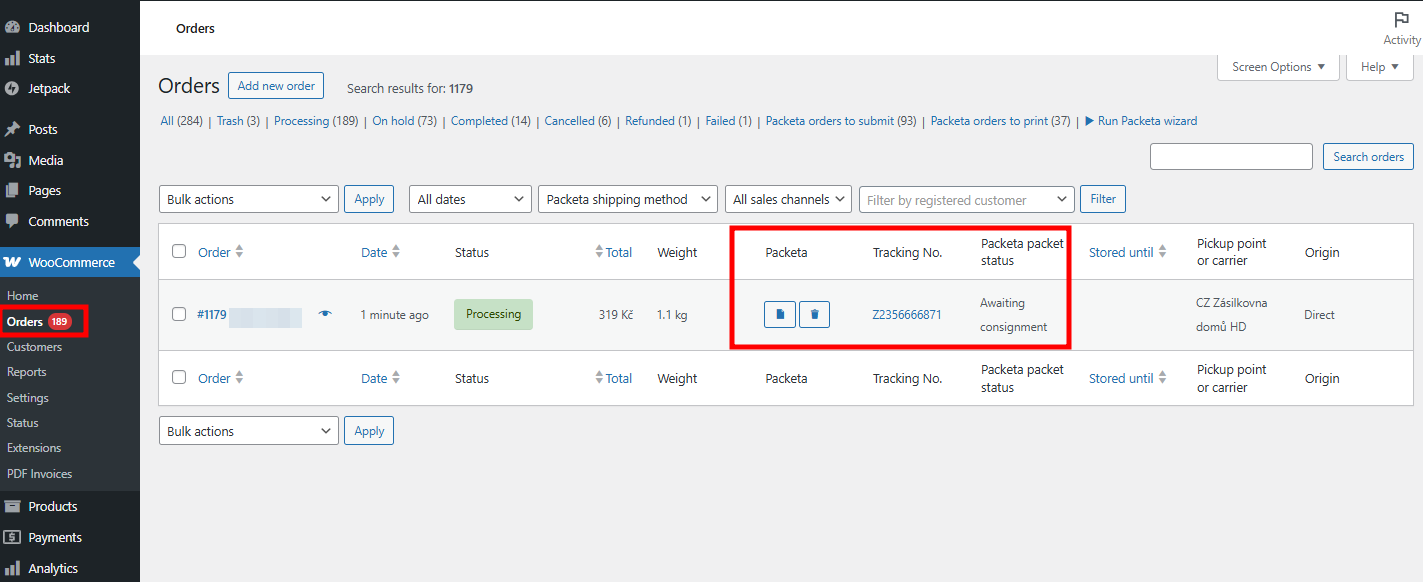
Every created cash on delivery order will now be automatically submitted to Packeta. In the Orders you can see the tracking number, you can download the label, and find other information about the packet.
Didn't find the answer to your question? Our team is available at integrations@packeta.com.