Wrong shipping price at checkout
Problem Description
When completing an order on the e-shop checkout page, the shipping price displayed does not match the price configured in the WooCommerce administration.
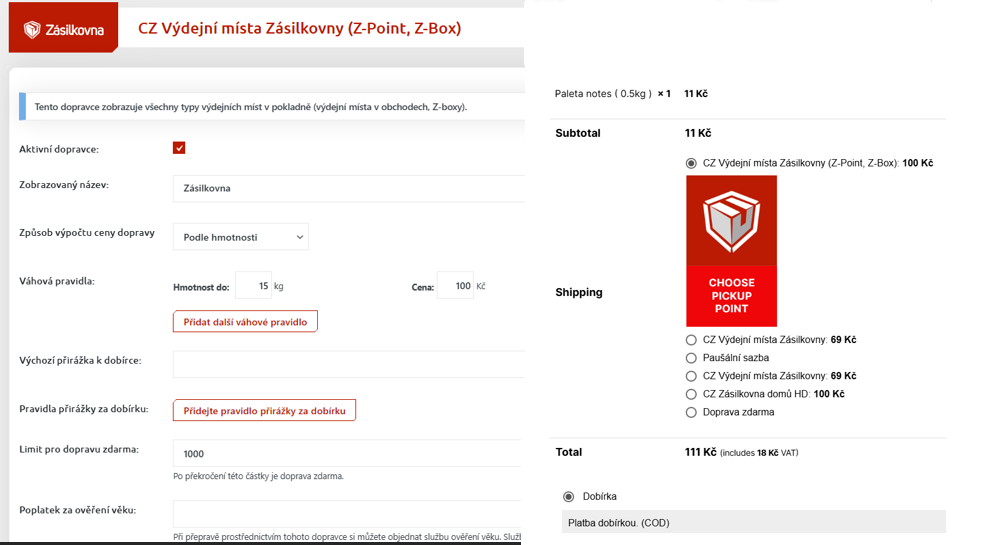
Cause
Most often, the issue lies in your account settings:
- Taxes are disabled in WooCommerce
- Incorrect tax configuration in WooCommerce
- Incorrect cash-on-delivery setup in WooCommerce
- You assigned the wrong tax class to a product/shipping method
- A combination of your plugins is causing inconsistencies in prices/taxes
Identifying the Cause
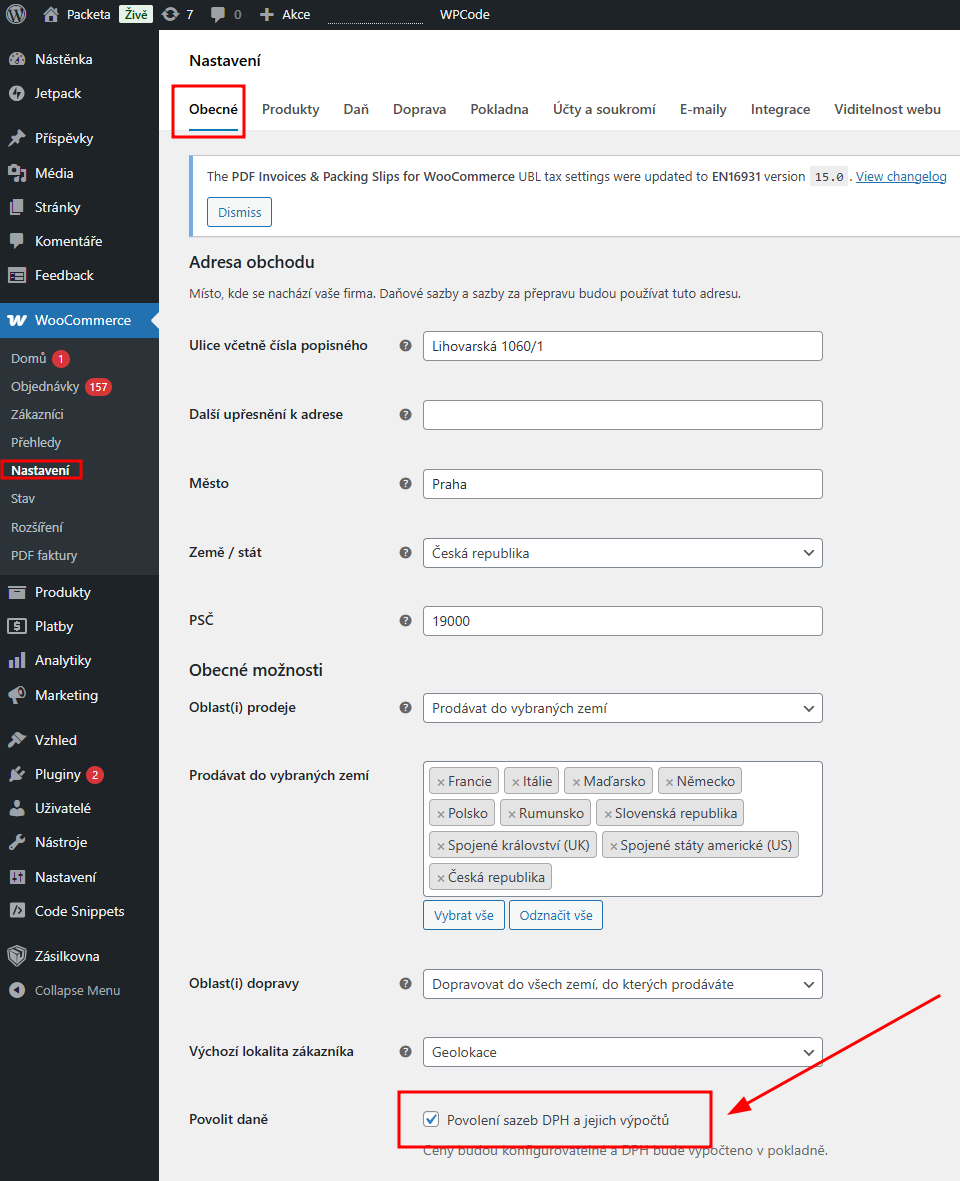
Go to WooCommerce → Settings → General and check that taxes are enabled.
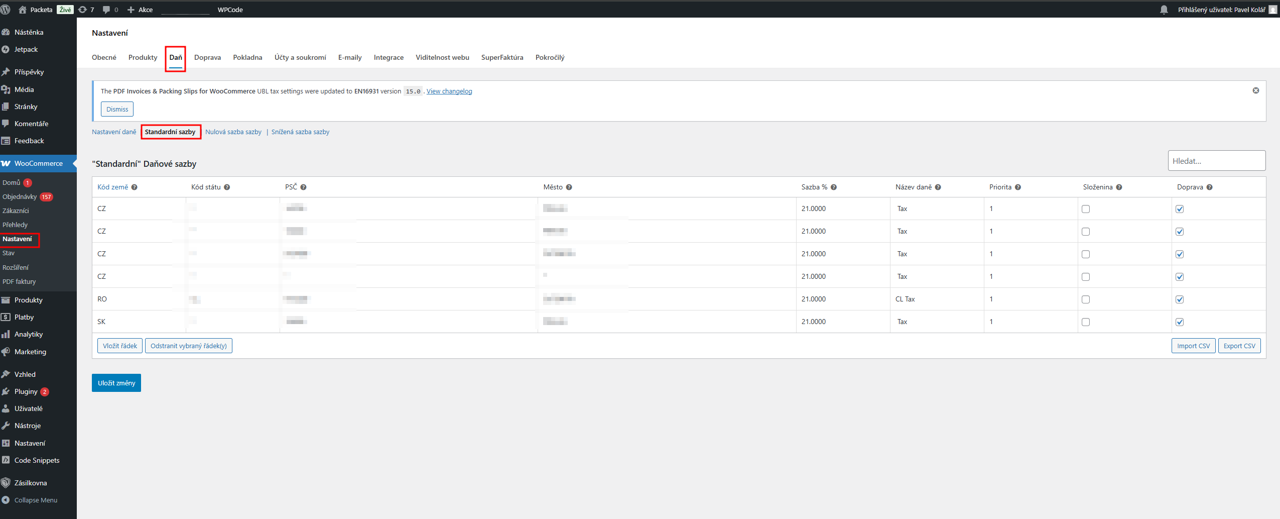
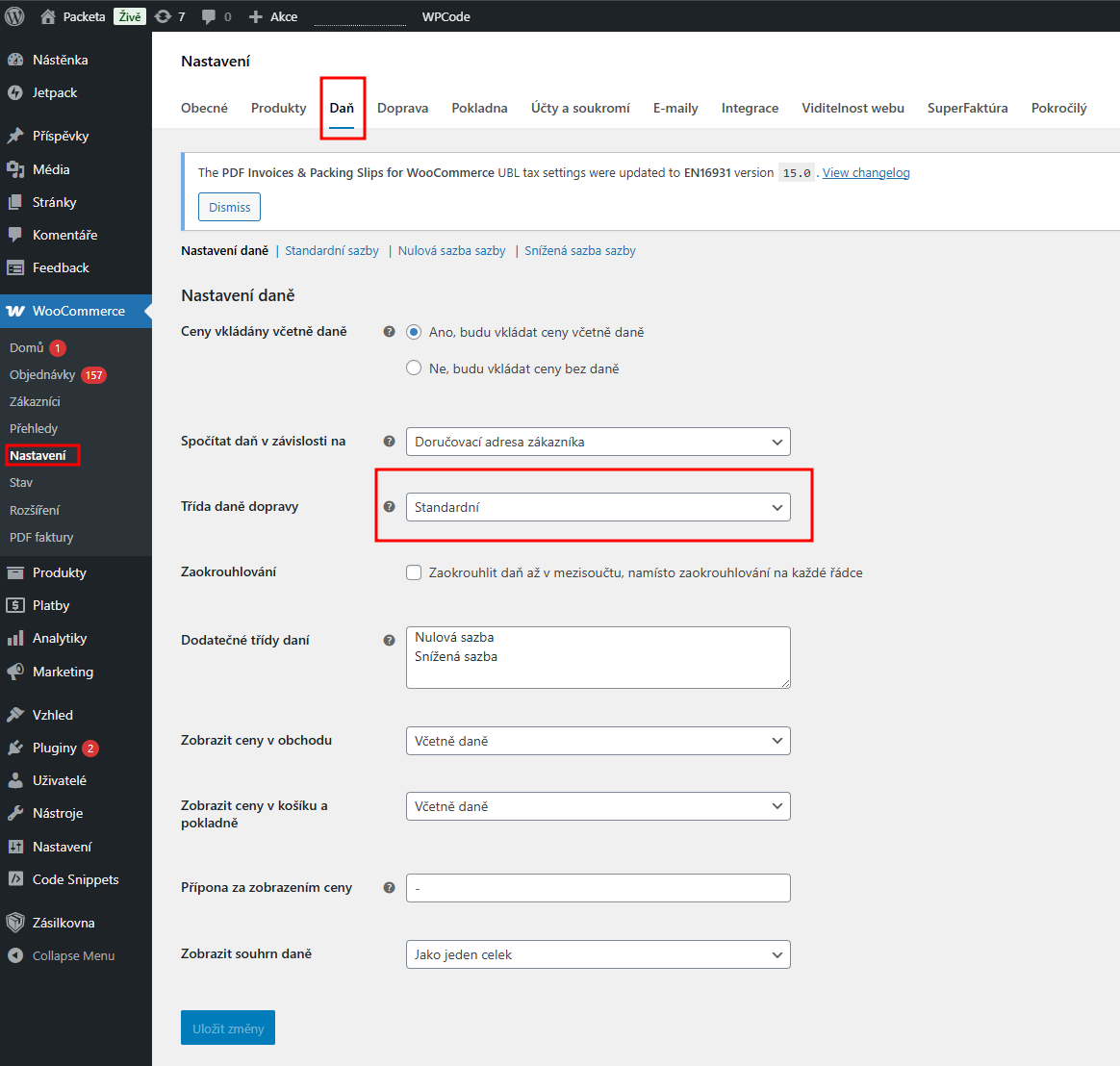
In WooCommerce → Settings → Tax, check the tax settings and configuration.
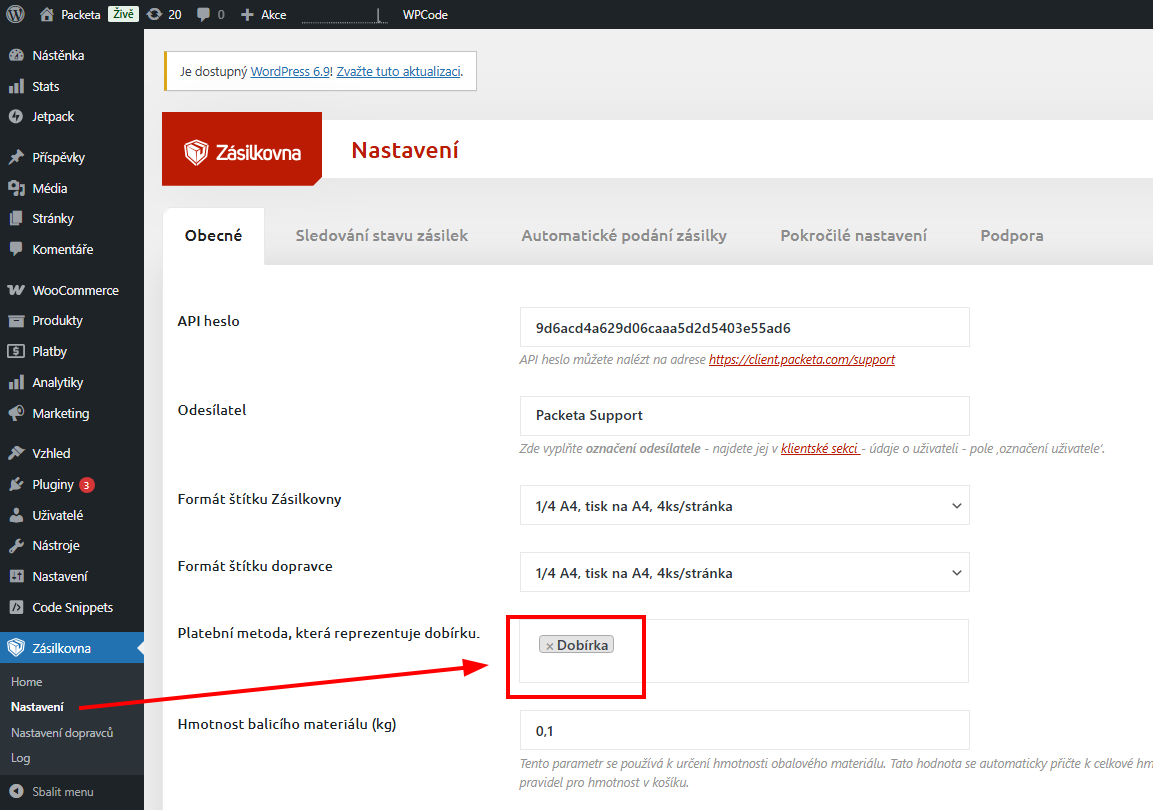
Also verify the plugin settings under Zásilkovna → Settings, the line Payment method representing cash on delivery.
Solution
Fix the settings you identified in the previous step. Configure taxes and tax classes; a correct setup may look like this:
info
Didn’t find the answer to your question? Our team is available at integrations@packeta.com.