Set up free shipping
Free shipping is a great way to motivate customers to place larger orders. In this guide, you will learn how to easily set the minimum order amount required for free shipping. As an example, we will use the carrier CZ Packeta Pickup Points.
Carrier Settings
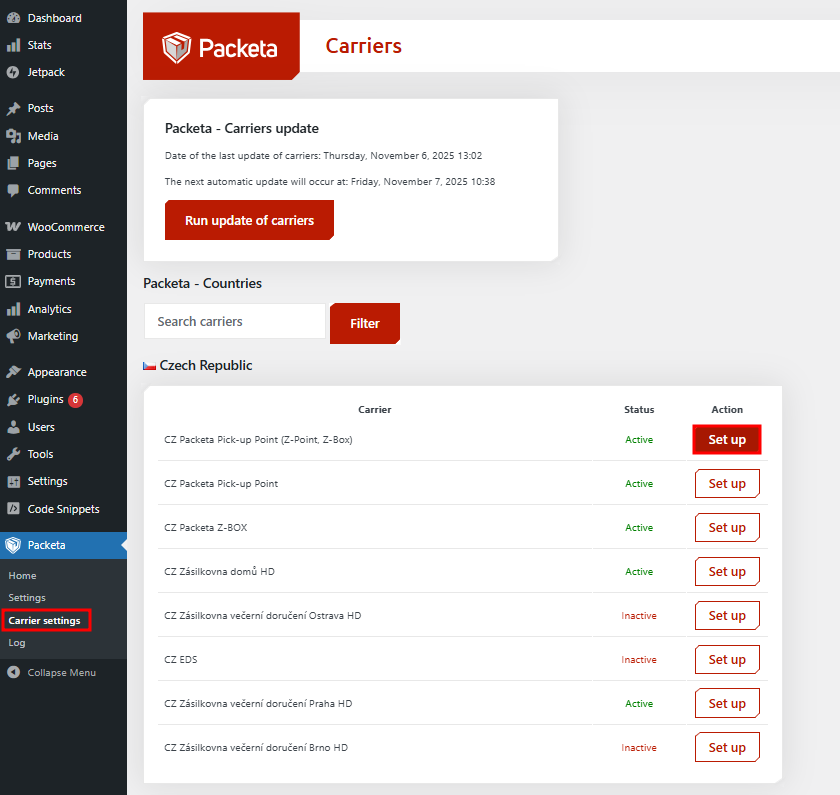
In your store administration go to Packeta → Carrier Settings and click the Set up button for the specific carrier (CZ Packeta Pickup Points).
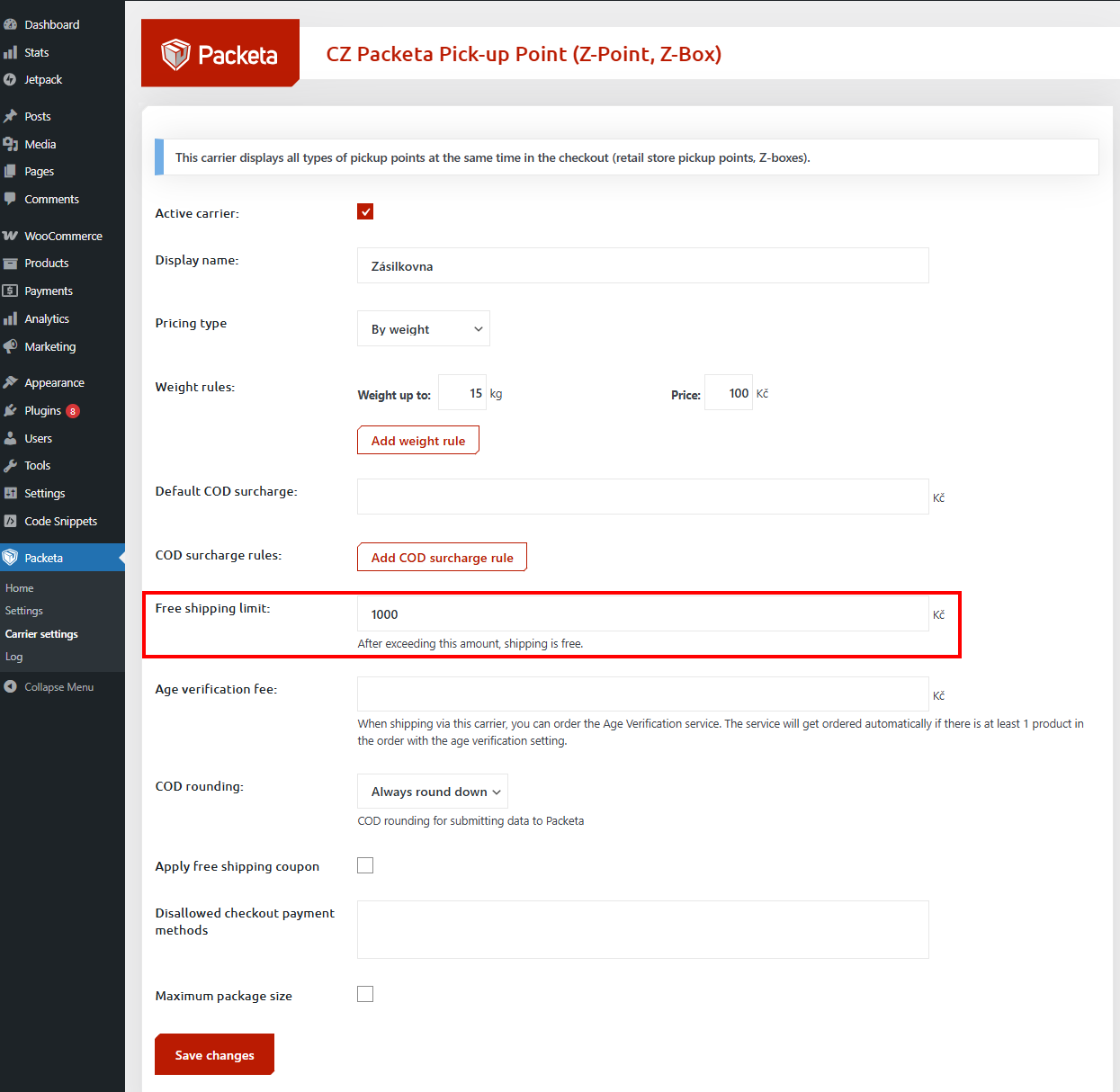
In the carrier detail fill in the Free Shipping limit field. When the order exceeds 1000 CZK, the shipping will appear free for this carrier method at the checkout.
Testing
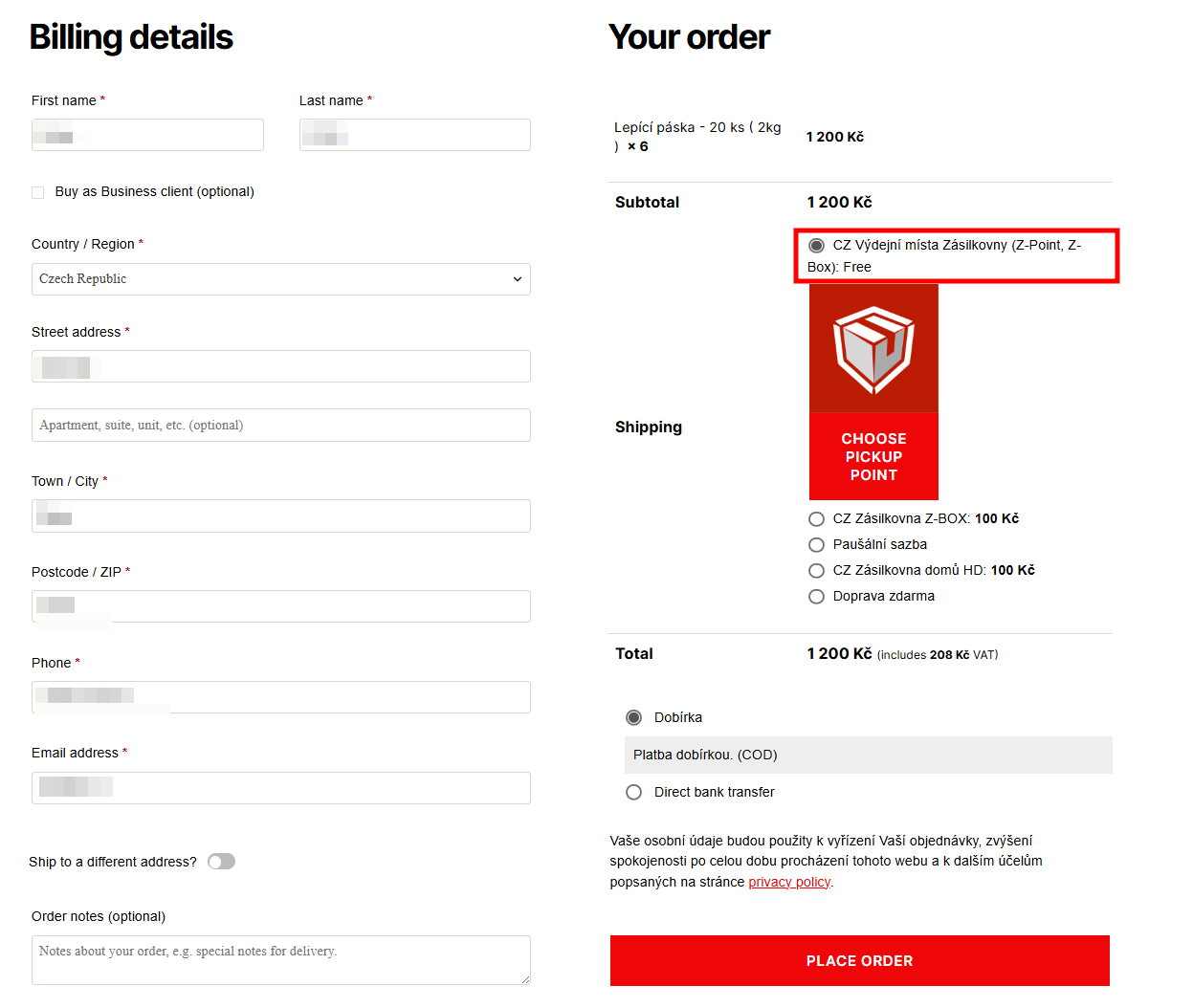
Finally, test your new setup. In your e-shop, add products totaling more than a thousand. The shipping should appear as free in the checkout.
Didn't find what you're looking for? Our team is here to help at integrations@packeta.com.