Grayed out PUDOs in the widget
Issue Description
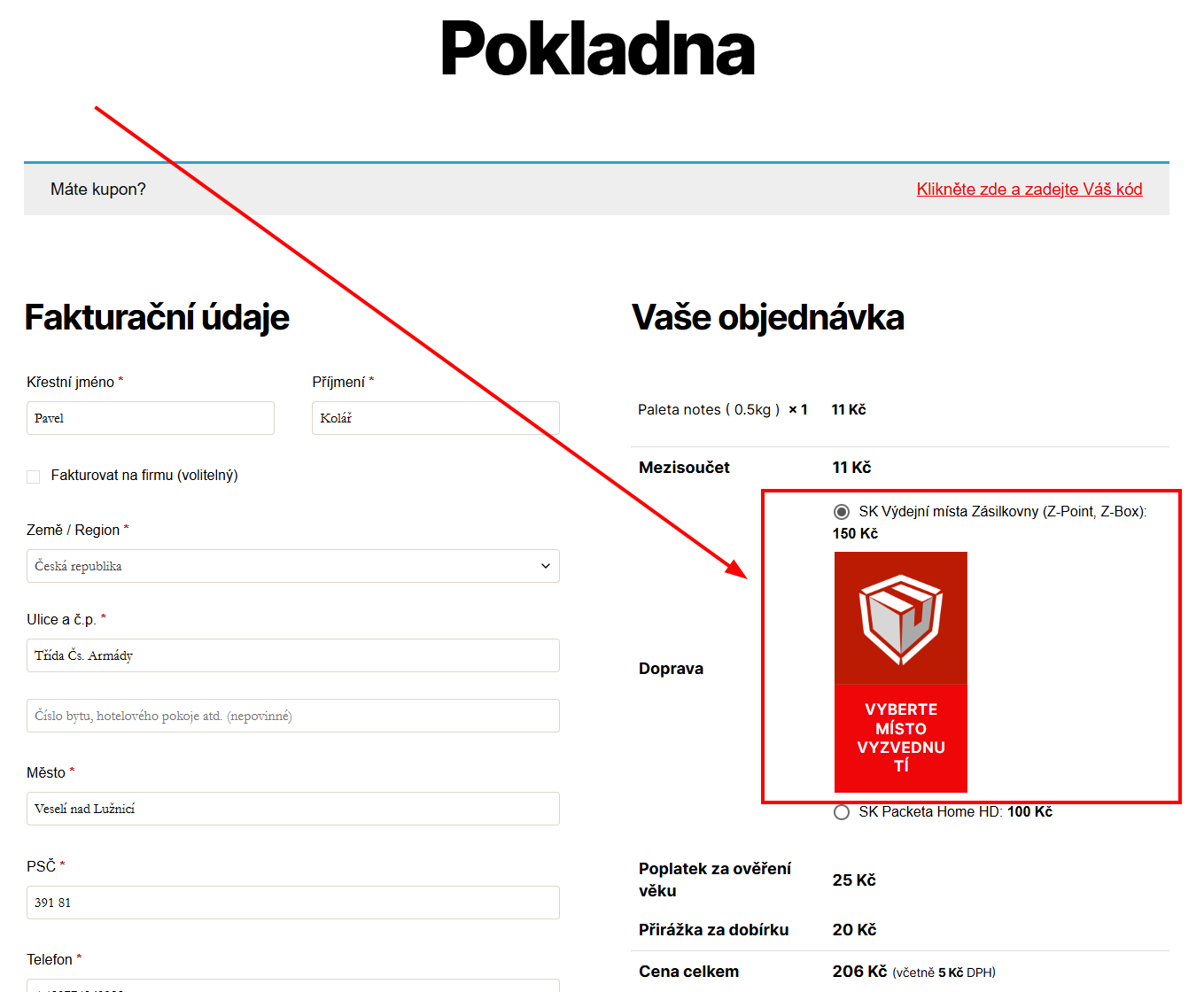
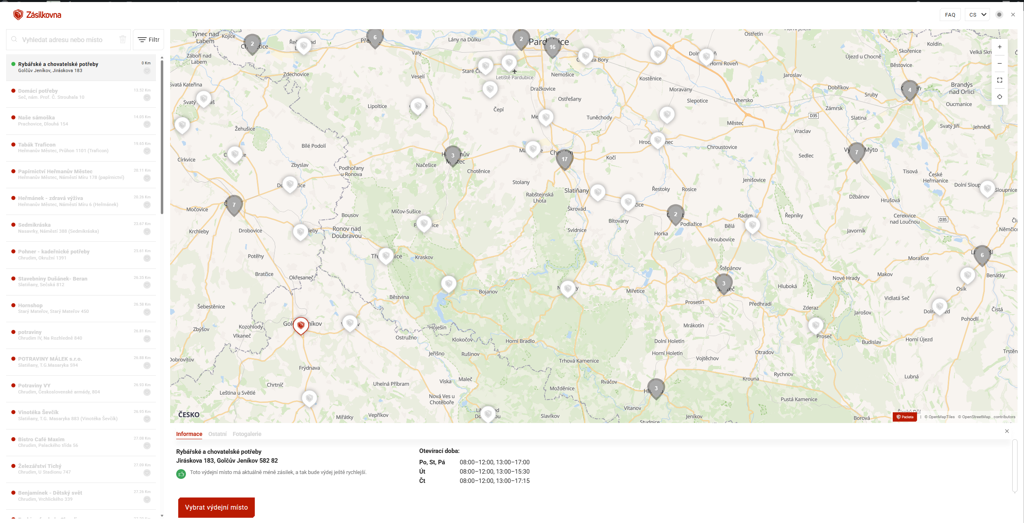
When completing an order in checkout, the customer clicks the widget button. The widget opens correctly, but all pick-up points and Z-BOXes are grayed out and cannot be selected.
Cause
In most cases, the issue is caused by a WooCommerce setting. Specifically, it may be one of the following situations:
- The dimension is set correctly but is too large to be sent to a pick-up point or Z-BOX
- The dimension is entered incorrectly
- The dimension is listed in the wrong units — e.g., centimeters instead of millimeters
Error Identification
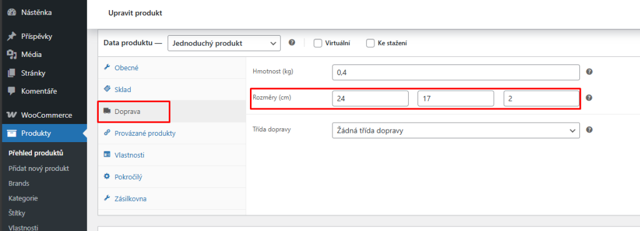
Go to WooCommerce Admin → Products → All Products, select the problematic product, and click Edit. In the Shipping tab, you will find the product dimensions and the unit in which they are defined. Based on this information, you can identify the exact cause of the issue listed above.
Fixing the Dimensions
If the dimension on the product is correct:
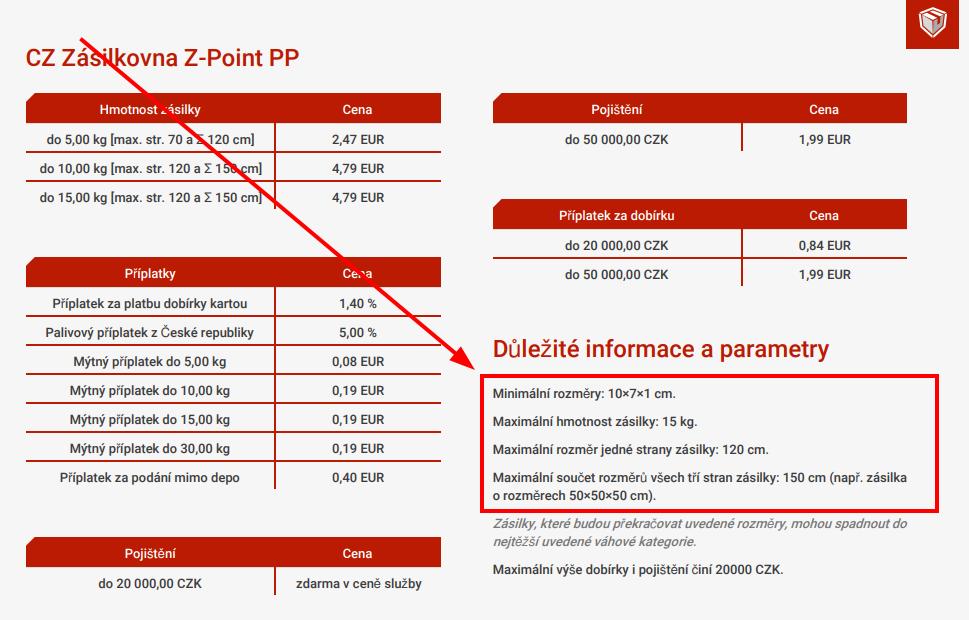
Check the upper dimension limit for submitting a packet through a specific service / to a pick-up point / into a Z-BOX. These limits are listed, for example, in our price list.
If the dimension is incorrect or uses the wrong units, simply correct it and save changes.
Didn’t find the answer to your question? Our team is available at integrations@packeta.com.