No carrier is displayed in checkout
Issue Description
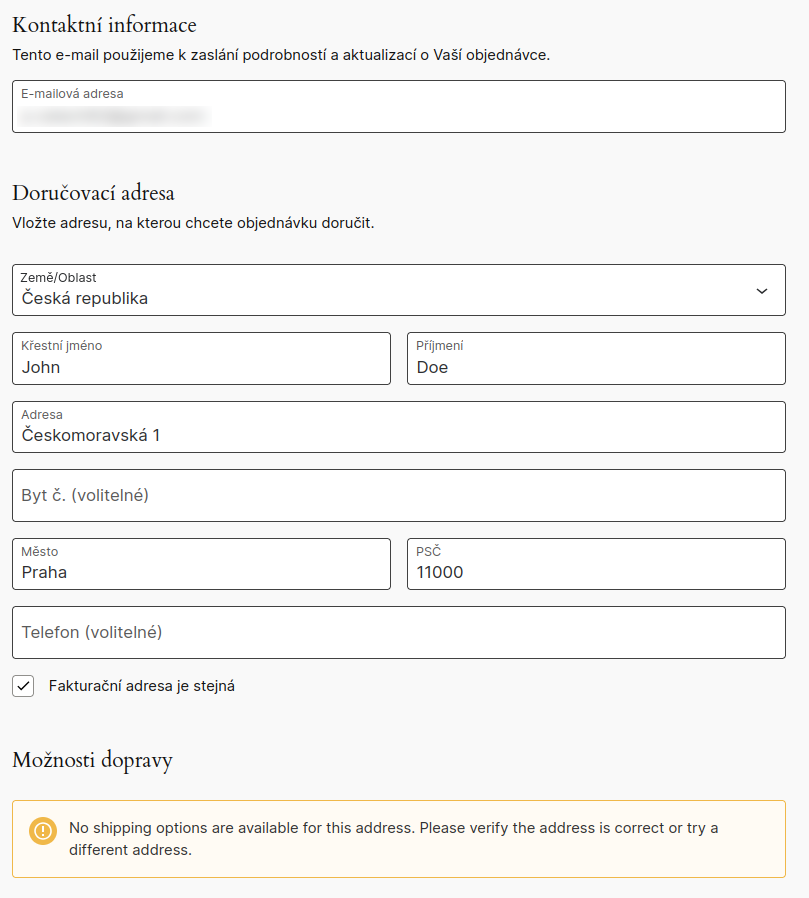
When completing an order, no carrier appears on the shop’s checkout page — the carrier list is empty.
Cause
You do not have any shipping methods created in WooCommerce.
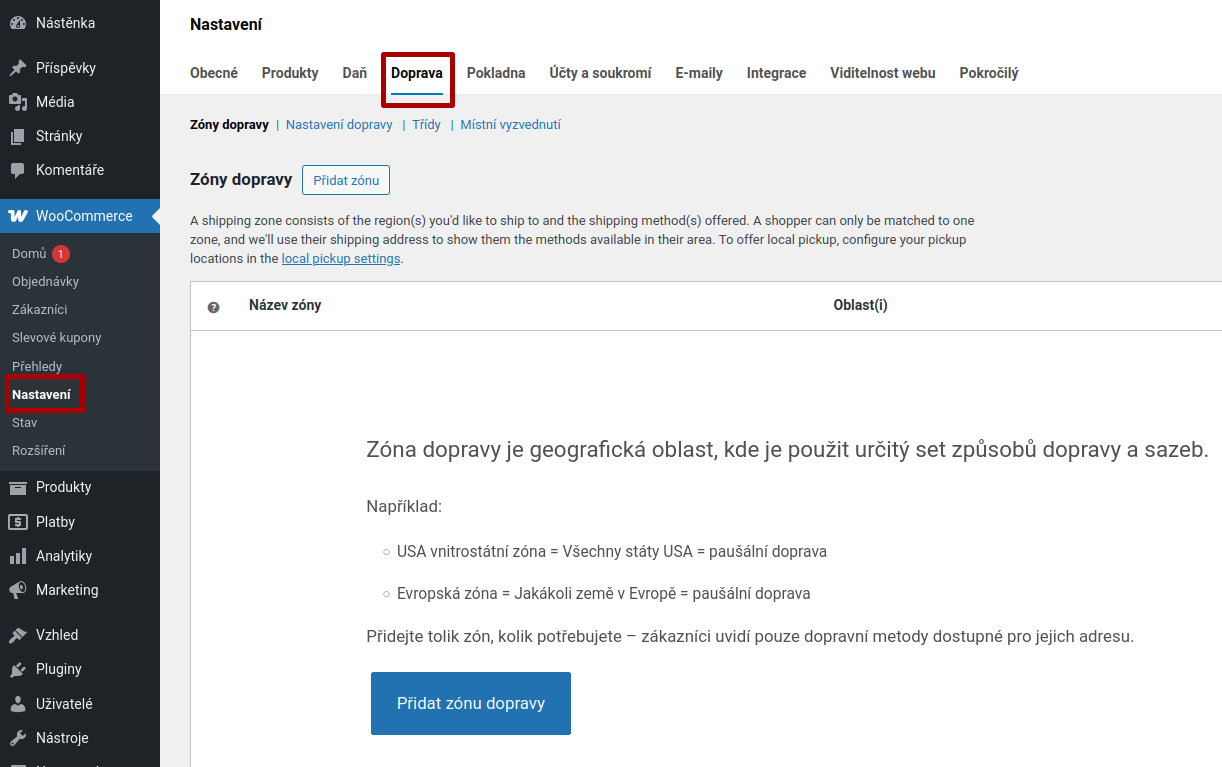
Go to the WooCommerce admin, click on WooCommerce → Settings → Shipping → Shipping zones. If no shipping zones exist, you will see the same page as in image above.
Solution
You can resolve the situation simply by creating shipping methods.
Proceed as follows:
- Open WooCommerce settings WooCommerce → Settings → Shipping → Shipping zones.
- Create a shipping zone by clicking the Add shipping zone button.
- Add a shipping method:
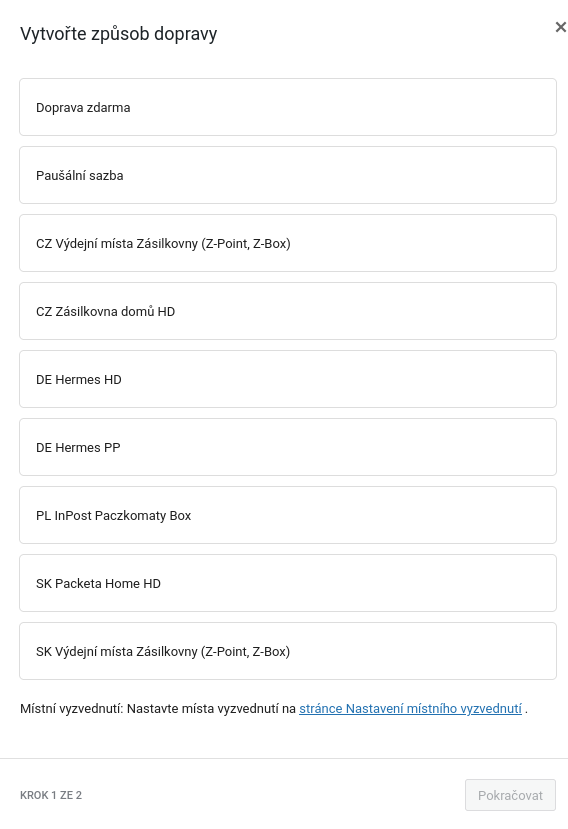
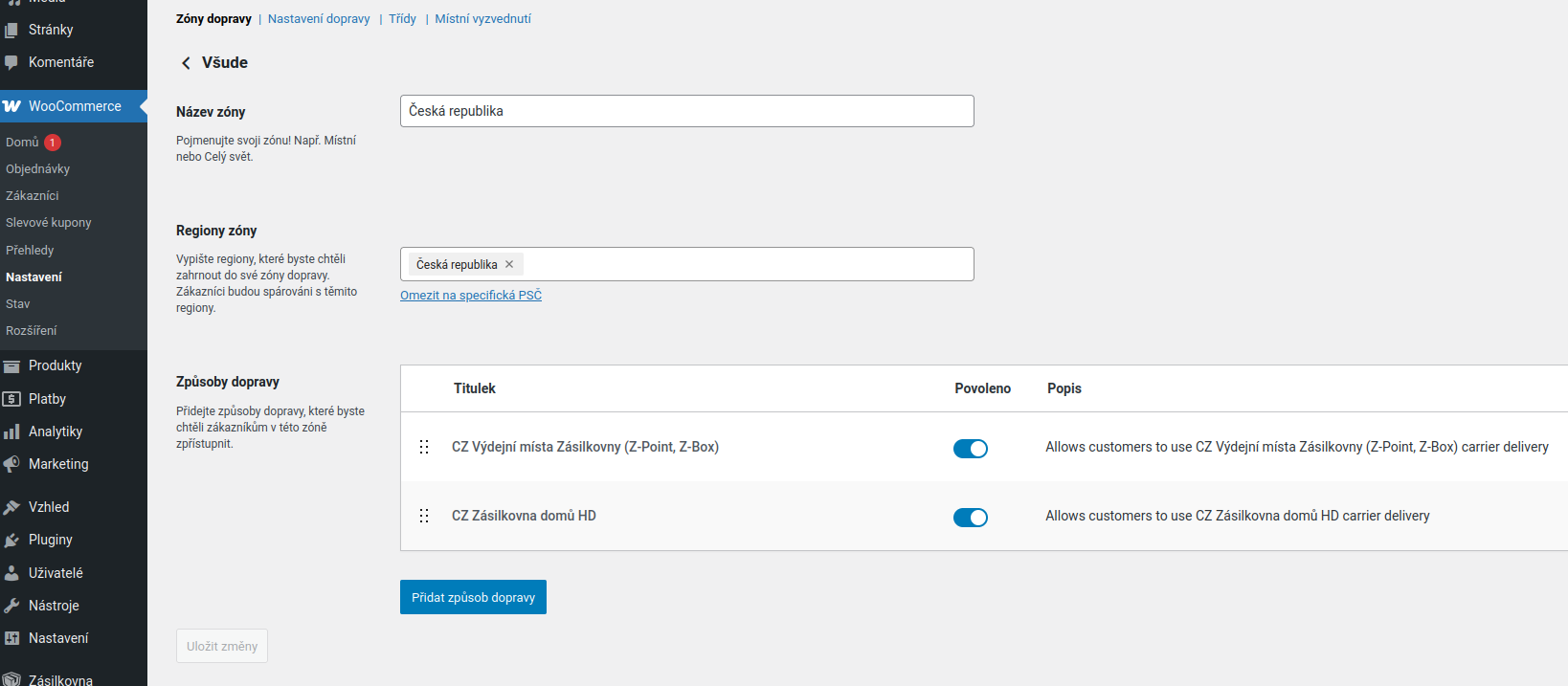
A detailed description of carrier settings can be found in the WooCommerce guide
info
Didn’t find the answer to your question? Our team is available at integrations@packeta.com.