Automated packet status sync
In the Packeta plugin, you can track packet statuses and automatically update order statuses in the WooCommerce order overview. This eliminates the need to access the client section. The entire process can be handled directly in WooCommerce.

An order is a purchase in your e-shop where the customer requests delivery of goods. It has your internal order number, but it does not exist in the client section. A packet is an order you have submitted to Packeta. It has your internal order number, Packeta ID (Z 123 4567 891), and it exists in the client section. A packet is created in WooCommerce in the Awaiting drop-off state.
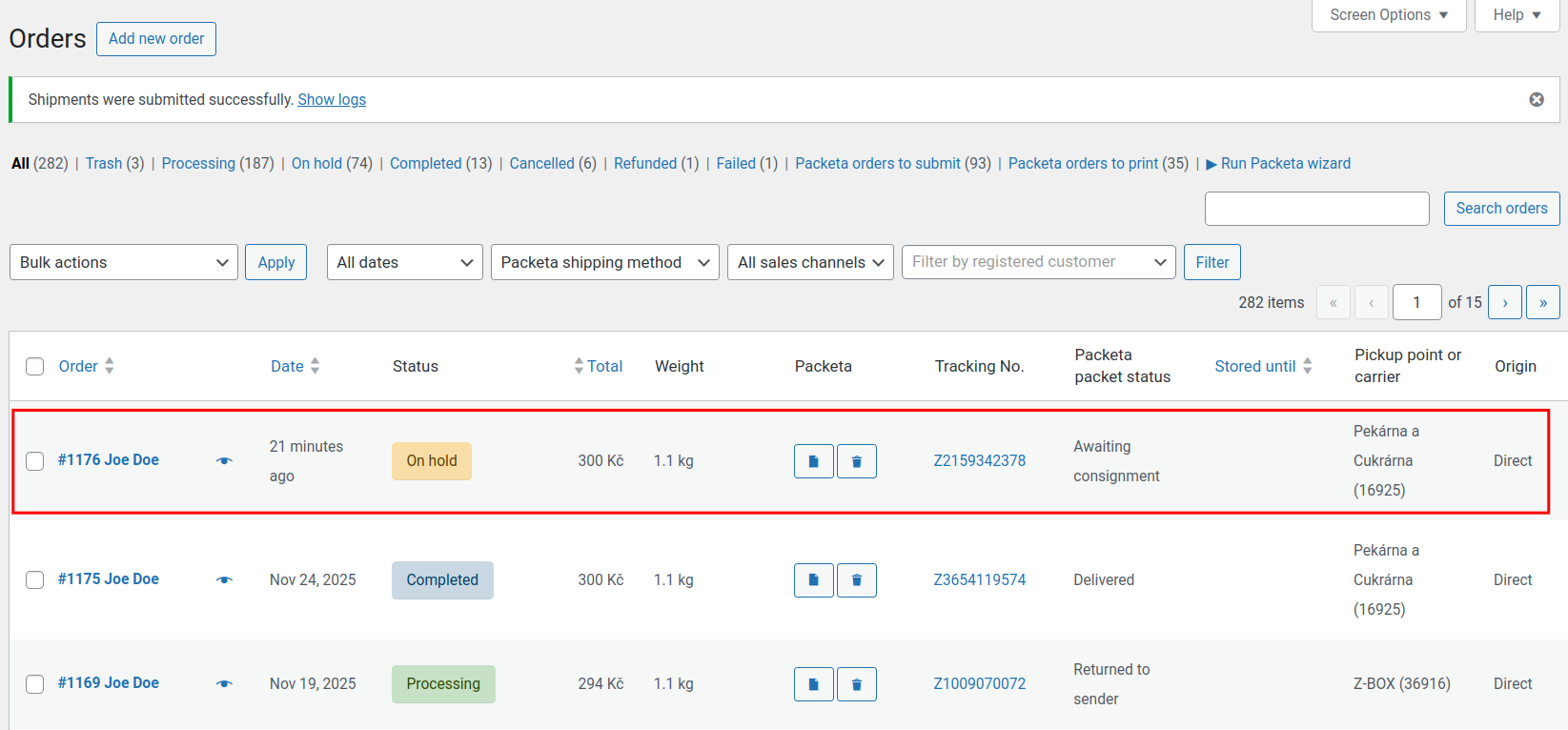
Activating packet status tracking
In the following guide, you will learn how to trace orders in status Pending payment, Processing, and On hold. For an order in such state and with a packet in status Awaiting delivery from the sender, In transit, Ready for pickup, Shipped by the carrier, or Return, the system will monitor whether the packet status has changed.
Open Packeta → Settings → Packet Status Tracking. In the first list, you will see order statuses in WooCommerce; in the second, packet statuses in Packeta. Select statuses from both lists as shown below.
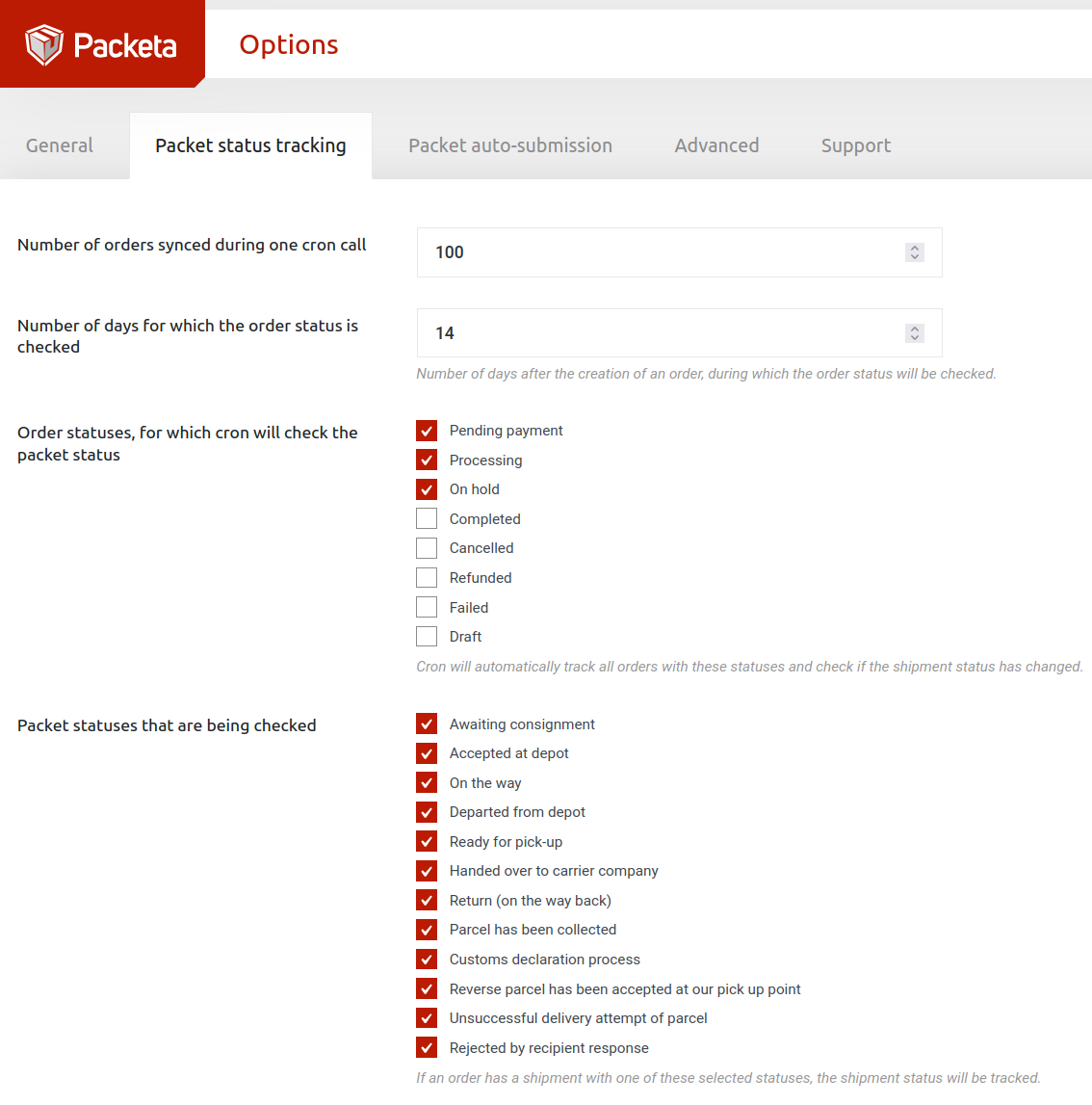
In the fields above the lists, you can specify which packets your configuration applies to — specifically the amount (100 newest packets) and the packet age (14 days since creation).
High packet count or age may overload the system, cause the update to loop, and prevent it from completing. We recommend keeping the default (or near-default) values.
Synchronization
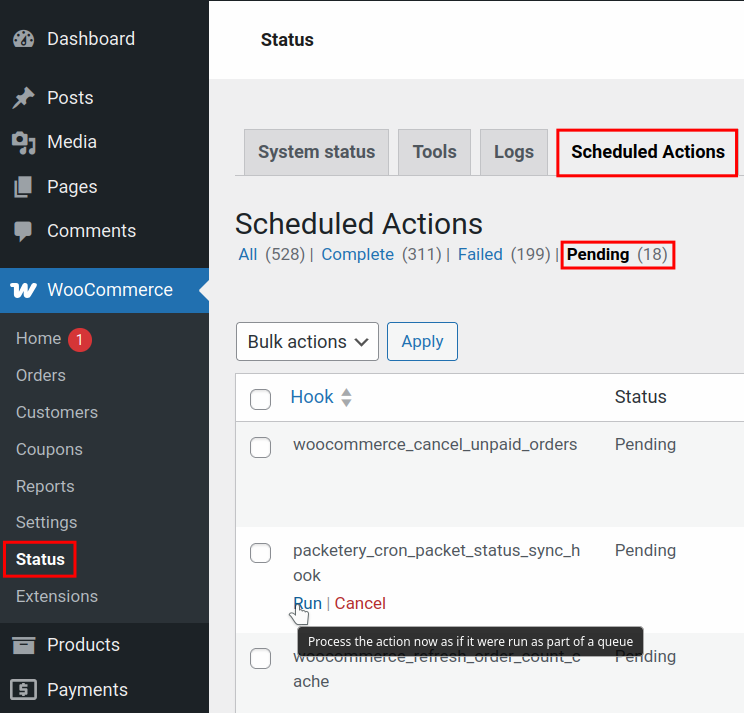
Synchronization runs through scheduled actions in WooCommerce (a queue of processed tasks). The actions responsible for packet status synchronization are:
packetery_cron_packet_status_sync_hook(runs several times per day Monday–Friday)packetery_cron_packet_status_sync_hook_weekend(runs once per day on weekends)
You can find them in WooCommerce → Status → Scheduled Actions → Pending. In the Scheduled Actions section, you can also manually run or cancel these actions. It's useful if synchronization does not run successfully for any reason.
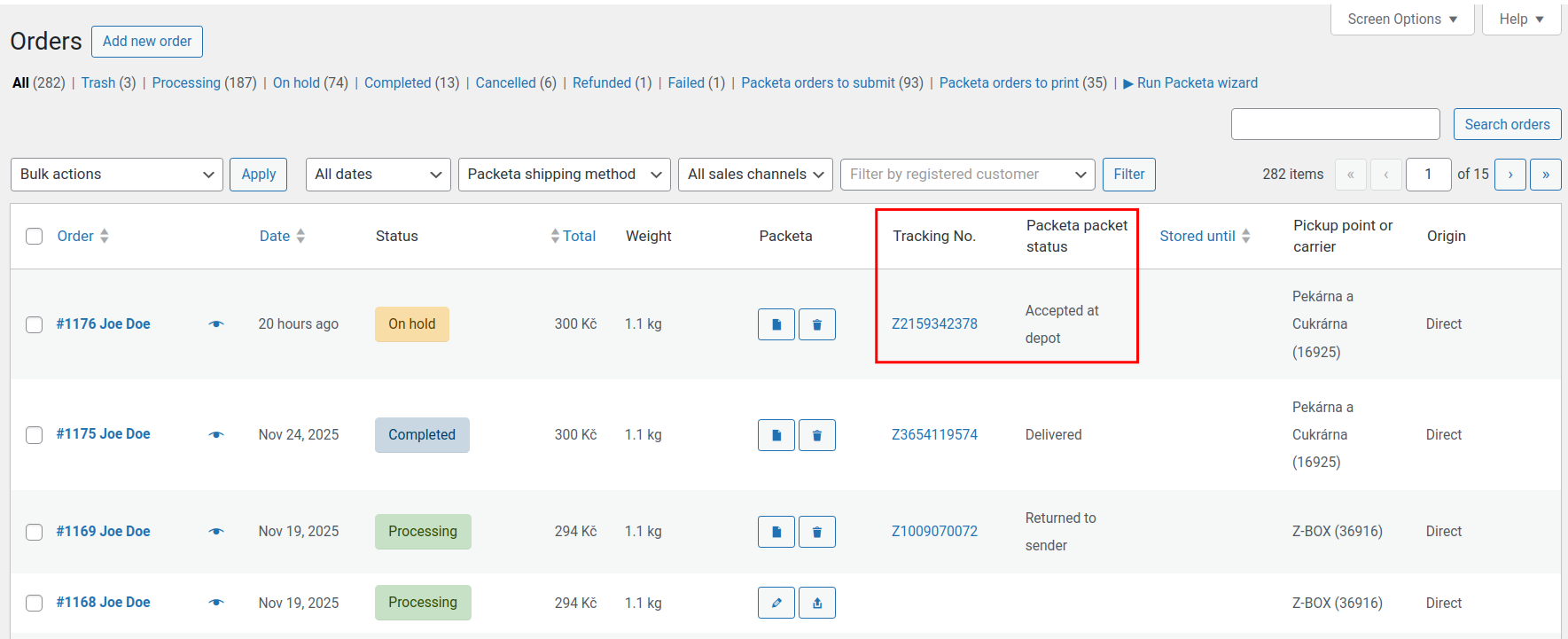
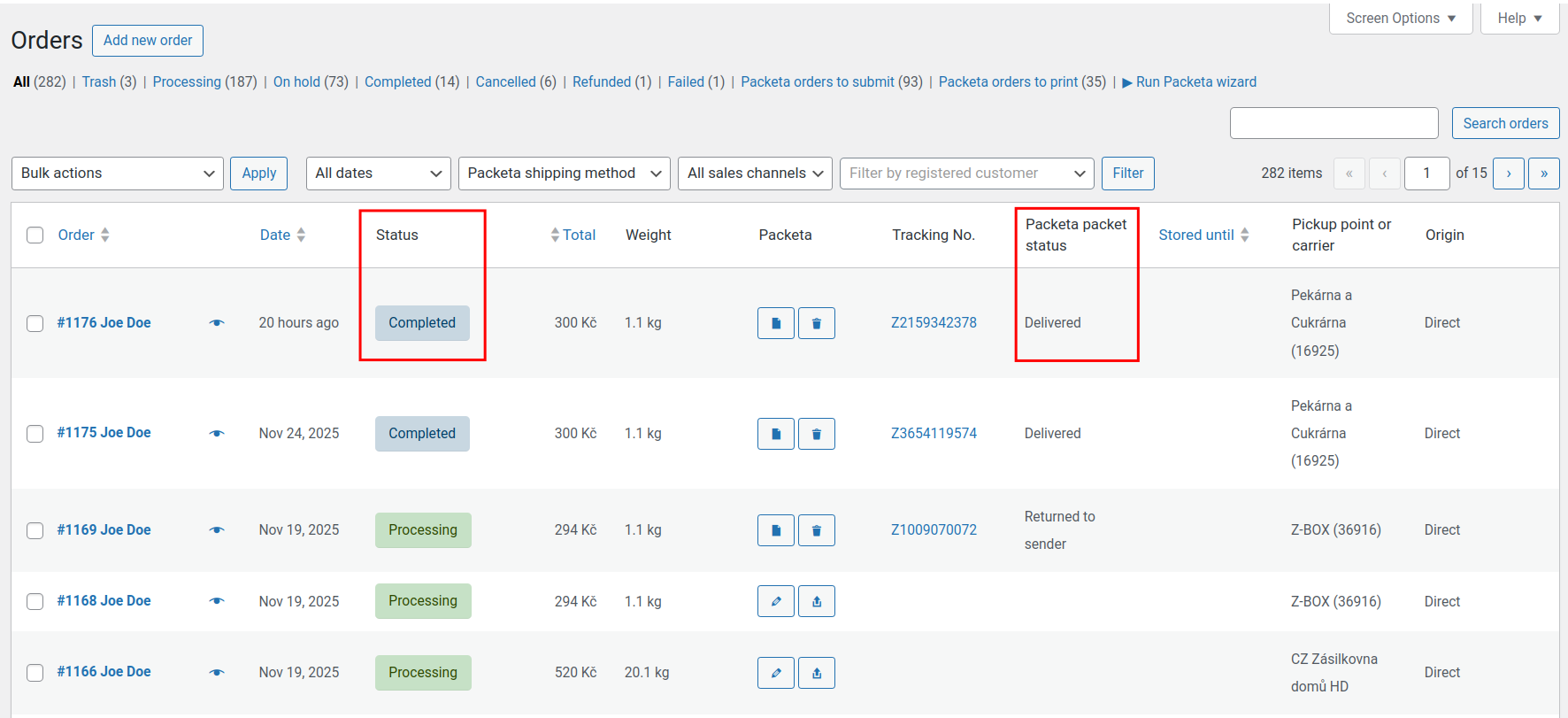
A packet may look like this after synchronization:
Automatic order status changes
In this step, you can configure automatic change of WooCommerce order statuses. Check Enable order status changes and select what order status should be assigned based on the packet status. Once the packet status is synchronized in the previous step, the WooCommerce order status will update automatically.
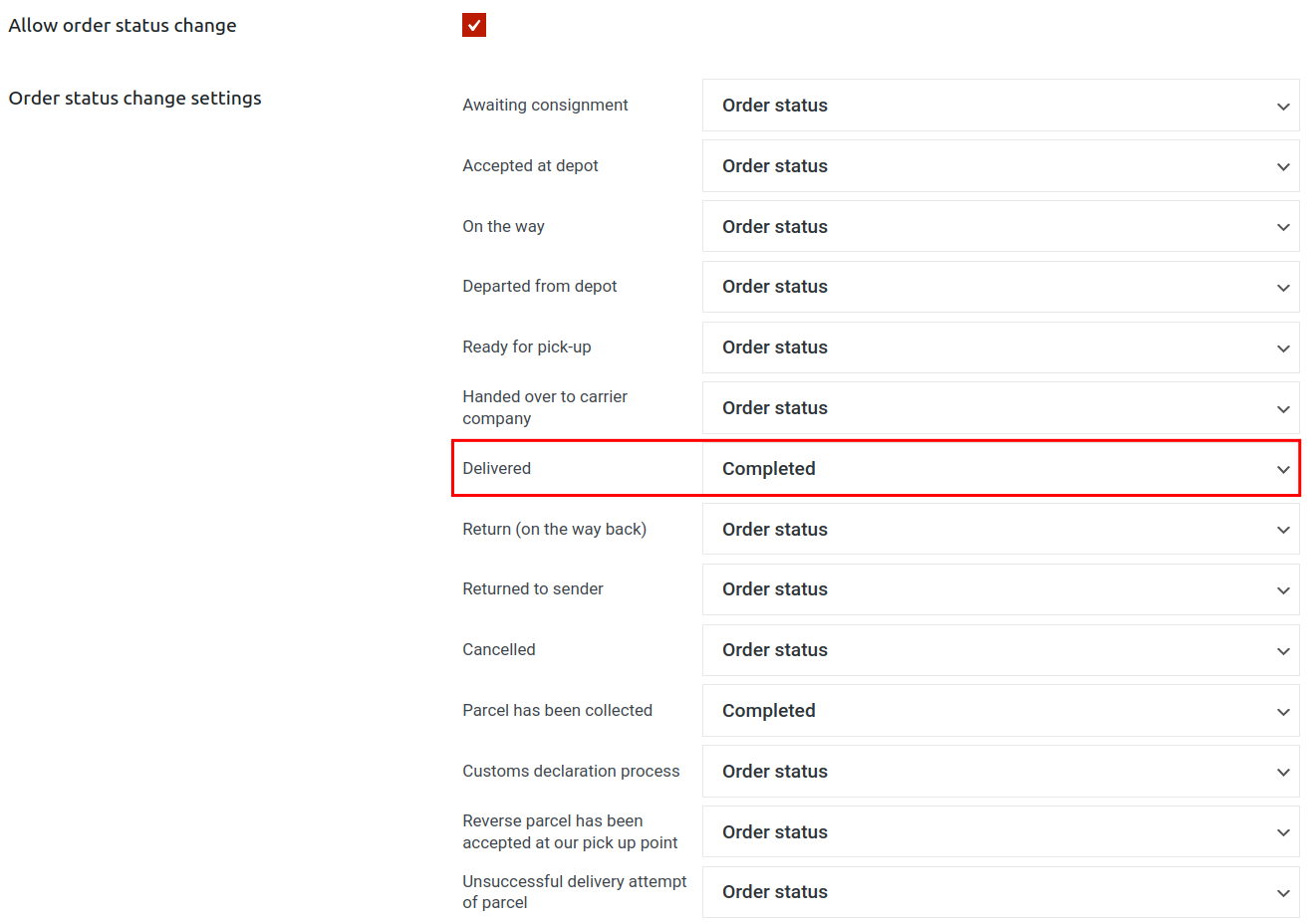
For example, when a customer picks up the packet (status changes to Packet collected or Delivered), the WooCommerce order status will change to Completed.
Didn't find the answer to your question? Our team is available at integrations@packeta.com.