Packet status sync is not working
There may be several reasons why the status synchronization is not working. We will describe them below along with the solutions.
You have not selected order/packet statuses
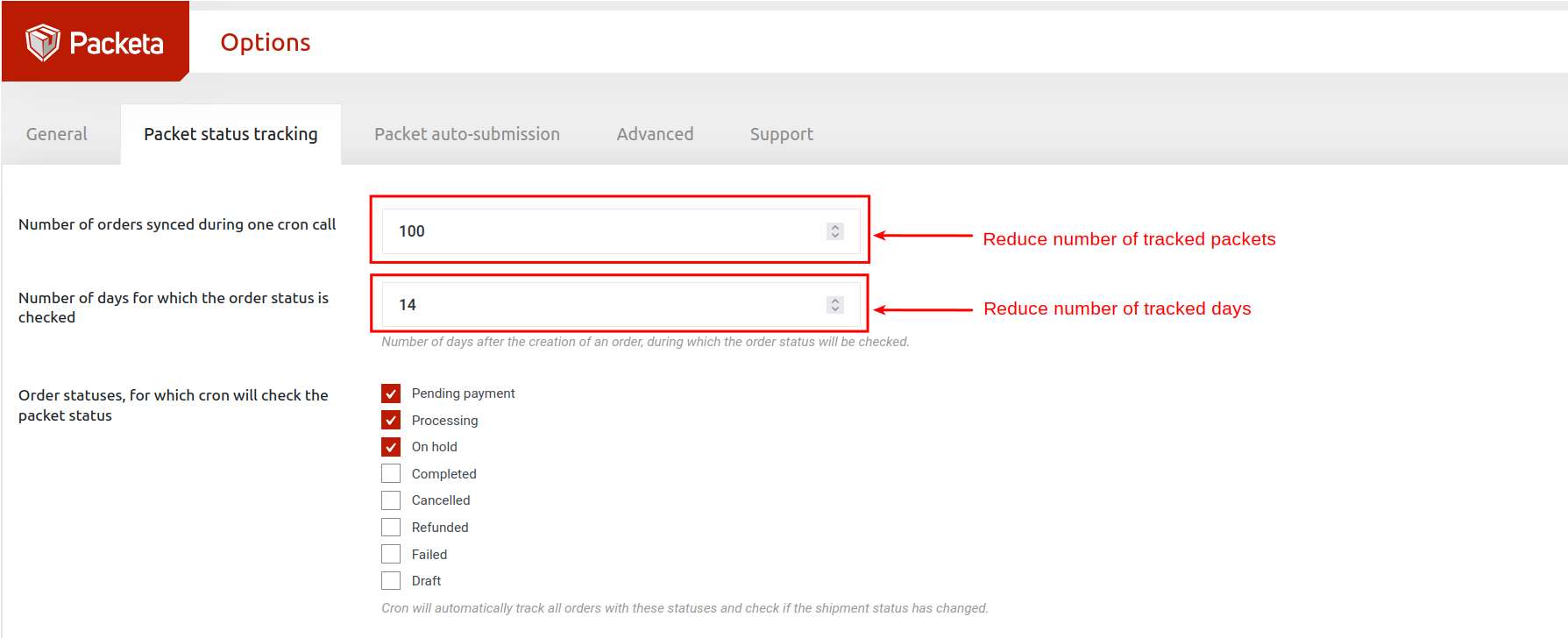
Open Packeta → Settings → Packet Status Tracking and verify that you have checked the order and packet statuses you want to update. You must select at least one status from each list (Order statuses for which cron will check the packet status and Statuses that will be checked).
A large number of packets in a short time
If the number of packets is too high, synchronization may not run. In such case, reduce the number of packets to synchronize, the age of the packets, or both.
Stuck scheduled action
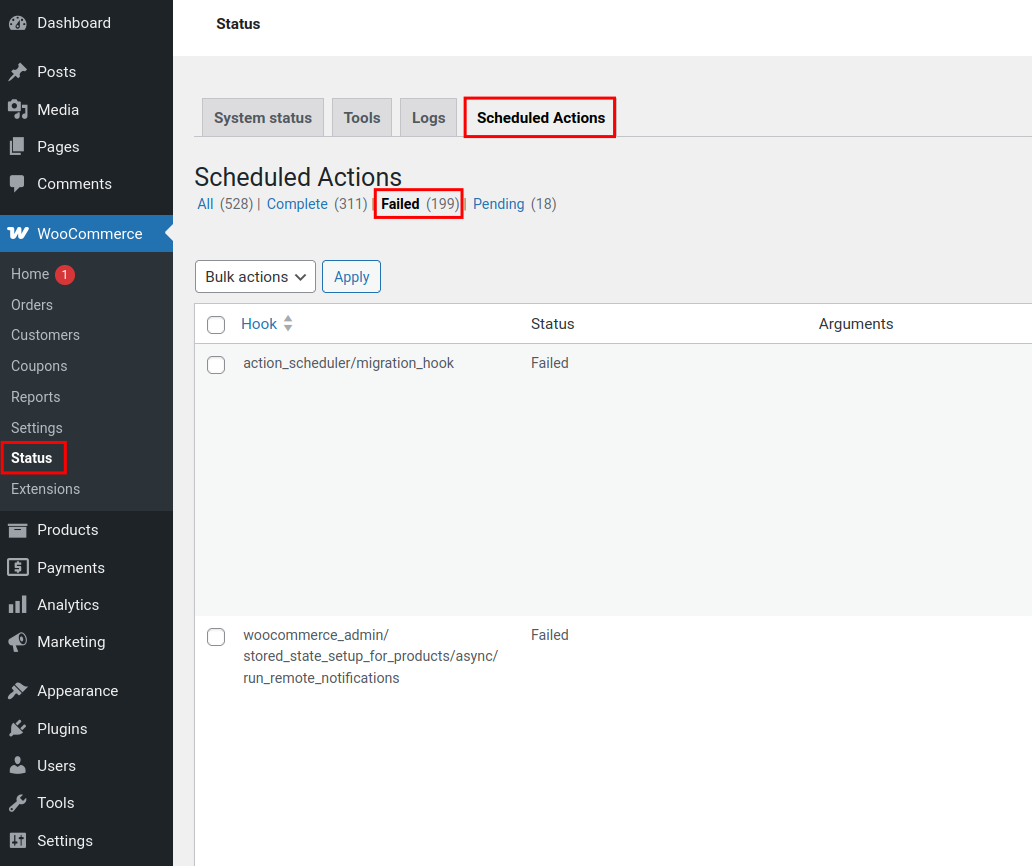
You can see “stuck” actions in WooCommerce → Status → Scheduled Actions → Failed. You can remove them by selecting them and choosing Delete in the Bulk Actions dropdown.
Then manually run the actions packetery_cron_packet_status_sync_hook and packetery_cron_packet_status_sync_hook_weekend in the Pending tab.
Didn't find the answer to your question? Our team is available at integrations@packeta.com.